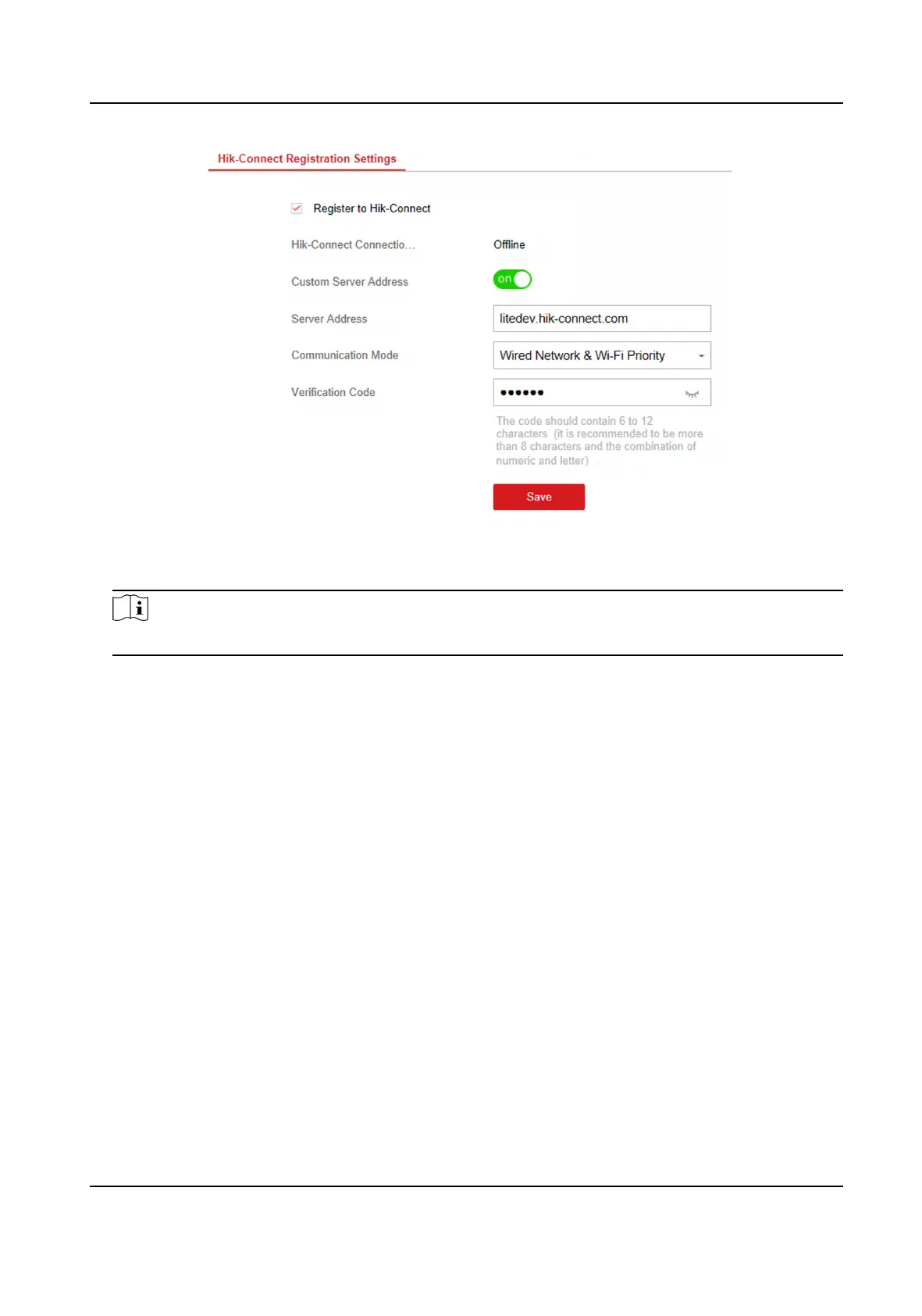
Figure 4-14 Hik-Connect Registraon Sengs Page
3. Check Register to Hik-Connect.
Note
By default, the device Hik-Connect service is enabled.
You can view the device status in the Hik-Connect server (www.hik-connect.com).
4. Enable Custom Server Address.
The server address is already displayed in the Server Address text box.
5. Select a
communicaon mode from the drop-down list according to the actual device
communicaon method.
Auto
The system will select the
communicaon mode automacally according to the sequence of,
wired network, Wi-Fi network, and cellular data network. Only when the current network is
disconnected, will the device connect to other network.
Wired Network & Wi-Fi Priority
The
connecon priority order from high to low is: wired network, Wi-Fi, cellular data
network.
Wired &Wi-Fi
The system will select wired network rst. If no wired network detected, it will select Wi-Fi
network.
Cellular Data Network
The system will select cellular data network only.
Hybrid Security Control Panel User Manual
26











 To Next Page