User Manual of Network Traffic Camera revise
27
Steps:
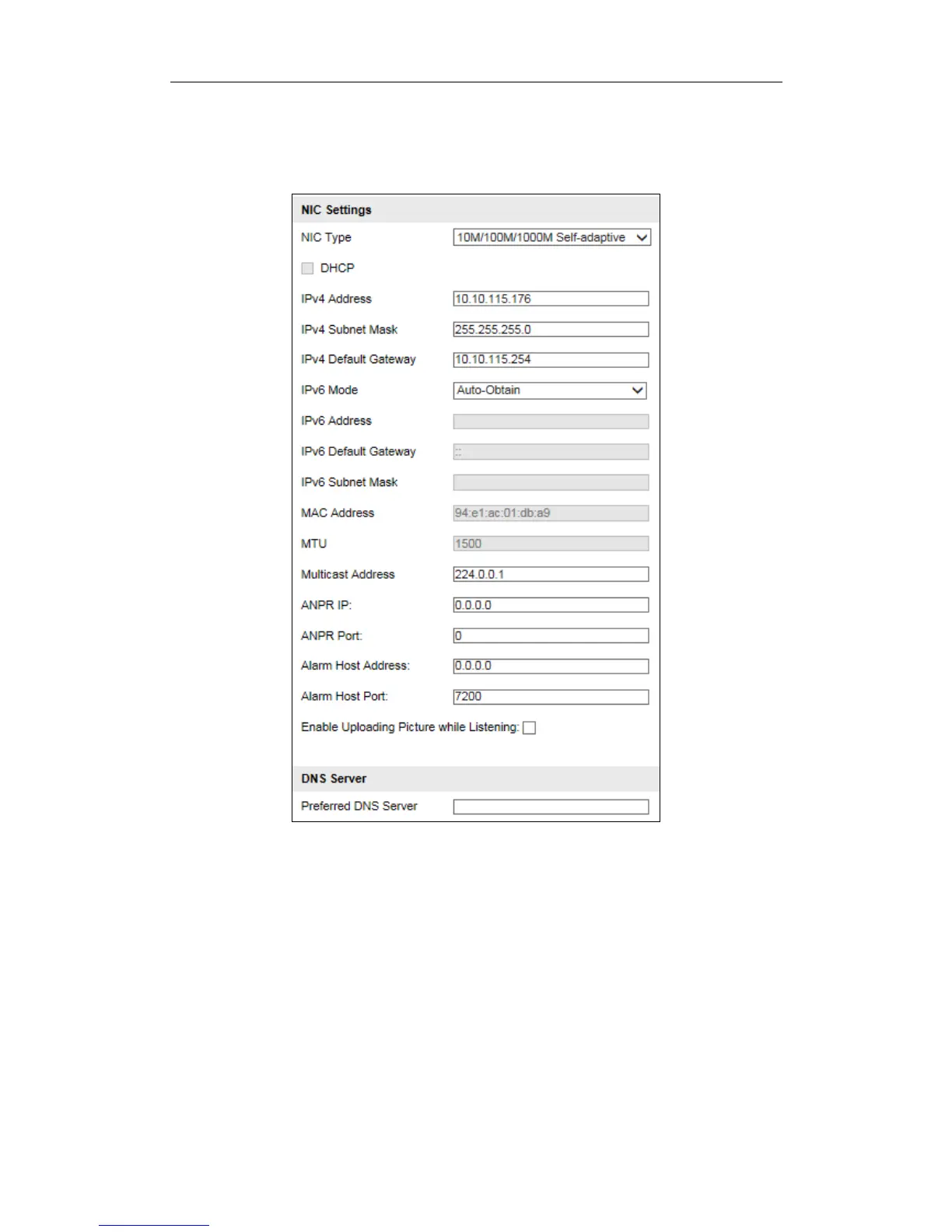
1. Go to Configuration > Device Configuration > System Configuration >
TCP/IP.
Figure 8-4 Network Parameters
2. Configure the following parameters.
NIC Settings
Configure the NIC parameters, including the NIC Type, IPv4 Address, IPv4
Subnet Mask, IPv4 Default Gateway, IPv6 Mode, IPv6 Address, IPv6 Subnet
Mask, IPv6 Default Gateway, MAC Address (read-only), MTU settings
(read-only), Multicast Address, Alarm Management Host Address/Port, ANPR IP
address, ANPR port, Alarm Host Address, and Alarm Host Port.
Notes:


 To Next Page
 Loading...










