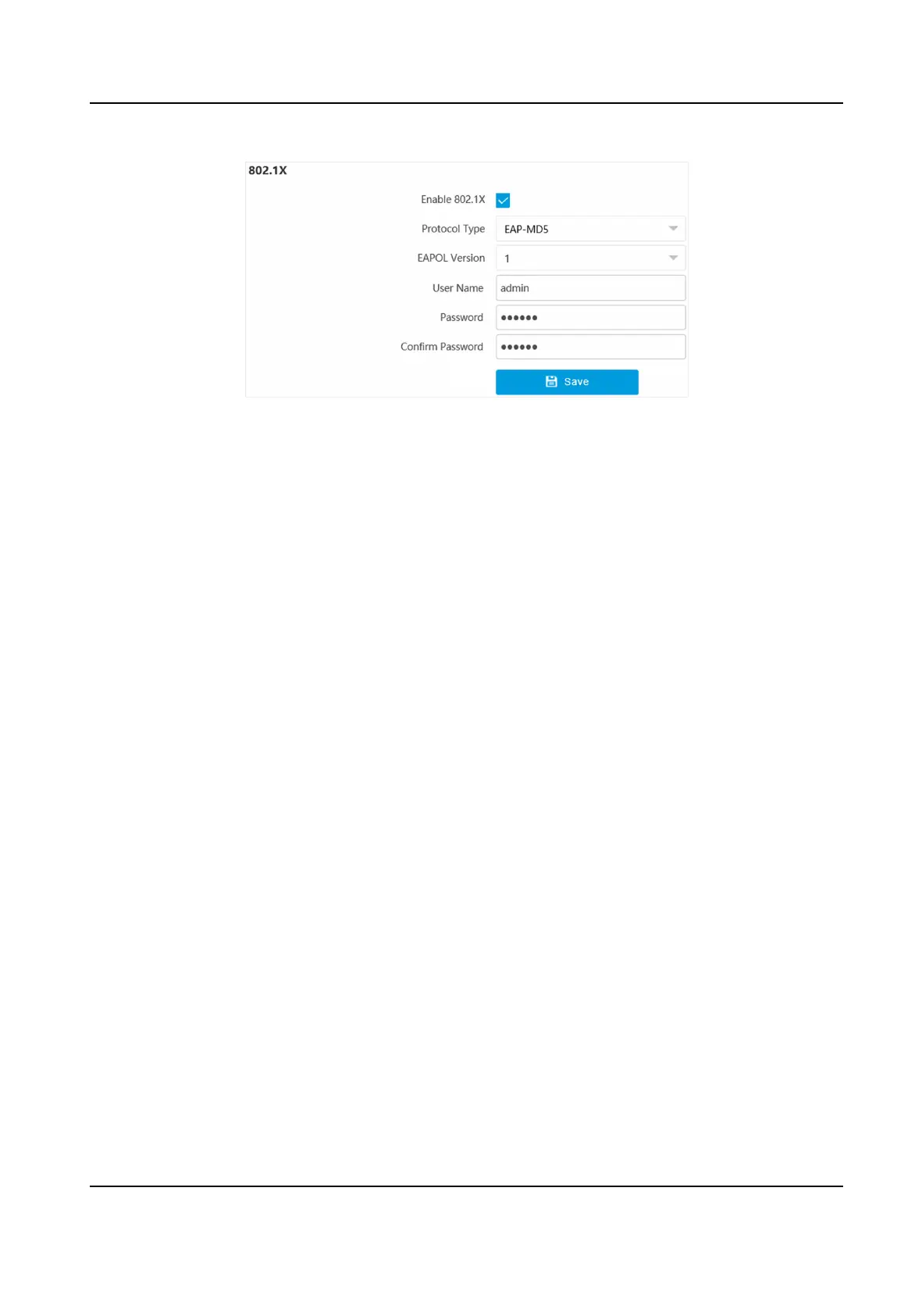
Figure 6-5 Set IEEE 802.1X
2.
Check Enable 802.1X.
3.
Select Protocol Type and EAPOL Version.
Protocol Type
The
authencaon server must be congured. Register a user name and password for 802.1X
in the server in advance. Enter the user name and password for authencaon.
EAPOL Version
The EAPOL version must be idencal with that of the router or the switch.
4.
Enter User Name and Password registered in the server.
5.
Conrm the password.
6.
Click Save.
6.7 Set Port
The device port can be modied when the device cannot access the network due to port conicts.
Go to Conguraon → Network → Network Parameters → Port for port sengs.
Network Trac Camera Operaon Manual
38



 To Next Page
 Loading...







