34
Installation BAT867-R
Release
06
08/2018
7 Disassembly
7.1 Removing the device
Disconnect the data cables.
Disable the supply voltage.
Remove the terminal connector from the device.
Remove the antennas.
Disconnect the grounding.
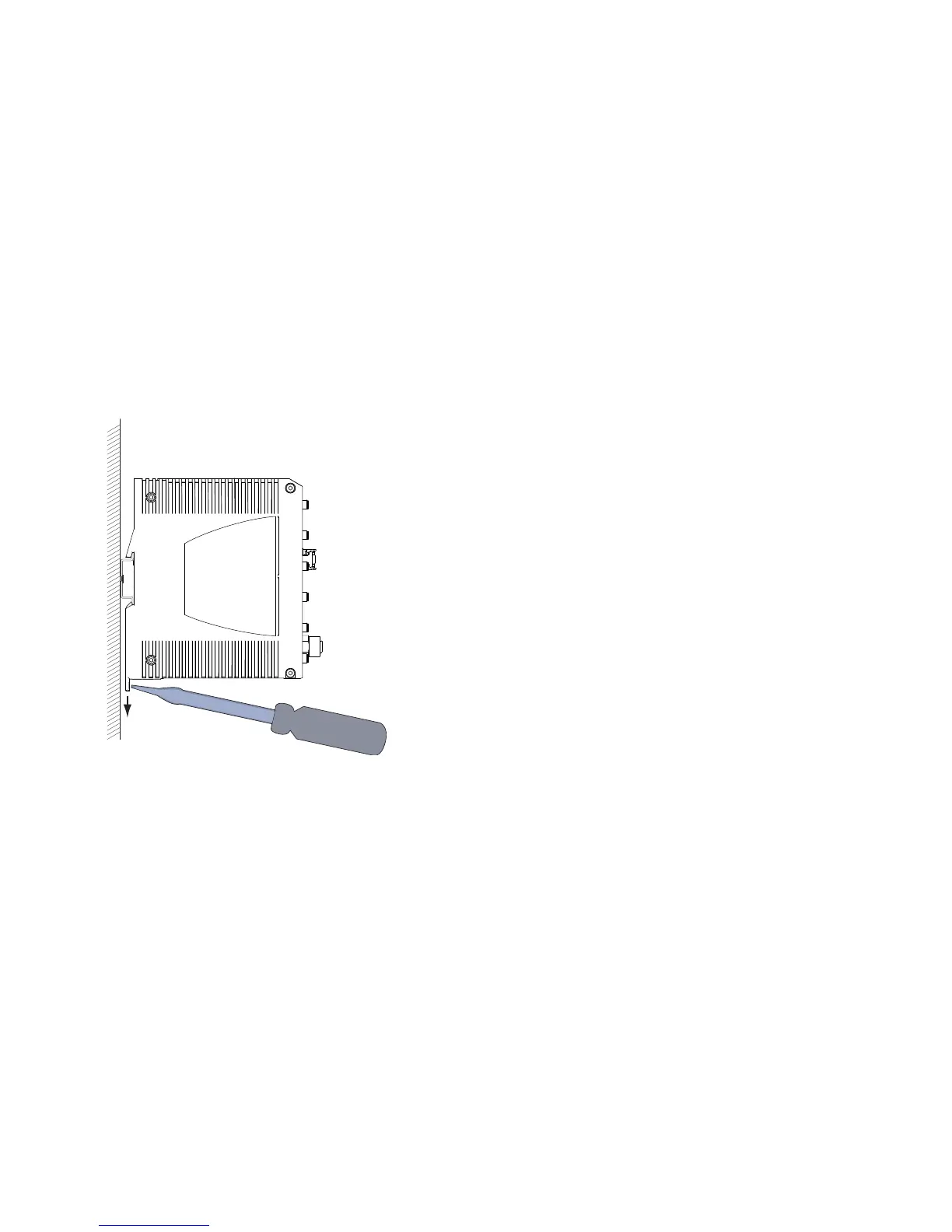
Insert a screwdriver horizontally below the housing into the locking gate.
Pull the locking gate down without tilting the screwdriver.
Lift the bottom of the device away from the DIN rail.



 To Next Page