System Description
© Hirschmann Rev. E 11/12/08 190147_E
5
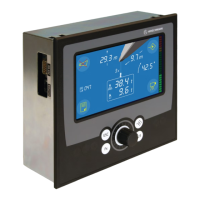
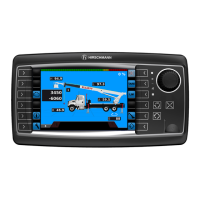
3.2 OPERATING CONSOLE
The console has 3 functions:
• inputs by the crane operator (operating mode, reeving)
• input of geometry limit values and signalization of exceeded limit values
• display of important data and information
The operator’s console is mounted in the crane’s cab in the operator’s field of vision. For a
better identification of displays and operating elements, they are continuously backlit during
operation.
3.3 CONTROL IDENTIFICATION
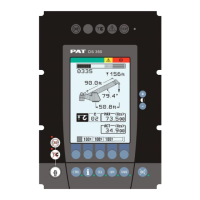
This unit contains a display and different controls which are described as follows:
Legend to Fig 2:
1 LC Display Area 10 Button and Control Light "INFO"
2 Load Moment Limit Light 11 Button and Control Light "CONTROL"
3 Load Moment Prewarning Light 12 By-Pass Key Switch
4 Alarm Light “Anti-Two-Block” 13 Button and Control Light "By-Pass Anti-Two-Block"
5 Override Key Warning Light 14 Button and Control Light "By-Pass LMI shut-off
function"
6 Button “Alarm Stop” 15 Contrast Control
7 Button and Control Light “TARE” F1 Button "Function 1"
8 Button and Control Light “LIMITS” F2 Button "Function 2"
9 Button and Control Light “SELECT F3 Button "Function 3"
OPERATING MODE” F4 Button "Function 4"
F5 Button "Function 5"


 To Next Page