Home
Hirschmann
Music Mixer
iFLEX5
Page 31
Hirschmann iFLEX5 - Page 31
46 pages
Manual
Save Page as PDF
To Next Page
To Next Page
To Previous Page
To Previous Page
Loading...
Operation
© Hirschmann Rev. E 11/12/08
190147_E
25
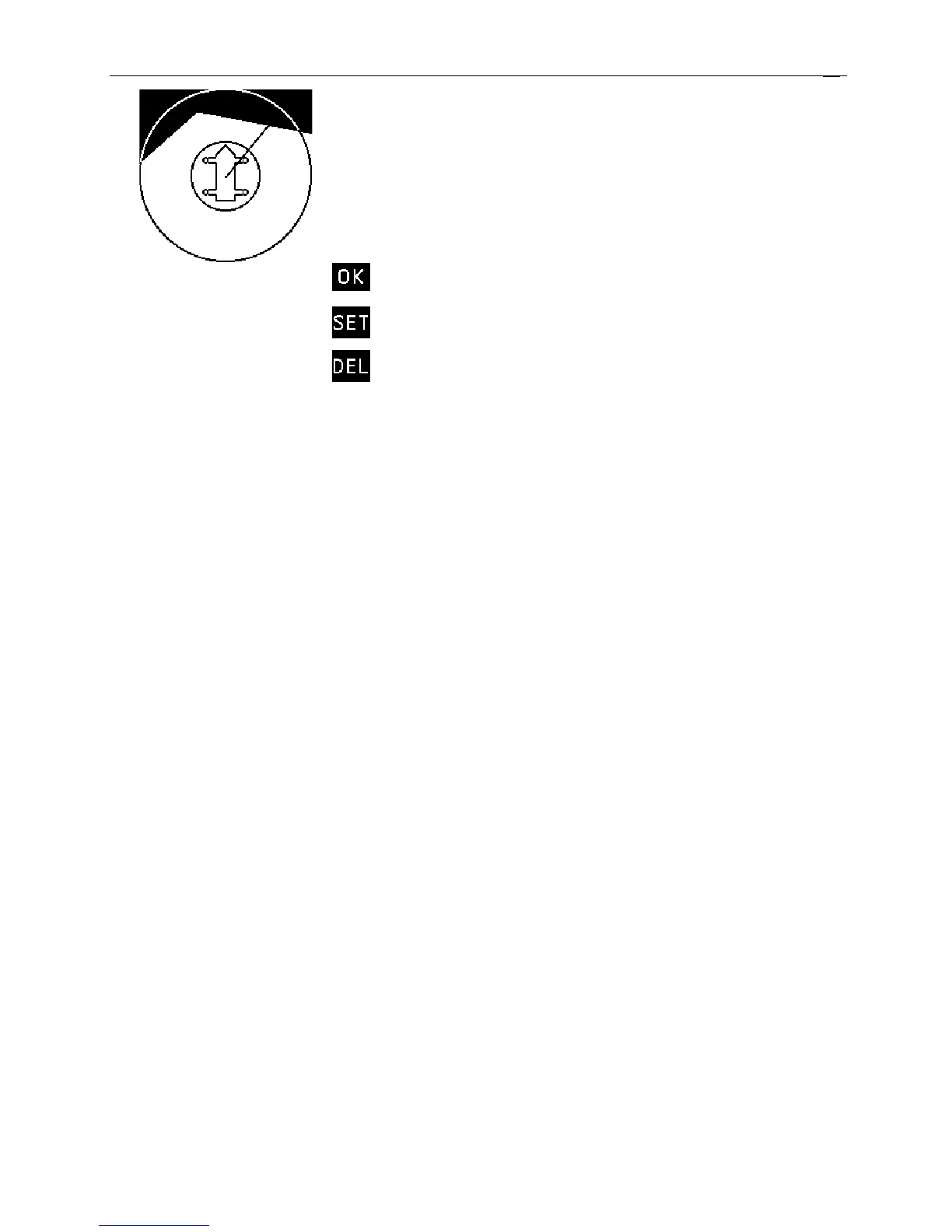
Upon pressing SET, the second wall
is created.
Accepts the defined walls
and exits
Allows for further walls to be
added
Exits the screen and deletes
all virtual wall settings
30
32
Table of Contents
Main Page
Default Chapter
5
Table of Contents
5
1 General Information
7
2 Warnings
7
3 System Description
8
System Function
10
Operating Console
11
Control Identification
11
4 Configuration Setup
17
Lmi Setup Procedure
17
Quick Setting of the Reeving
21
Quick Hoist Line Selection
22
5 Operation
23
Limit Setting
26
Slewing Angle Limitation / Work Area Definition
27
Tip Height Limitation
32
Boom Angle Limitation
33
Radius Limitation
35
Wind Speed
36
Info Crane Configuration
37
Display Contrast Control
38
6 Pre-Operation Inspection and Calibration Verification
39
Machines with Only a Main Hoist
39
Machines with Main and Auxiliary Hoists
39
Installation of Anti Two-Block Retainer in Locking Position
40
Removal and Storage of the Anti Two-Block Retainer
40
Pre-Operation Inspection and Calibration Verification
41
7 Service and Maintenance
42
8 Troubleshooting
43
General
43
Malfunction Table
43
Operating Errors
44
Error
44
10 Appendix B:detailed Symbol Explanation of Counterweight Options
46
9 Appendix A: Detailed Symbol Explanation of Boom Extensions
46
Related product manuals
Hirschmann iSCOUT expert compact
57 pages
Hirschmann PAT IFLEX5
79 pages
Hirschmann Manitex vSCALE D3
60 pages
Hirschmann iVISOR mentor QVGA
50 pages


 To Next Page