Enjoy Live TV
Move or remove channels in a favourite list
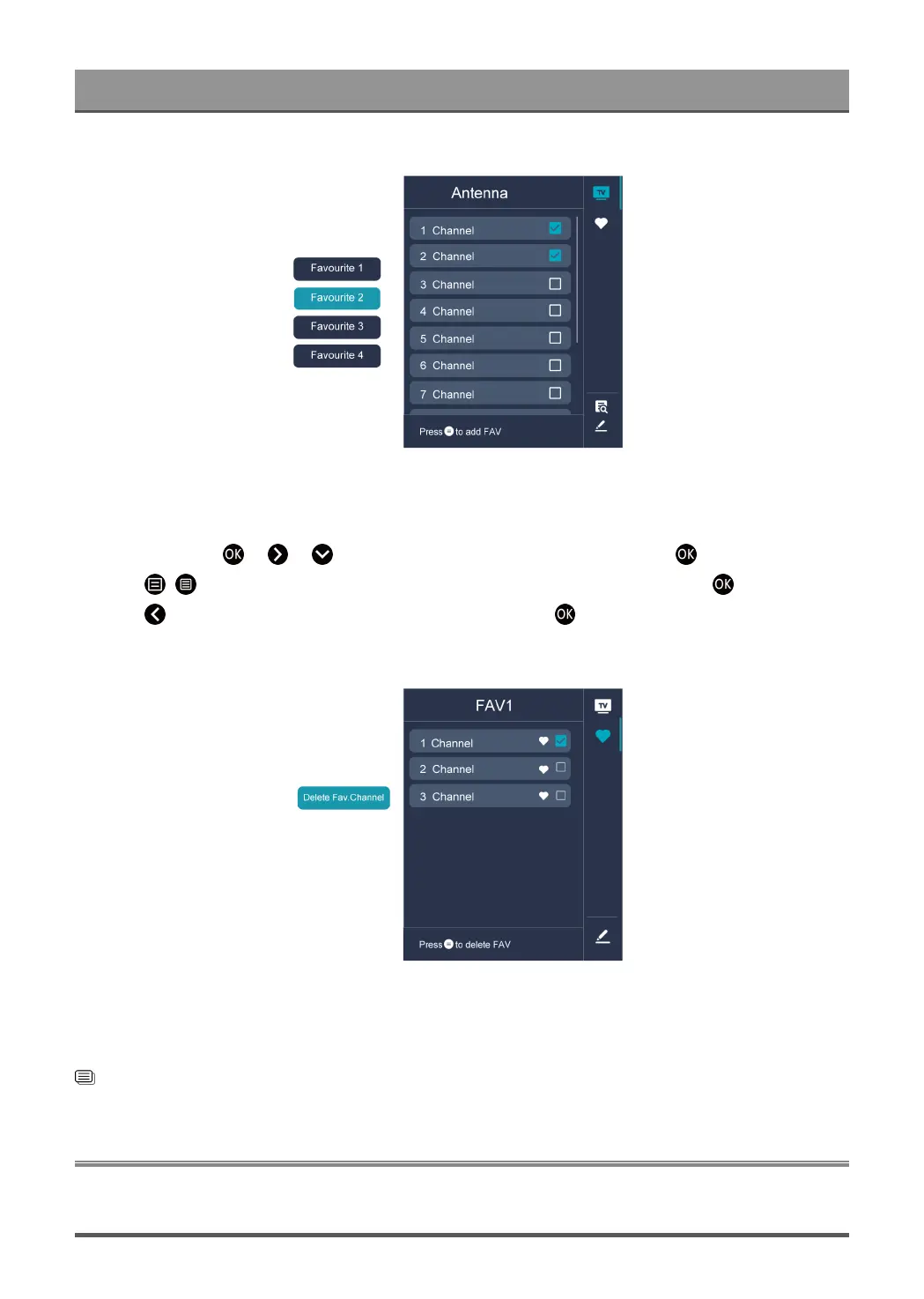
If you want to remove favourite channels:
1.
In Live TV, press > > to select FAV, choose a favourite list and press button.
2.
Press / , select the channel(s) you want to delete to the favourite list by pressing button.
3.
Press button to select Delete Fav. Channel, and then press button to confirm.
4. Then a heart-shaped icon will disappear on FAV list.
Note:
• These steps should be operated under TV inputs.
• Before you edit the favourite lists,complete channel scan first.
Related information
Channel Scan on page 6
Guide(EPG)
The Guide (EPG) provides a convenient way to check TV programmes for the upcoming 8 days. The
information displayed by the Guide (EPG) is made available by the commercial television networks for digital
9



 To Next Page