EasyManua.ls Logo

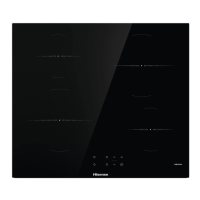
Hisense I6421C - User Manual

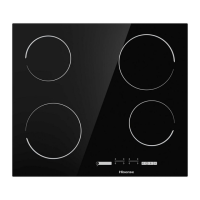
Hisense I6421C
36 pages
Print Icon
To Next Page IconTo Next Page
Loading...
DETAILED
INSTRUCTIONS
FOR USE OF GLASS
CERAMIC BUILT-IN
INDUCTION COOKING
HOB
GB IE MT

Questions and Answers

  • B
    Brittany LeeAug 12, 2025
    What to do if 'F' appears on my Hisense I6421C Hob display?
    • F
      fordmichaelAug 12, 2025
      If the error indicator "F" appears and does not disappear, disconnect the Hisense hob from the power mains for a few minutes by undoing the fuse or switching off the main switch. Then, reconnect the hob to the power mains and switch it on using the main switch key.
  • N
    Nicholas RobersonAug 16, 2025
    What to do if my Hisense Hob keeps beeping and showing »–«?
    • B
      Bradley RyanAug 16, 2025
      If your Hisense Hob is continuously beeping and the display shows »–«, it means that water has spilled over the sensor surface or an object is placed over the sensors. You should wipe the sensor surface to resolve this issue.
  • V
    Vanessa JonesAug 20, 2025
    Why is my Hisense Hob making a transformer-like buzzing noise?
    • J
      Jonathan BrownAug 20, 2025
      A transformer-like buzzing noise from your Hisense Hob typically occurs when cooking at a high power level. This is due to the amount of energy transferred from the hob to the pot or pan. Reduce the power level to make the noise disappear or weaken.
  • S
    Shelly PowellAug 23, 2025
    Why does my Hisense Hob fan keep running after it's turned off?
    • M
      Michelle CruzAug 23, 2025
      The fan in your Hisense Hob may continue to operate even after the hob is switched off if the temperature remains too high.
  • J
    John MooreAug 27, 2025
    What does 'C' on the display of my Hisense I6421C Hob mean and what to do?
    • B
      Brooke CowanAug 27, 2025
      If you see 'C' on the display of your Hisense Hob, it indicates that the cooking zone has overheated. Wait for the cooking zone to cool down.
  • M
    Melanie LamAug 31, 2025
    Why is my Hisense Hob cookware vibrating and crackling?
    • R
      Rebecca GloverAug 31, 2025
      Vibration and crackling of cookware on your Hisense Hob results from vibrations along the adjacent surfaces of different material layers. This noise depends on the cookware and can vary depending on the amount and type of food being cooked.
  • M
    Michael KnoxSep 3, 2025
    How to stop induction noise on Hisense I6421C Hob?
    • M
      mgraySep 3, 2025
      Induction generated operating noise is normal for Hisense Hob and is not a result of any malfunction.
  • M
    Mr. David StewartSep 7, 2025
    What does 'r' on the display of my Hisense I6421C mean?
    • D
      Danielle TaylorSep 8, 2025
      The appearance of 'r' on the display of your Hisense Hob indicates that the desired power level cannot be set because the limit for maximum total hob power has been activated.

Summary

Important Safety Instructions

Built-In Glass Ceramic Induction Cooking Hob

Technical Specifications

Before Using the Appliance for the First Time

Induction Cooking Surface

Pan Recognition

Induction Cooking Zone Operating Principle

Induction Cookware

Operating the Cooking Hob

Control Unit (depending on the model)

Description of the control unit and its sensor keys, including their functions and displays.

Power Zone with the Rapid Boil Option

Child Lock

Timer Functions

Setting the Maximum Total Appliance Power

Maintenance & Cleaning

Troubleshooting Table

Installing a Built-In Hob

Air Vents in the Lower Kitchen Cabinet

Flush-Mount Installation into the Worktop

1. Silicone Sealant, 2. Sealing Tape

Fitting the Foam Gasket

Connecting the Cooking Hob to the Power Mains

Disposal

Hisense I6421C Specifications

General IconGeneral
Hob typeZone induction hob
Hob coverNo
Frame typeFrameless
Product colorBlack
Hob width size60 cm
Top surface type-
Appliance placementBuilt-in
Number of gas cooking zones0 zone(s)
Number of electric cooking zones4 zone(s)
Control typeTouch
Easy to cleanYes
Control positionFront
Number of boosters4
Connected load (gas)- W
Connected load (electric)7200 W
Package depth640 mm
Package width715 mm
Package height110 mm
Package weight8100 g
Weight and Dimensions IconWeight and Dimensions
Depth520 mm
Width595 mm
Height58 mm
Weight7600 g

Related product manuals