48
DAILY Records a show at the same time every day of the week,
Monday through Friday.
WEEKLY Records a show at the same day and time every week.
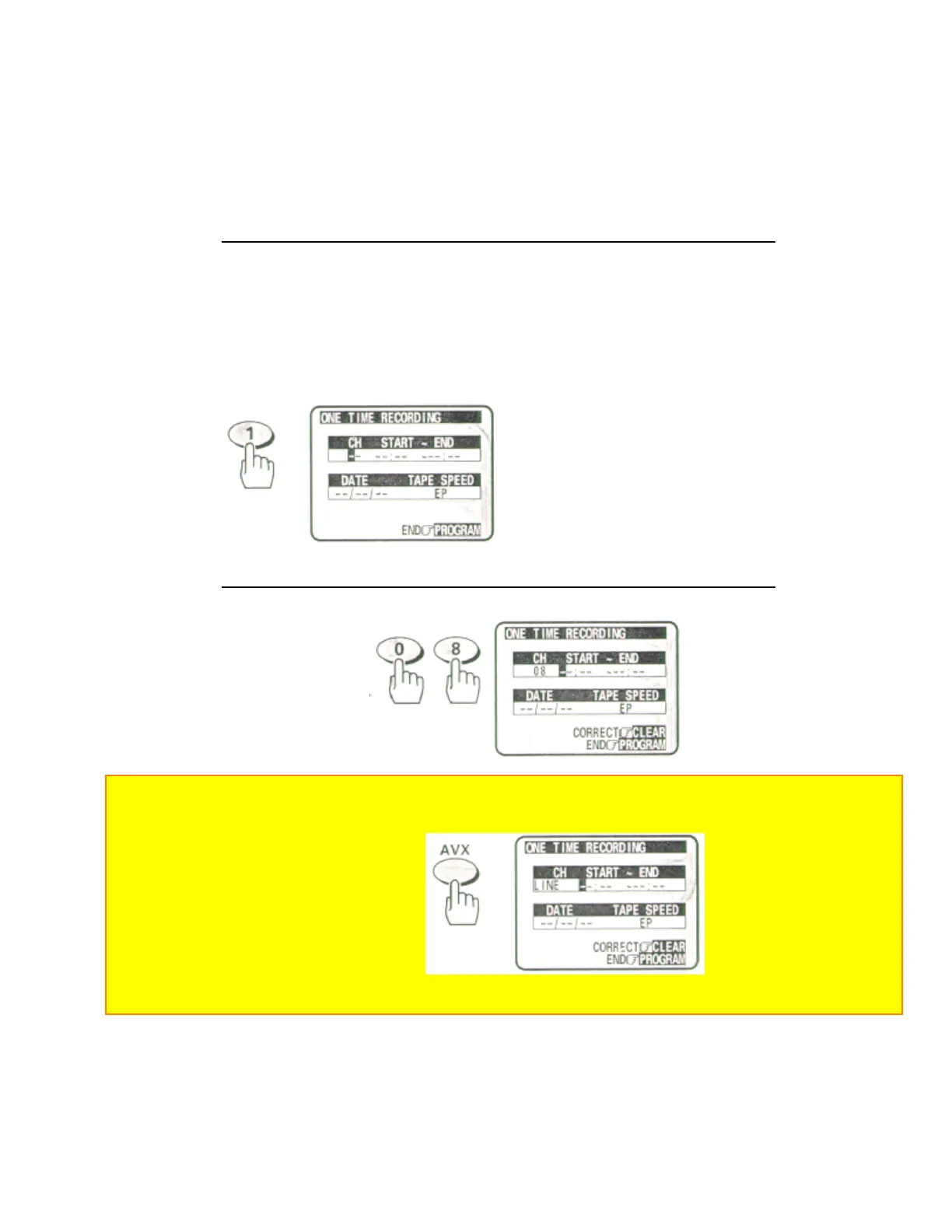
EXAMPLE: Set the VCR to record "one time", a program on Channel 8 that starts at 6:00 PM and ends at 6:30
PM on 7/10/98, at the EP recording speed.
4 Press the (1) button to bring up the screen for One Time Recording
• If you have installed a cable box (see page 26), the cable box output
channel
will appear in the CH column
Remote Control Illustration.
5 Press the (0) and (8) buttons to select channel 8.
Note: Remember to press 0 before single-digit channel numbers, times, and dates.
• If you want to record from an external equipment, press the AVX button to select LINE instead of the channel
number.
• If you make a mistake when entering digits, press the CLEAR button repeatedly to display "-" for the incorrect
digit, then reenter the correct digit.
6 Enter the start time by pressing (0), (6), (0) and (0) for 6:00.


 To Next Page
 Loading...










