49
Remote Control Illustration.
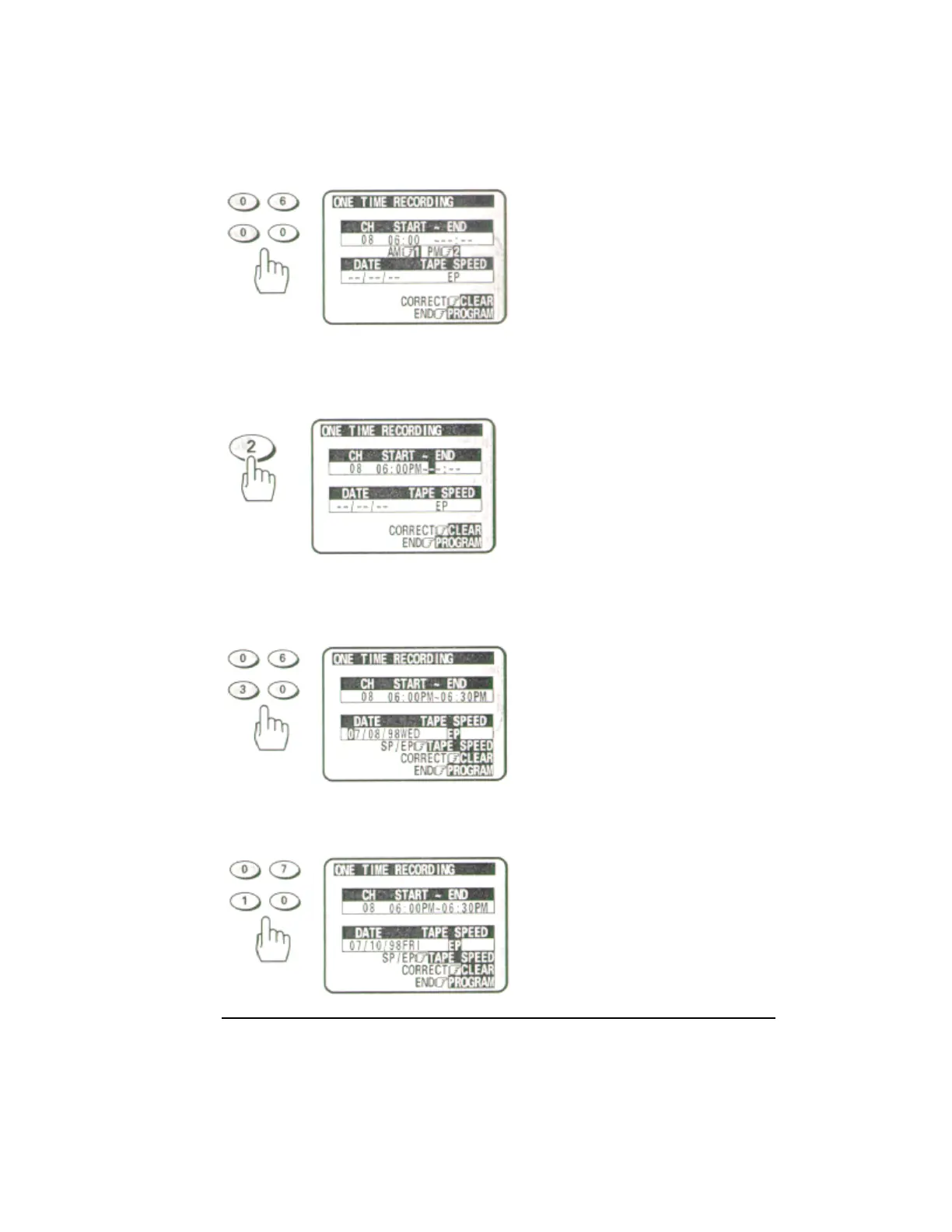
7 Press the (2) button for PM.
8 Enter the end time by pressing (0), (6), (3) and (0) for 6:30.
The VCR automatically selects PM for you.
9 Enter the recording date by pressing (0), (7), (1) and (0) for 7/10/98.
Remote Control Illustration.
10 Press the TAPE SPEED button to select the recording speed EP.


 To Next Page
 Loading...










