EasyManua.ls Logo

Hitachi IJ RX2-SD160 - 6.4 Changing the user (Continued); (2) Operation

Hitachi IJ RX2-SD160
224 pages
Print Icon
To Next Page IconTo Next Page
To Previous Page IconTo Previous Page
Loading...
●Changing the user 6-13
Select login user
2015.07.0712:45
Back
Com=0
[Stop     ]
admin user3
User4
User5 User6
User7 User8 User9
←
 
Cancel
Ent
Enter
→
A B C D E F G H I J
K L M N O P Q R S T
123
U V W X Y Z
Delete
Change Change
ABC
user2
Current user ID : user9
Login history
Login history
2015.07.0712:45
Com=0
[Stop     ]
No
20
19
18
17
16
2015/07/0712:40
2015/07/0708:15
2015/07/0609:10
2015/07/0510:05
2015/07/0408:15
user2
user9
user2
admin
user9
2
9
2
1
9
user name
Date / time
Back
:
:
Prev.Dsp.
NextDsp.
M
Manual
Startup
HOME
Ent
Enter
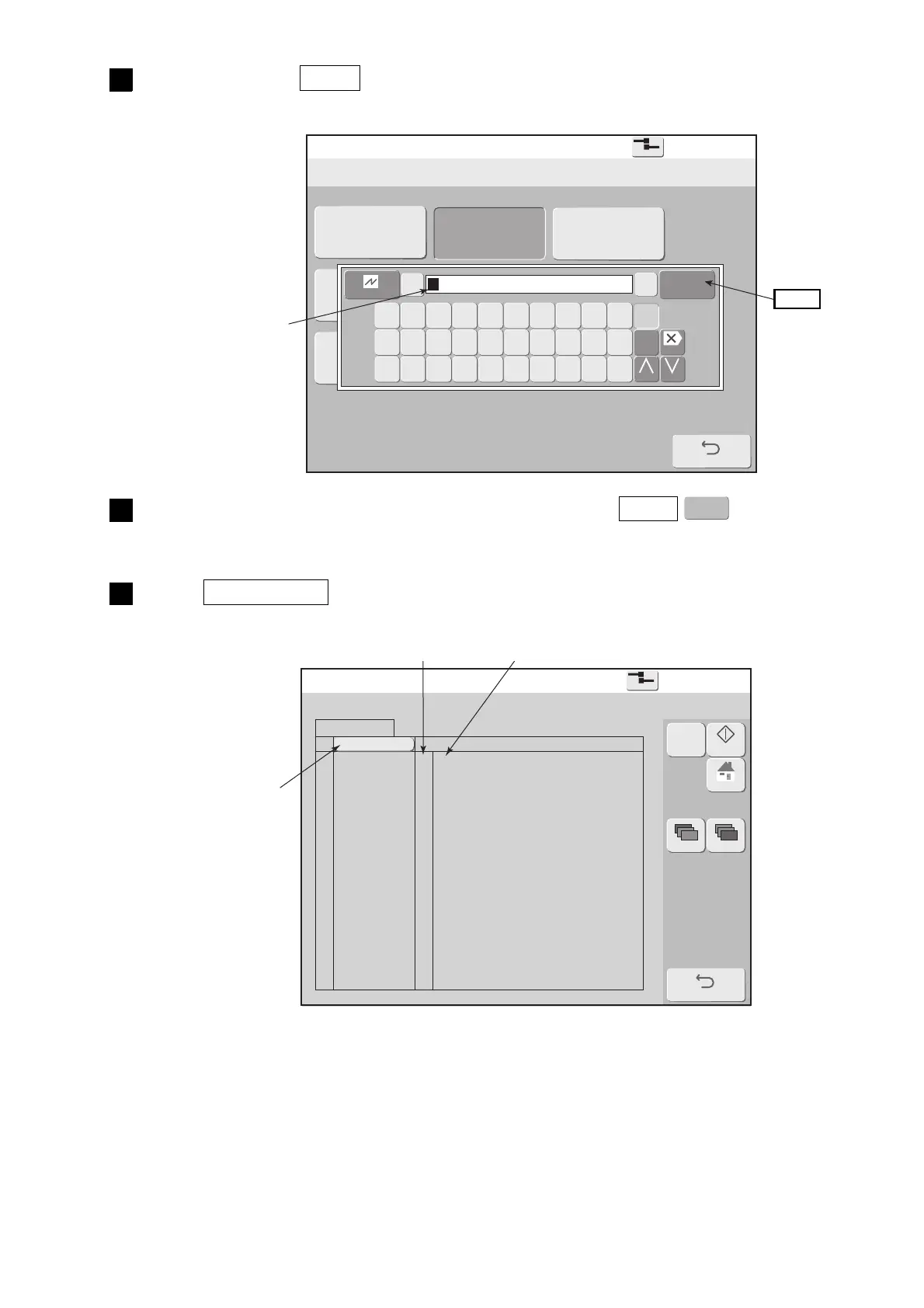
Press user name user2 .
A password input window opens.
3
Enter the password of user name "user2", and press Enter .
Logs in again using user name "user2" and the touch screen returns to the Login management menu.
4
Press Login history in the Login management menu.
A history of logged in users is displayed.
5
Inputs the password
of user name "user2".
Enter
ID No. user name
Can be sorted in
ascending or
descending order.

Table of Contents