●Shut down operation 3-14
3.2.2 Stopping ink ejection by pressing the screen button
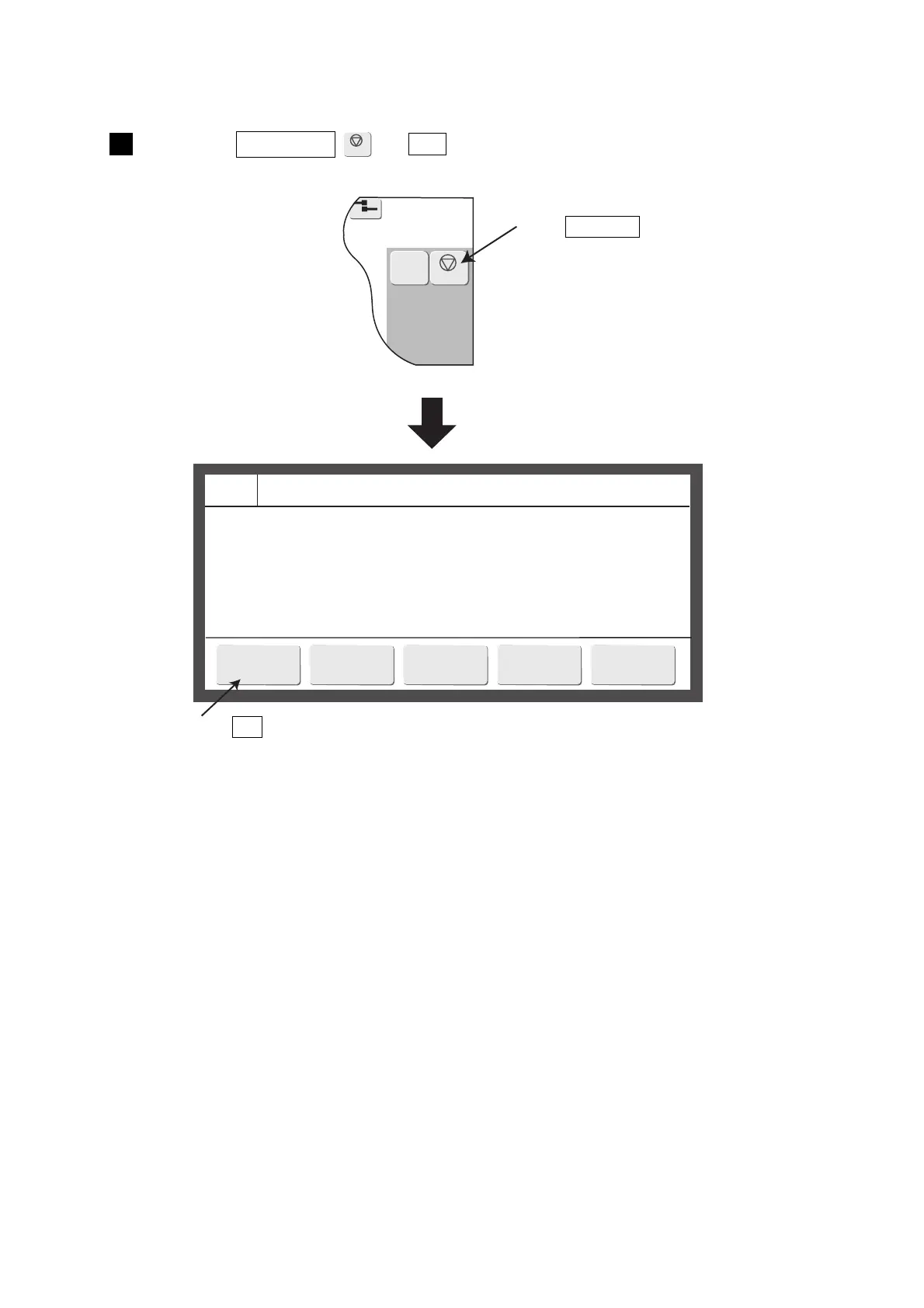
● Perform ink stop processing using the following procedure.
2015.07.0712:45
M
Manual
Shutdown
Com=0
===== Shutdown Process Confirmation =====
Shutdown will stop the ink jet.
Solution To stop the ink jet, press <OK>.
OK
Close
Press the Shutdown → OK .
A confirmation screen is displayed.
1
●Wait for the status to change from “Stopping” to “Stop”.
Press Shutdown .
Press OK .


 To Next Page