MANUAL FOCUS
37
MANUAL FOCUS
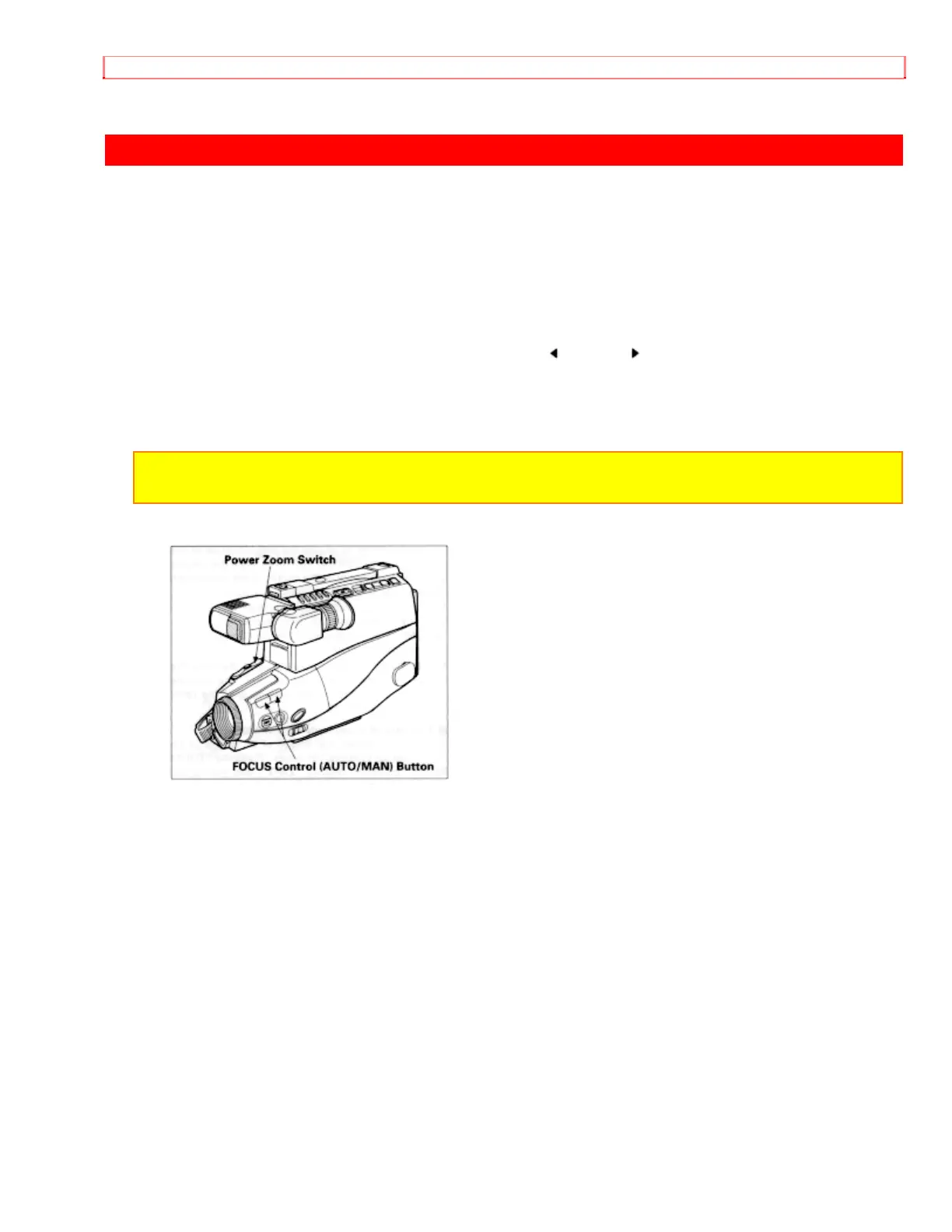
1. Press the FOCUS control (AUTO/MAN) buttons simultaneously. "FOCUS" appears
in the viewfinder. You can adjust the focus manually.
2. Use the power zoom T control to zoom up completely to your subject. If you don't use
the T control to zoom to the picture you want, the picture may fall out of focus when
actual recording starts.
3. Pressing the FOCUS control (AUTO/MAN) (far) or (near) button until the subject
is in focus.
4. Use the power zoom W control to zoom back to the picture you desire.
NOTE: To return to auto focus press the FOCUS control (AUTO/MAN) buttons and
"FOCUS" disappears from the viewfinder.


 To Next Page