MEMORY
64
MEMORY
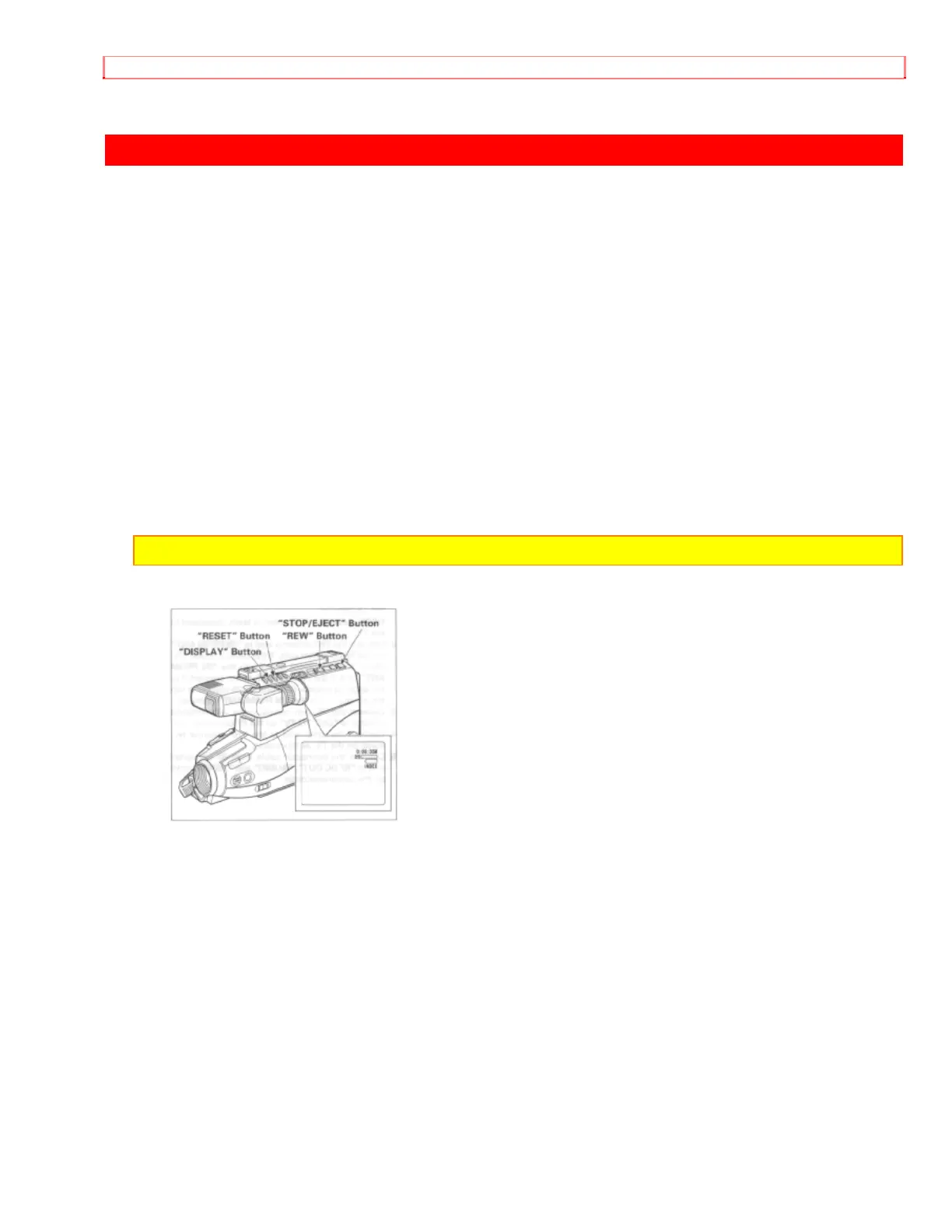
When the tape counter with memory indication appears in the viewfinder, a tape that is
being rewound automatically stops when the counter reads approximately "0:00:00".
This is useful if there is a section of tape you want to review immediately after recording
or if you want to return to the same point several times in a row.
1. Press "DISPLAY" button. (The indicator "M" appears beside the linear time counter.)
2. Start playing or recording a tape.
3. At the point you want playback to start, press "RESET" button to reset the counter to
"0:00:00M".
4. Continue to play back or record.
5. Press "STOP/EJECT" button.
6. Press "REW" button. The tape will be rewound to the preselected point, at
approximately "0:00:00M" indication.
NOTE: The tape will also stop approximately at "0:00:00M" during fast forward mode.


 To Next Page