QUICK EDIT (Edit Search)
45
QUICK EDIT (Edit Search)
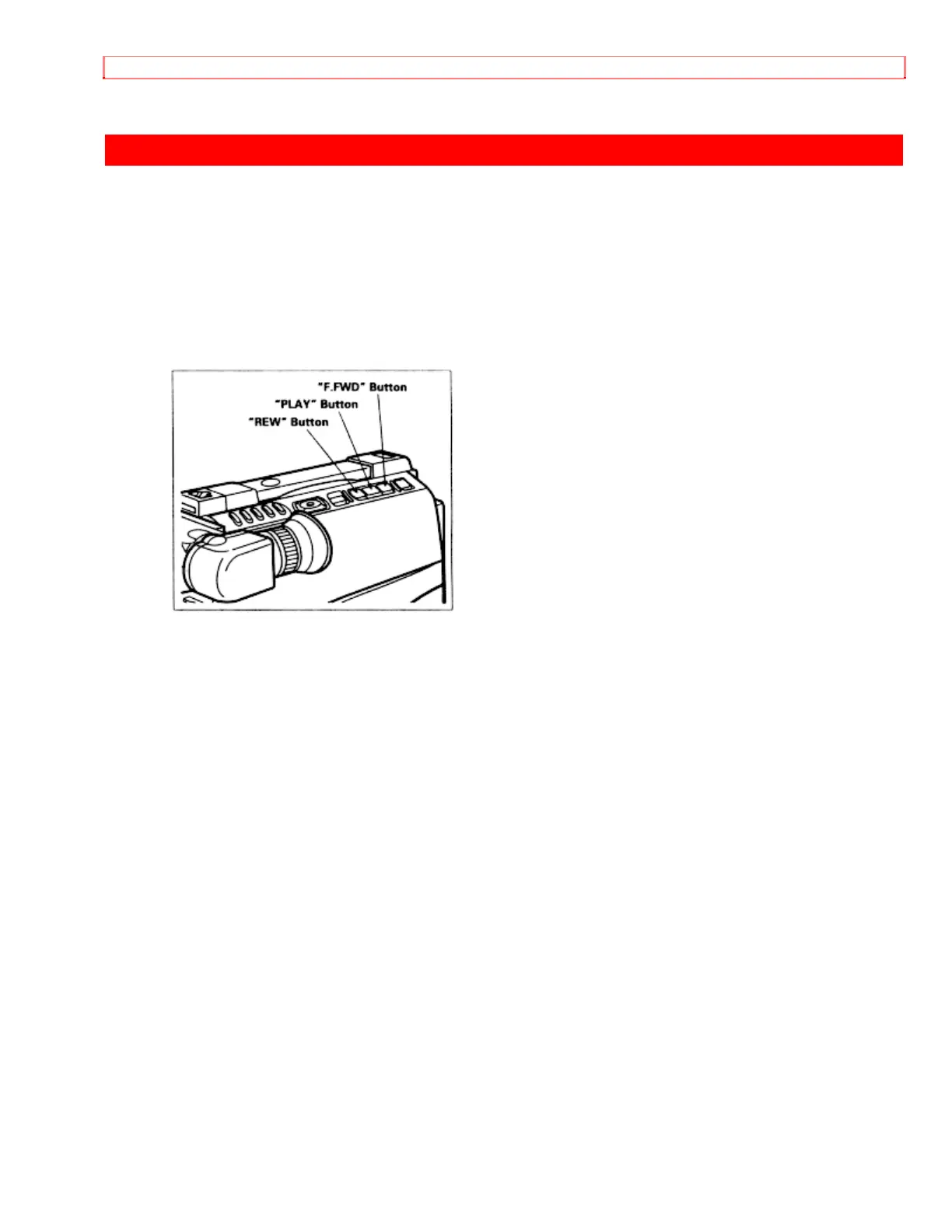
The quick edit feature allows you to search for the end of previously recorded material,
or find a particular spot on your tape, to begin your editing, or recording new material.
Quick edit is used while the camera/recorder is in the record/pause (stand-by) mode. By
holding down the "F.FWD", "REW", or "PLAY" button, you can visually search or play
your tape. Releasing the buttons ("F.FWD", "REW", or "PLAY") immediately stops the
tape at that position.


 To Next Page