DIGITAL ZOOM
39
DIGITAL ZOOM
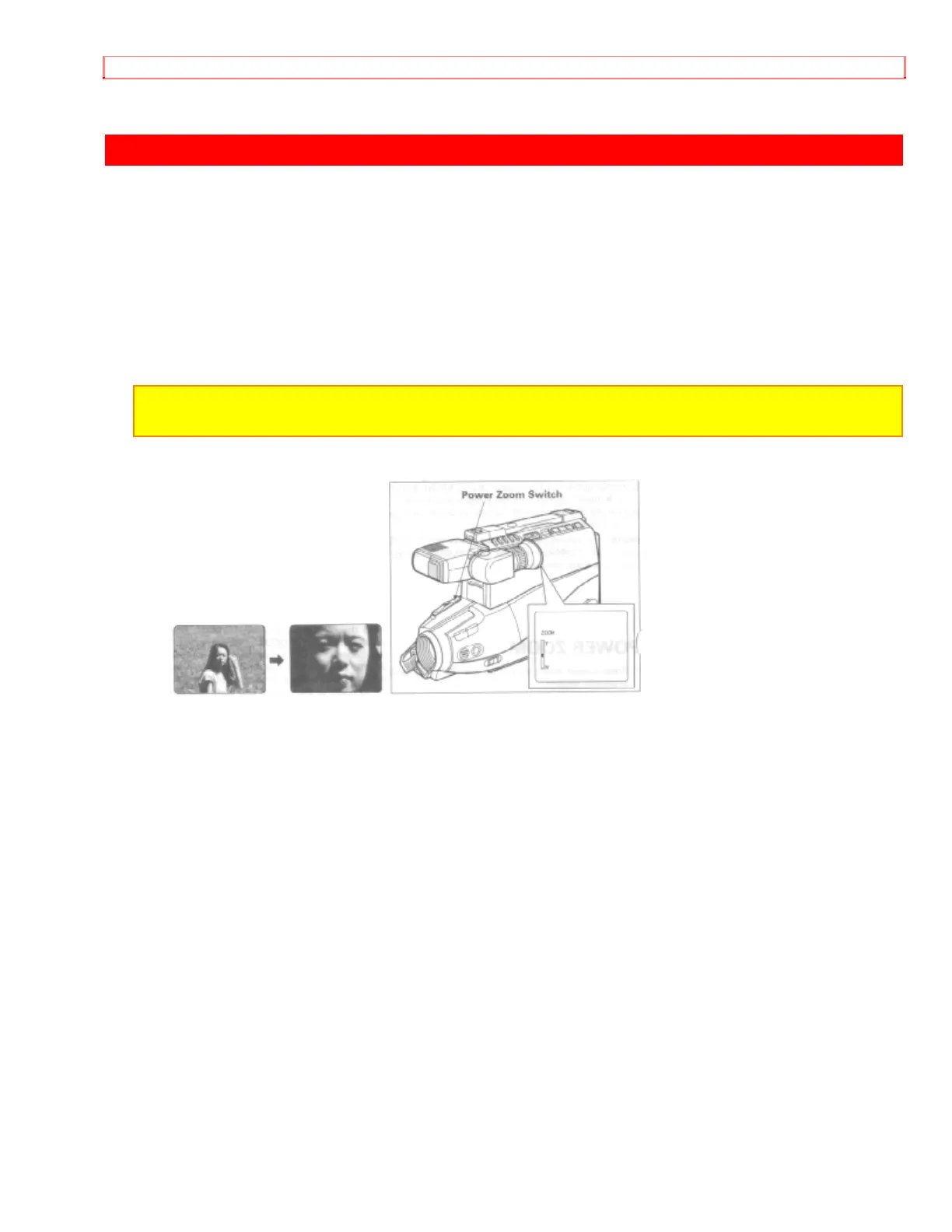
The digital zoom increases the magnification of the power zoom by 2 times. You must
place the subject you wish to magnify at the center of the viewfinder. Press and hold the
power zoom T control until you find the picture you want. You control the zoom with the
power zoom T and W controls. When "ZOOM" is not displayed in the viewfinder, normal
zoom functions resume.
NOTE: When the digital zoom is used, the more the image is magnified, the rougher the
picture becomes. Also even a slight shaking of the camcorder is conspicuous.


 To Next Page