STATUS
Version 1.0, 05/2015. Copyright 2012 Hitron Technologies
28
Version 1.0, 05/2015. Copyright 2015 Hitron Technologies
28
CDA3-35 User’s Guide
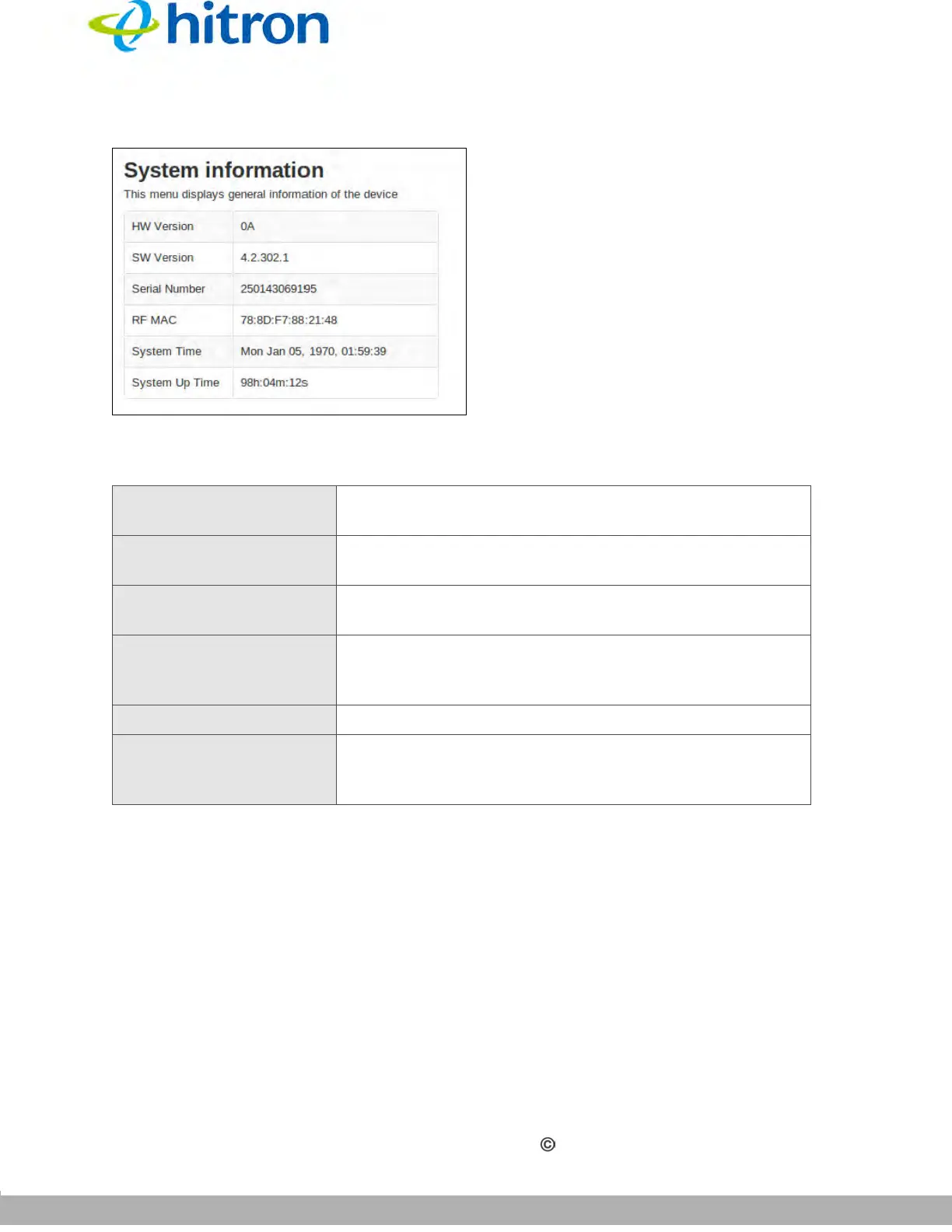
Figure 6: The Status: System Information Screen
The following table describes the labels in this screen.
3.2 The DOCSIS Provisioning Screen
This screen displays the steps successfully taken to connect to the Internet over the
Cable connection.
Use this screen for troubleshooting purposes to ensure that the CDA3-35 has
successfully connected to the Internet; if an error has occurred you can identify the
stage at which the failure occurred.
Table 7: The Status: System Information Screen
HW Version This displays the version number of the CDA3-35’s
physical hardware.
SW Version This displays the version number of the software that
controls the CDA3-35.
Serial Number This displays a number that uniquely identifies the
device.
RF MAC This displays the Media Access Control (MAC) address
of the CDA3-35’s RF module. This is the module that
connects to the Internet through the Cable connection.
System Time This displays the current date and time.
System Uptime This displays the number of days, hours, minutes and
seconds since the CDA3-35 was last switched on or
rebooted.



 To Next Page