STATUS
Version 1.0, 05/2015. Copyright 2012 Hitron Technologies
36
Version 1.0, 05/2015. Copyright 2015 Hitron Technologies
36
CDA3-35 User’s Guide
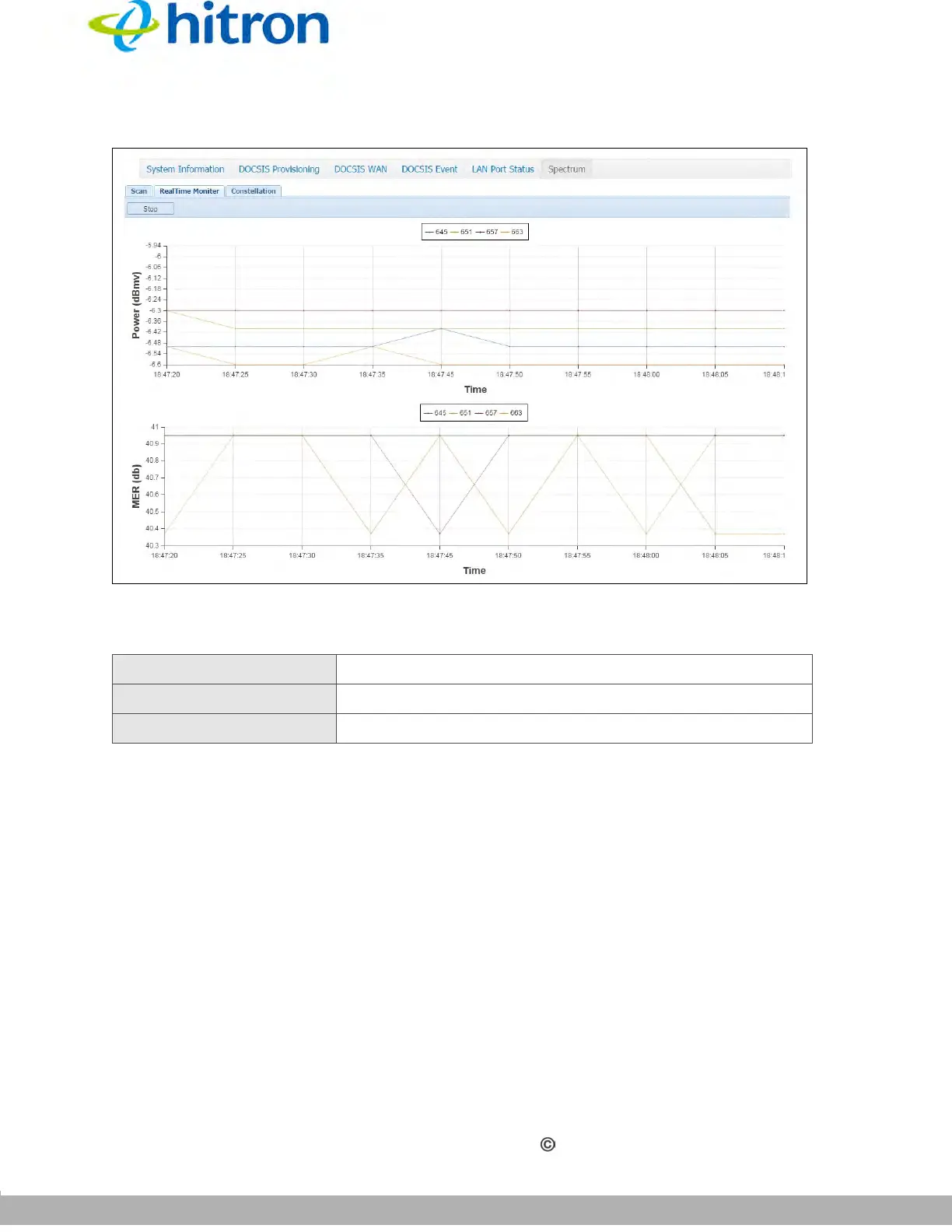
Figure 12: The Status: Spectrum Screen (RealTime Monitor)
The following table describes the labels in this screen.
3.6.3 Constellation
Click Status > Spectrum, then click the Constellation tab. The following screen
displays.
Table 12: The Status: Spectrum Screen (RealTime Monitor)
Power (dBmv) This displays the power level of the spectrum.
MER (db) This displays the modulation error ratio.
Stop Click this to stop the scanning.



 To Next Page