STATUS
Version 1.0, 05/2015. Copyright 2012 Hitron Technologies
34
Version 1.0, 05/2015. Copyright 2015 Hitron Technologies
34
CDA3-35 User’s Guide
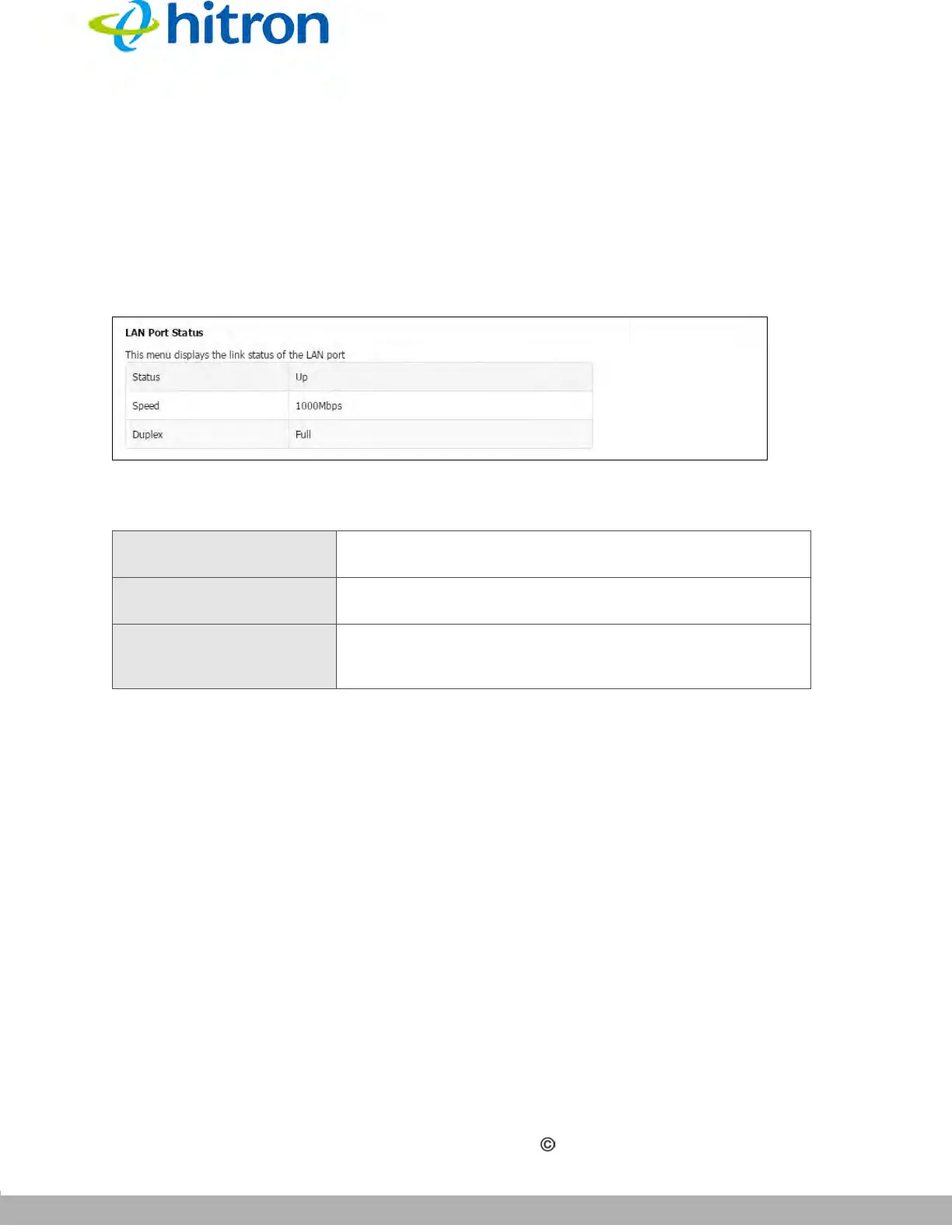
3.5 The LAN Port Status Screen
Use this screen to discover information about the status between the CDA3-35 and the
device to which it is connected through the LAN interface.
Click Status > LAN Port Status. The following screen displays.
Figure 10: The Status: LAN Port Status Screen
The following table describes the labels in this screen.
3.6 The Spectrum Screen
Use these screens to configure your CDA3-35’s spectrum analysis tool.
Click Status > Spectrum. The following screen displays.
3.6.1 Scan
Click Status > Spectrum, then click the Scan tab. The following screen displays.
Table 10: The Status: LAN Port Status Screen
Status This displays the status between the CDA3-35 and the
device to which it is connected through the LAN interface.
Speed This displays the speed between the CDA3-35 and the
device to which it is connected through the LAN interface.
Duplex This displays the status of the duplex between the CDA3-
35 and the device to which it is connected through the
LAN interface.



 To Next Page