HITRON CVE-30360 USER’S GUIDE
FIREWALL
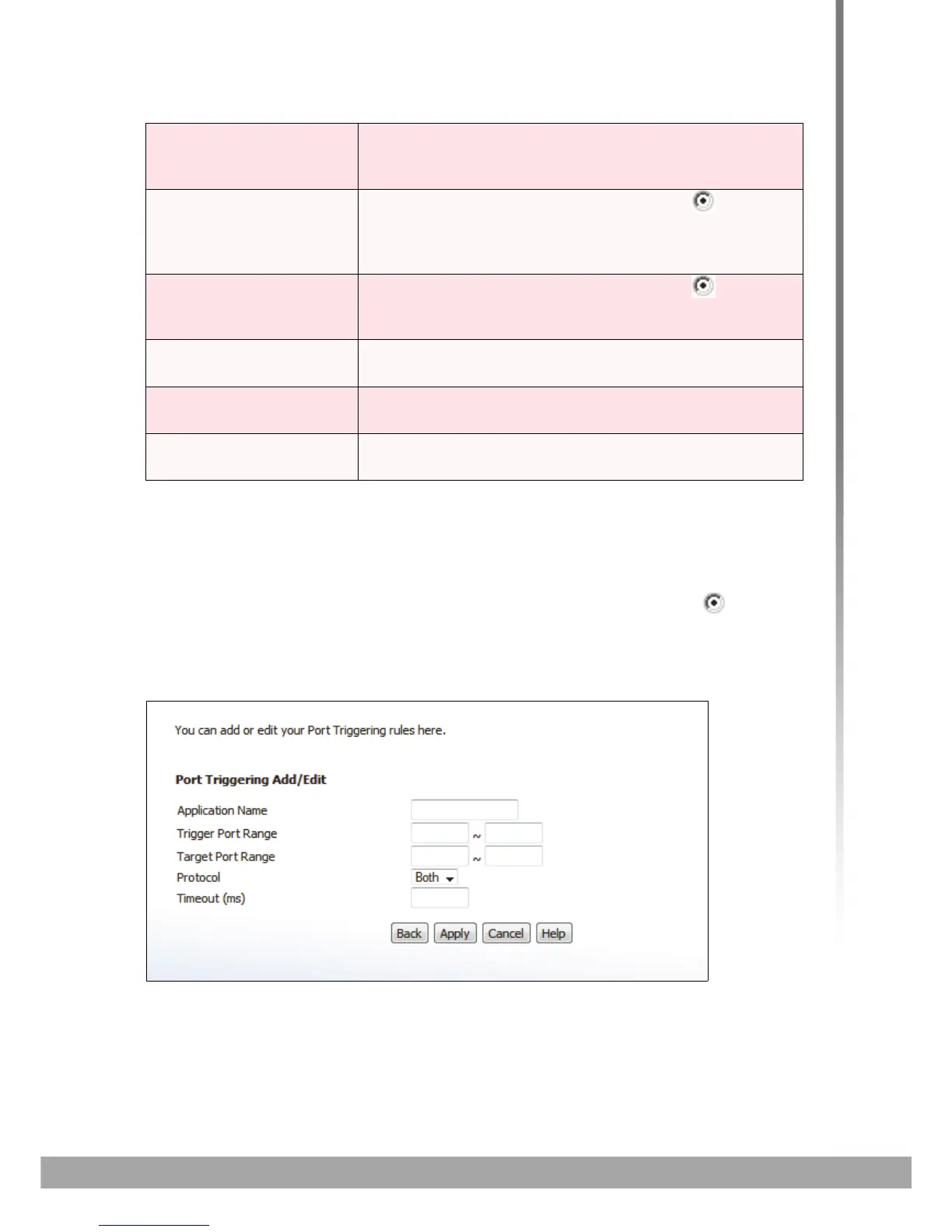
4.6.1 ADDING OR EDITING A PORT TRIGGERING RULE
To add a new port triggering rule, click Add in the Firewall > Port Triggering
screen.
To edit an existing port triggering rule, select the rule’s radio button ( ) in the
Firewall > Port Triggering screen and click the Edit button.
The following screen displays.
FIGURE 21: The Firewall > Port Triggering > Add/Edit Screen
Add New Click this to define a new port triggering rule. See
Adding or Editing a Port Triggering Rule on page 61 for
information on the screen that displays.
Edit Select a port triggering rule’s radio button ( ) and click
this to make changes to the rule. See Adding or Editing
a Port Triggering Rule on page 61 for information on the
screen that displays.
Delete Select a port triggering rule’s radio button ( ) and click
this to remove the rule. The deleted rule’s information
cannot be retrieved.
Apply Click this to save your changes to the fields in this
screen.
Cancel Click this to return the fields in this screen to their last-
saved values without saving your changes.
Help Click this to see information about the fields in this
screen.
TABLE 20: The Firewall > Port Triggering Screen



 To Next Page