HITRON CVE-30360 USER’S GUIDE
WIRELESS
6.3.2.2 WMM
WiFi MultiMedia (WMM) is a Quality of Service (QoS) enhancement that allows
prioritization of certain types of data over the wireless network. WMM provides four
data type classifications (in priority order; highest to lowest):
Voice
Video
Best effort
Background
If you wish to improve the performance of voice and video (at the expense of other,
less time-sensitive applications such as Internet browsing and FTP transfers), you
can enable WMM. You can also edit the WMM QoS parameters, but are disadvised
to do so unless you have an extremely good reason to make the changes.
6.4 THE WIRELESS SCREENS
This section describes each of the screens that display when you click Wireless in
the toolbar.
6.4.1 THE BASIC SCREEN
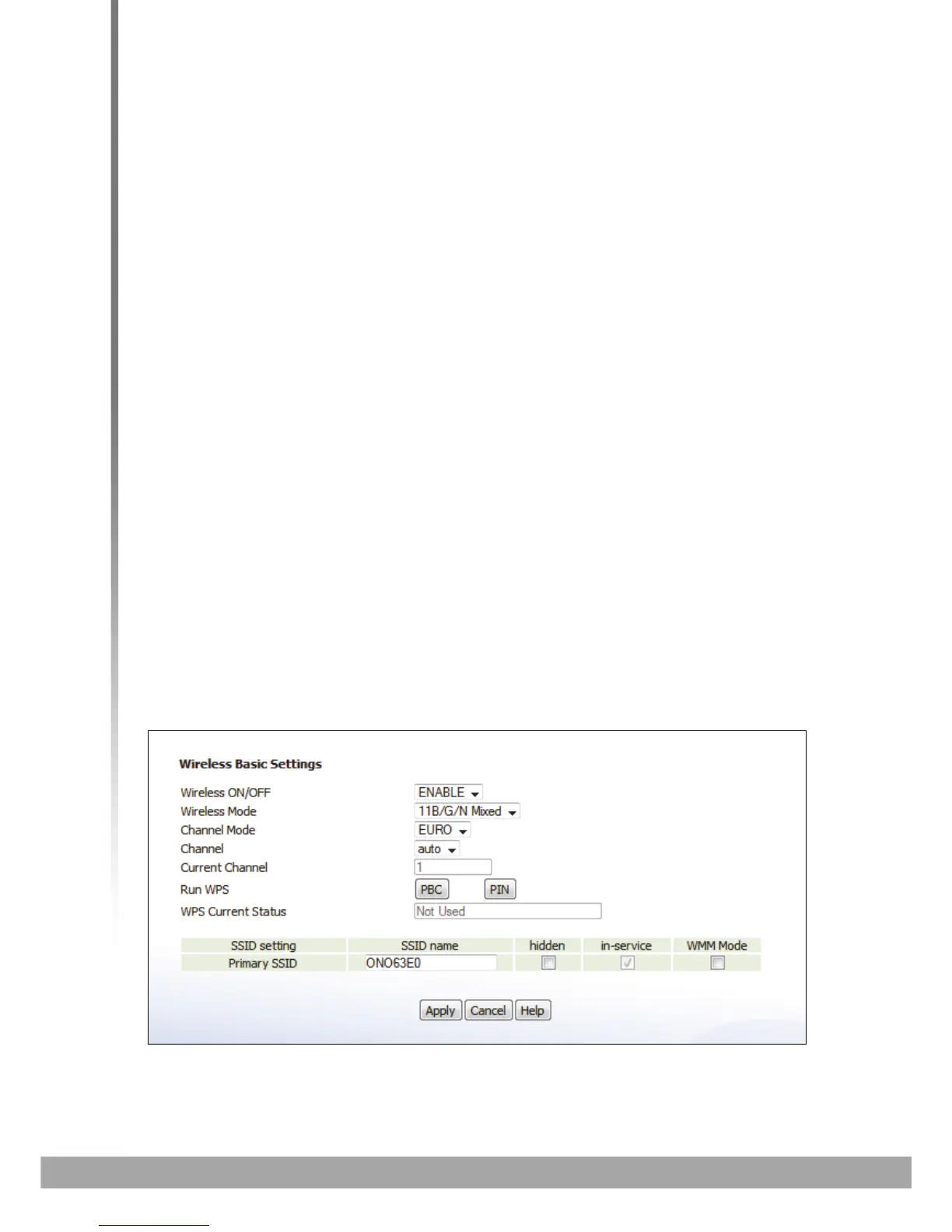
Use this screen to configure your CVE-30360’s basic wireless settings. You can turn
the wireless module on or off, select the wireless mode and channel, run WPS and
configure the wireless network’s SSID.
Click Wireless > Basic. The following screen displays.
FIGURE 26: The Wireless > Basic Screen



 To Next Page