7
Battery Removal and Replacement
COM6000BP Belt-pac Batteries —
To change batteries:
If a battery is weak when Belt-pac
power is turned on, a voice in the
earpiece will say “Battery low.” If a
battery becomes weak during
operation, a voice in the earpiece will
say “Change battery.” When this
happens, take the Belt-pac out of its
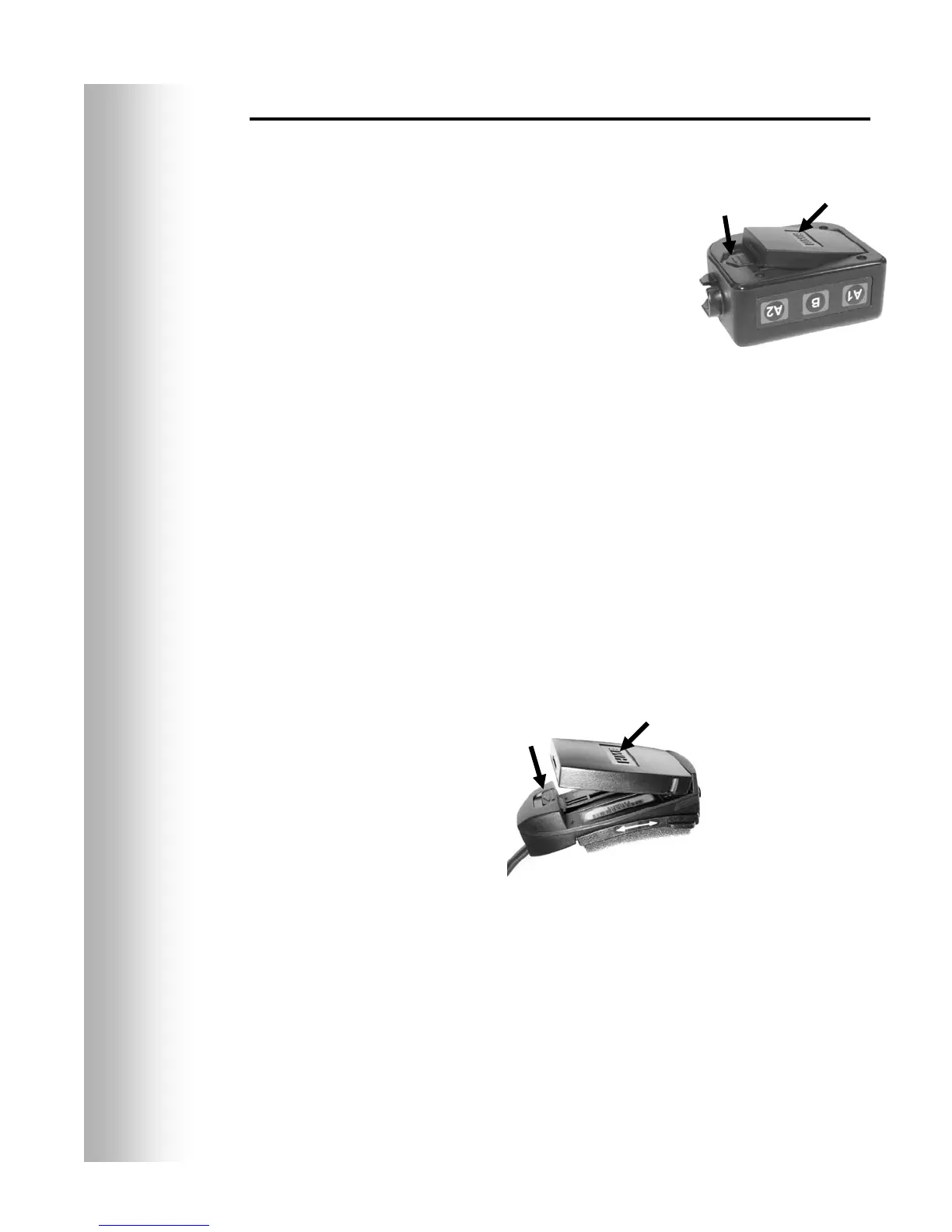
pouch and slide the battery-release
latch in the direction of the arrow.
Pull up on the end of the battery near
the latch and lift it out of the Belt-pac,
or turn the Belt-pac over and catch the
battery in your hand.
To replace batteries:
When replacing a battery in the Belt-pac, place the end of the
battery with the metal contacts into the battery holder on the
Belt-pac, in the same position as the battery you removed. Press
the top of the battery carefully into the battery holder until it snaps
into the latch.
Odyssey IQ Headset Batteries —
To change batteries:
When a battery becomes weak, a voice in the Headset will say
“Change battery.” When this happens, remove the battery from
the Headset by carefully sliding the battery-release latch and
lifting the battery out.
To replace batteries:
When replacing a battery in the Headset, place the end of the
battery with the metal contacts into the battery holder on the
Headset, in the same position as the battery you removed.
Press the top of the battery carefully into the battery holder
until it snaps in place under the battery-release latch.
Recharge batteries according to the instructions on page 8.
Figure 6. Belt-pac
battery-release latch
Battery-release
latch
Batter
Battery-release
latch
Batter
Figure 7. Headset battery-release latch


 To Next Page