6. Interior structure
51
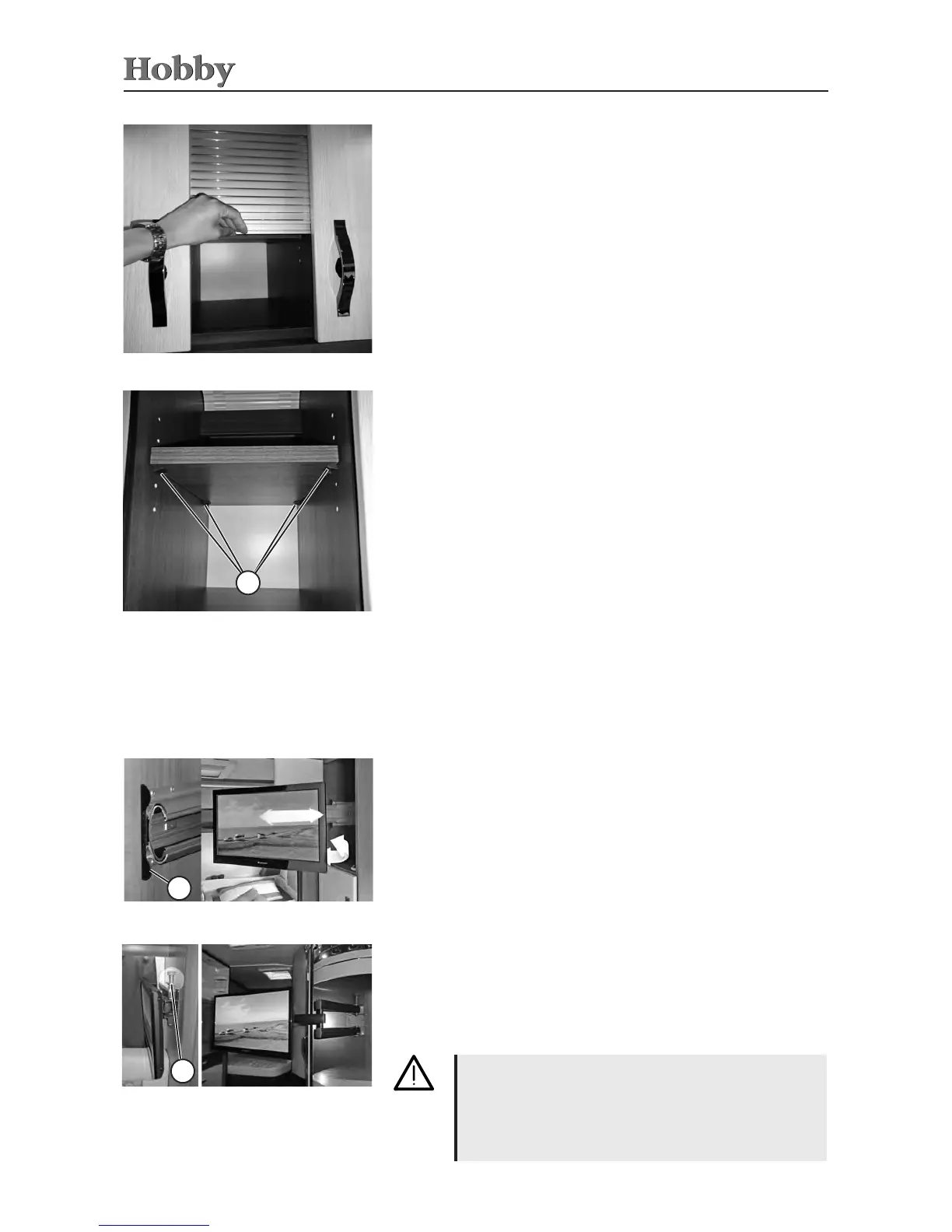
Shelf in the kitchen wall cabinet
Shelf in the kitchen wall cabinet (model-specic)
Theheightoftheshelfinthekitchenwallcabinetcanbeadjusted.
Itrestsontheshelfsupportsand,asrequired,canberemovedfrom
thecabinet.Theshelfcanbeadjustedtodierentheights.Tochange
theheightoftheshelf:
- Removetheshelffromthecabinet.
- Pulltheshelfsupports
j
outofthedrilledholesandpush
themintothedrilledholesattherequiredlevel.Allshelfsup-
ports
j
mustbeinsertedatthesameheight.
- Pushtheshelfbackintothecabinetabovetheshelfsupports
j
andloweritontotheshelfsupports
j
untilitrestsevenly
onallfour.
1
Sliding door for kitchen wall cabinet
• Tounlock,pullthelockingpin
k
upandthenpullthemount
intothedesiredposition.
• Tolock,pushthemountbacktoitsoriginalpositionuntilit
locksintoplace.
2
Mount for at screen TV
Whendriving,theTVmountmustalwaysbelockedin
itsoriginalposition.
ThemountedTVmaynotweighmorethan8kg.When
driving,werecommendthatyou removetheTVfrom
themountandstoreitsecurely.
Mount for at screen TV
6.2 TV mount
*
• Tounlock,pressthemetalrail
j
and,atthesametime,extend
theTVmount.
• Toretractthemount,pushitbacktoitsoriginalpositionuntilitis
noticeablylockedintoplace.
1
Extendable at screen TV
(for Model 620 CL only)
Extendable at screen TV
230VsocketsandtheantennaterminalfortheTVandtherecei-
verarelocateddirectlynexttotheplaceofinstallationfortheTV
(model-speciclocation).
Sliding doors
To open
• Holdtheslidingdoorbytheframeandpushitupwards.
To close
• Holdtheslidingdoorbytheframeandpushitcloseduntilit
clicksintoplace.



 To Next Page