91
7. Installation of electrical devices
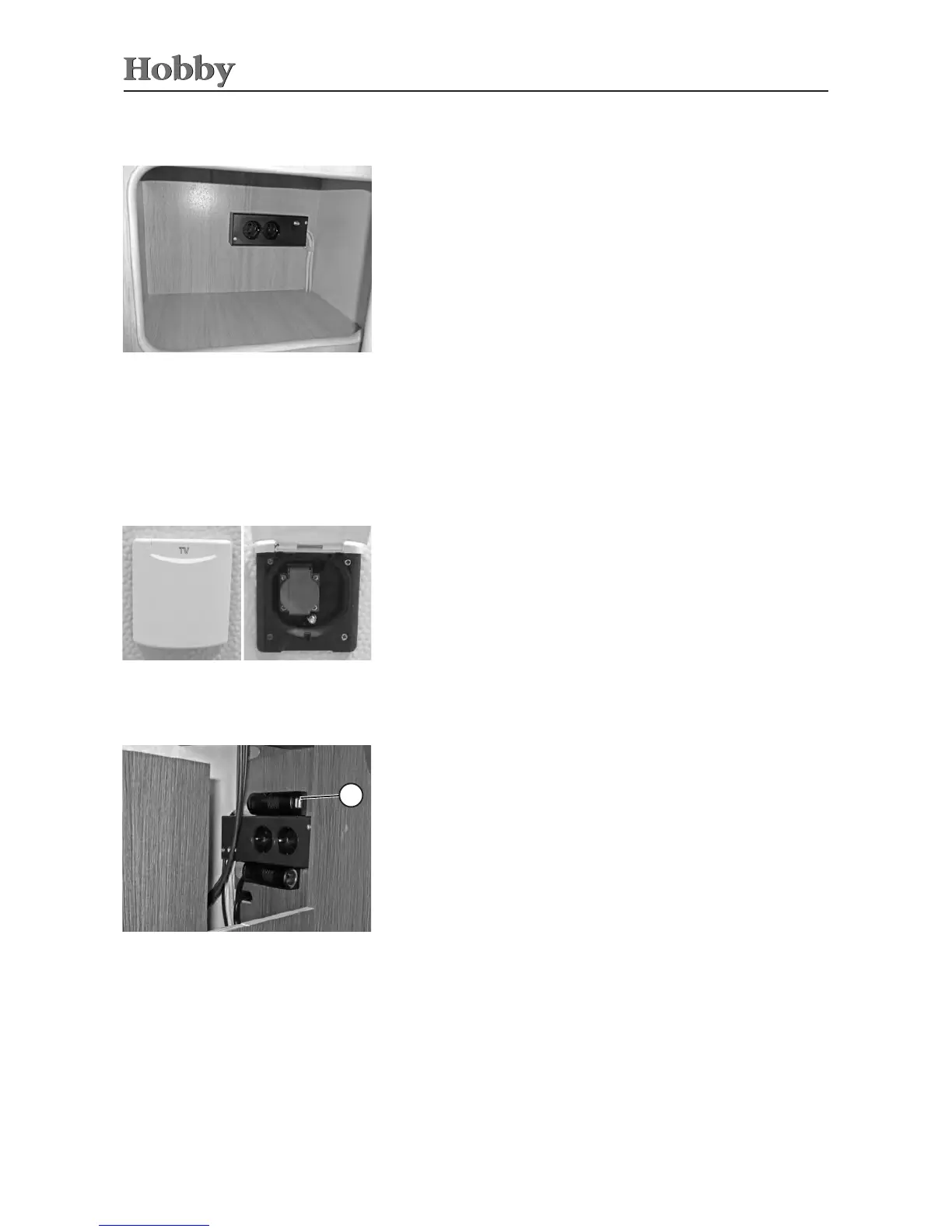
External socket in outer tent, incl. satellite/TV connection
Your caravan also has a combined external socket and antenna
terminalintheoutertent(optionalextraforDeLuxe(Edition)).
Thiscanbeused,forexample,tosetupaTVintheoutertent.De-
pendingonhowyouwireit,theintegratedantennaterminalcanbe
usedaseitheraninputoranoutputsocket.Forfurtherinformation,
pleasespeaktoyourHobbydealer
7.7 TV Connections
External socket and antenna terminal in the
outer tent
TV unit
Theinstallationareafortheat-screenTVdiersfrommodelto
model.
Therequiredconnectionscanbefoundrightnexttothisspace,
possiblyinacupboard.
TV connections
Thecorrespondingconnectionforthesatelliteantenna(E3)isloca-
tedunderneaththeoorboardoftheclothescupboard.
Thepowercable(E3)hasalreadybeenconnectedbythemanufac-
turertothecontrolpanel.
Cable colours:
white= mass
black= steadyplus
brown= D+signal
USB charging socket* (Premium standard)
The USB charging socket
j
is suitable only for charging USB-
compatibledevices.
The5VUSBconnectionissuppliedwithpowerfromthe12Velectric
system.
USB connection
1



 To Next Page