81
7. Installation of electrical devices
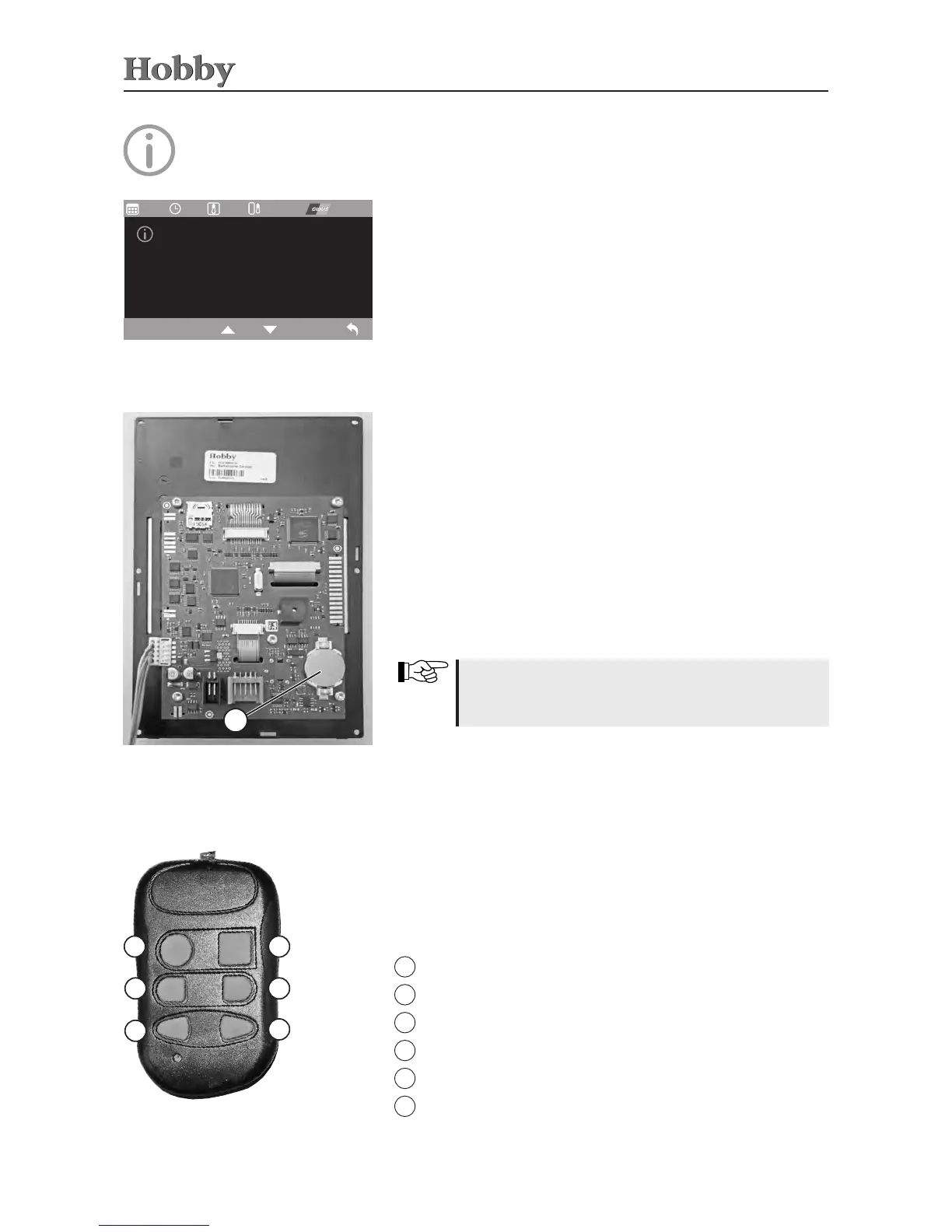
Remote control for the control panel
1
2
3
4
5
6
General information regarding the TFT display
The time and date are buered by a 3V 210 mAh, CR2032 type
buttoncell.If,therefore,thetimeshouldbeincorrectortheclock
shouldstopworking,thisbuttoncellmustbereplaced.Itismoun-
tedonthereverseofthecircuitboardoftheTFTdisplay.Toreplace
thisbuttoncell,theTFTdisplaymustberemovedfromthefurniture
frontbycarefullyclippingthechrome-platedframeoutofitsholder.
Youwillthenseethescrewsthatfastentheplasticparttothefurni-
ture.Loosenthesescrewstodetachthedisplay.
Whenreplacingthebuttoncell,pleaseensurethat
plusandminusareintherightdirection.Incorrect
polaritymaycausethedisplaytobecomedefect.
Circuit board (reverse side)
of TFT display
1
Info menu on the TFT control panel
Informationonthedevicemanufacturerisshownhere.
12:25 27,4 °C
06.06.16
26,4 °C
HOBBY
Hobby-Wohnwagenwerk
Ing. Harald Striewski GmbH
Harald-Striewski-Strasse 15
24787 Fockbek
Deutschland
Remote control*
• Thehand-heldtransmitterisusedtoswitchsixfunctionsonthe
controlpanelviaremotecontrol.
left bed
wall light
mainswitch
right bed
ceiling light
outertemtlight
1
2
3
4
5
6



 To Next Page