Electrical Installations
07-16
Atpresent,operationviaasurfstickisnotyetsupported.
PleaseusetheWLANmenuintheLCDdisplaytoswitch
WLANoperationonando.
Afterswitchingito,“WLAN shutdown”willbedisplayed
forapprox.60seconds.
When“WLAN:O”isdisplayed,thevehicle'sentirepower
supplycanbeswitchedo.
TheSDcardmaybedamagedifthemobilehome'spower
supplyisdisconnected(fromthemainsorthebattery)
withouthavingshutdowntheWLANcorrectly.
General information regarding the LCD display
Thetimeanddatearebueredbya3V210mAh,CR2032
typebuttoncell.If,therefore,thetimeshouldbeincorrect
ortheclockshouldstopworking,thisbuttoncellmustbe
replaced.
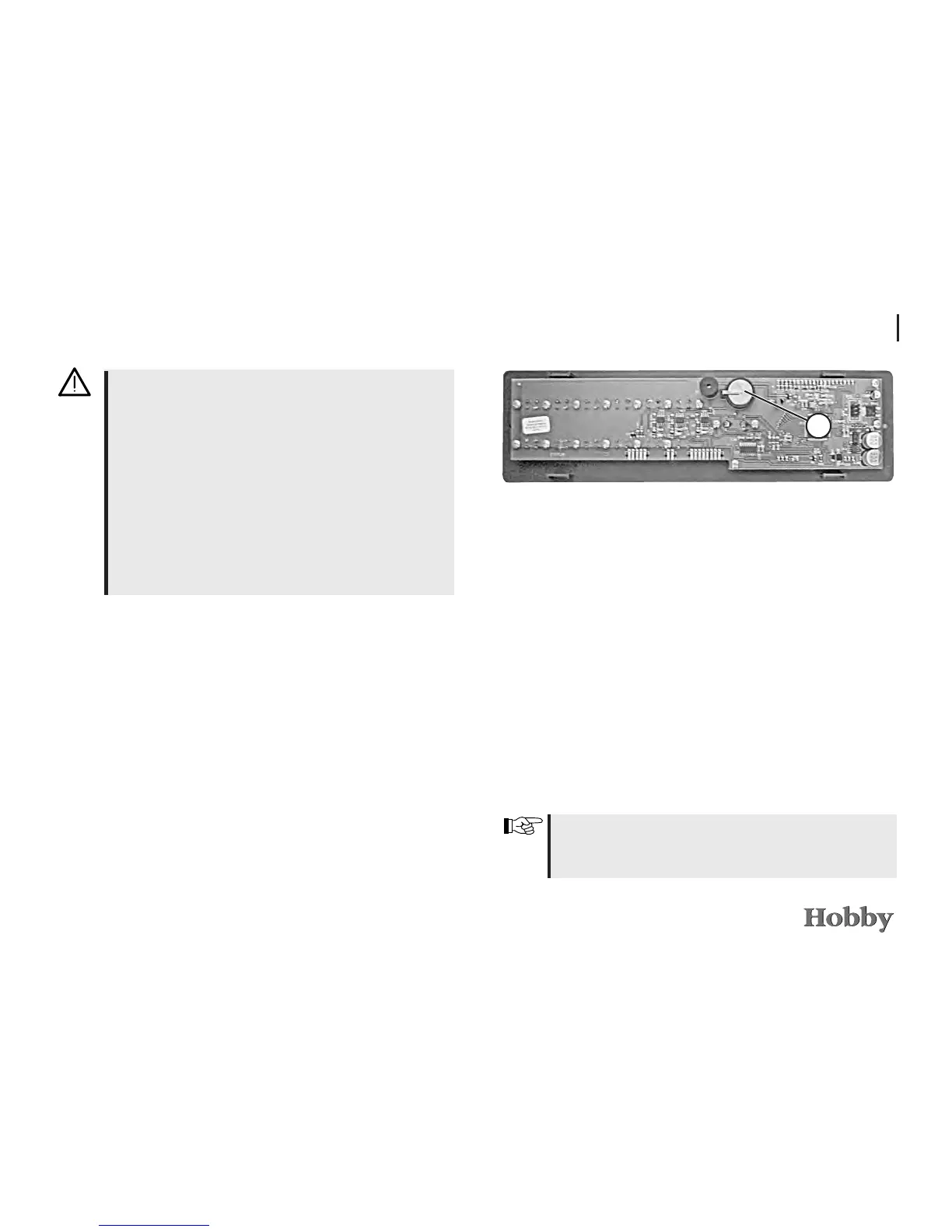
Itismountedonthereverseofthecircuitboard
j
of the
LCDdisplay.Toreplacethisbuttoncell,theLCDdisplaymust
beremovedfromthefurniturefrontbycarefullyclippingthe
chrome-platedframeoutofitsholder.Youwillthenseethe
screwsthatfastentheplasticparttothefurniture.Loosen
thesescrewstodetachthedisplay.
Whenreplacingthebuttoncell,pleaseensurethatplus
andminusareintherightdirection.Incorrectpolaritymay
causethedisplaytobecomedefect.
1






 To Next Page