Electrical Installations
07-5
•Brieypressthekeytoswitchtheradioonando.
•Brieypressthekeytodisplaythegraphthatshowsyou
thelevelofthefreshandwastewatertanks.
Allofthevehiclesareequippedwithaprogramformea-
suringillumination.Thisprogramonlyrunsifthepoweris
connected;ifpreviouslyactivated,itissavedafterareset.
Allofthelightswillbeswitchedon.Ifakeyisnowpressed,
thecorrespondinglightwillbeswitchedon.Afterapprox.
1 minu7te, all of the other lights will also be switched on
providednootherkeyispressed.
To switch on: PressIlluminatedWallCabinets,Ceiling
Lamp,Kitchenlightsomewhatlonger.
To switch o: PressIlluminatedWallCabinets,Ceiling
Lampandlightingatmosphere1somewhat
longer.
Filling level indicator
Radio switch
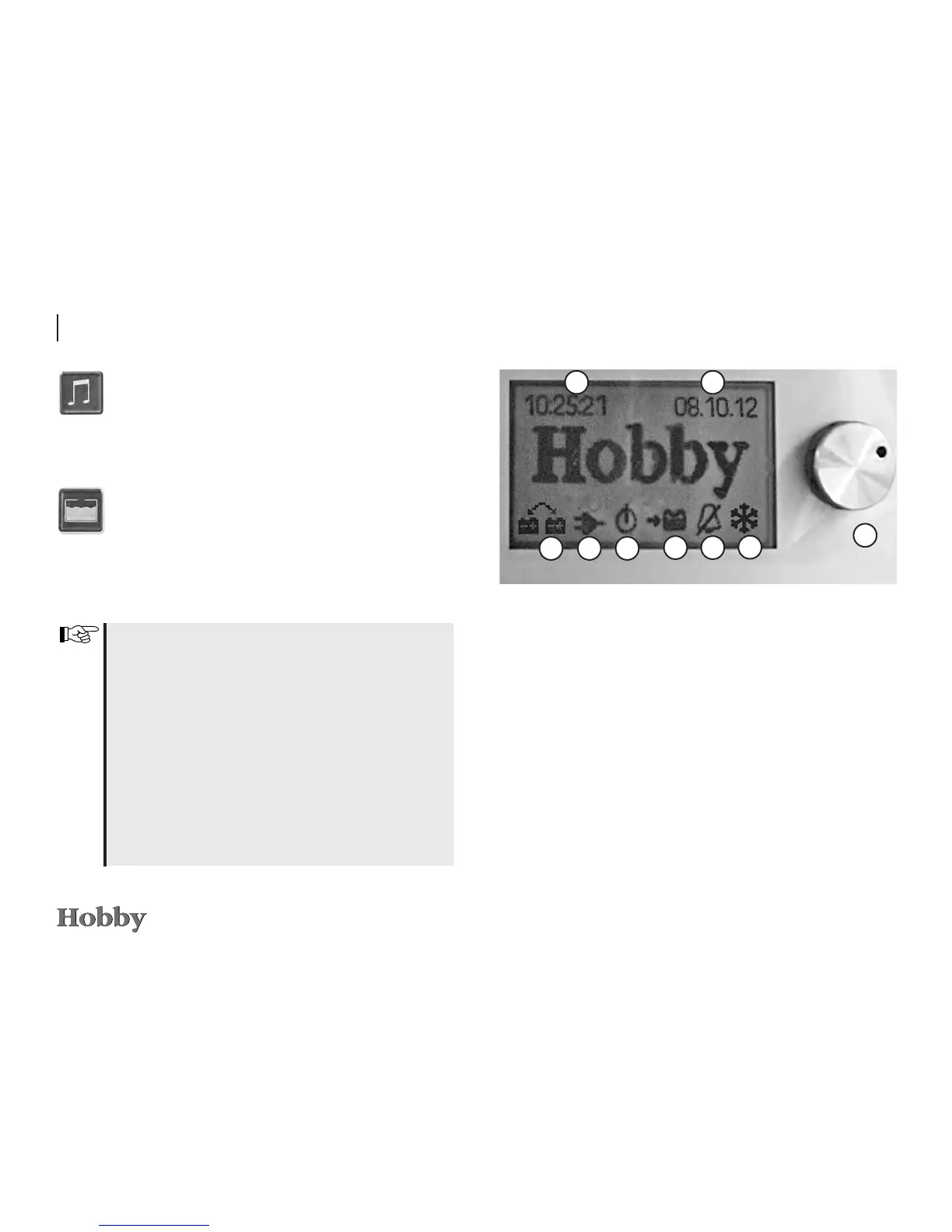
LCD display
Basic menu
Thebasicmenuappearsifyouhavenotpressedanavigation
keyduringthepast30seconds(approximately).Thismenuis
notilluminated.Thetime,dateandalarmclockfunctionare
set in this menu.
Main display
j
Rotary switch
Turn the switch to select a menu. Press it to shift to a
submenu, in which you can enter changes.
k
Digital clock
Thecurrenttimeisdisplayedinthiseld.
1
2 3
45
678
9







 To Next Page