Operating the Device 71
Removing the SD card
Please note: Only remove the SD card in standby mode. Otherwise data may be lost
or the SD card might be damaged.
1. Ensure that the device is in standby mode (see page 32).
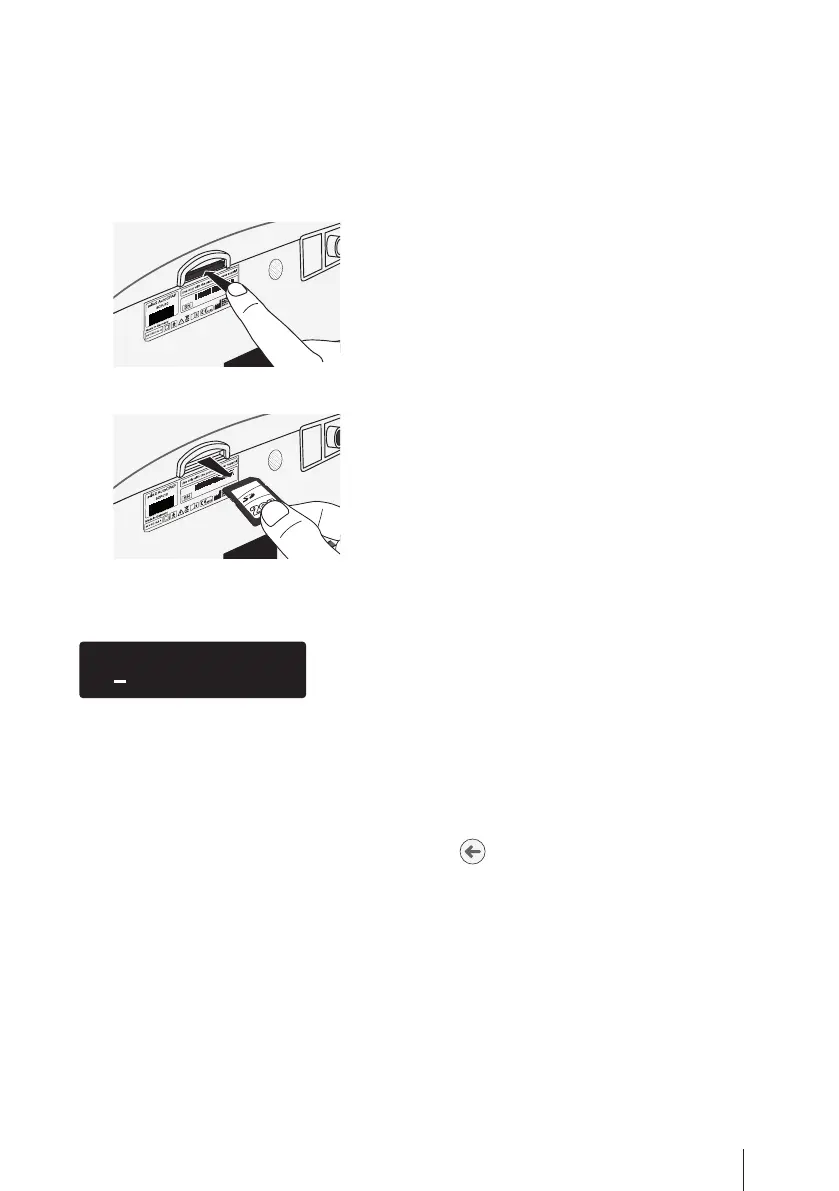
2. Carefully push the SD card into the card slot.
JAB 122 020
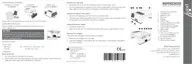
3. Remove the SD card.
JAB 122 020
Error messages
Two different types of error can be distinguished: errors with data loss and errors wit-
hout data loss.
The display “Exx” denotes errors in which data may have been lost. The display “Wxx”
denotes errors in which data has not been lost.
To hide an error message, press the enter key .
Please note: If error messages occur frequently, we recommend that the device is
examined by a service technician.


 To Next Page