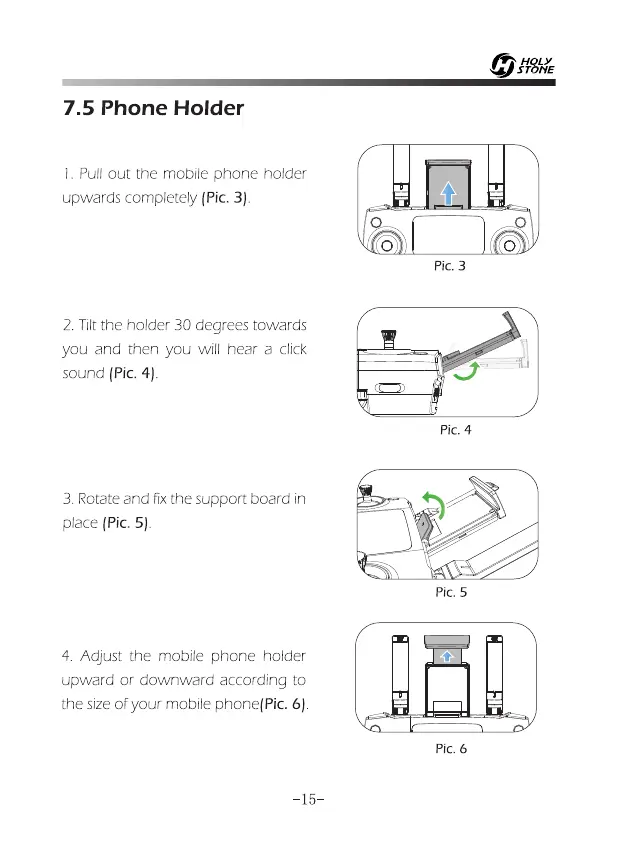
Pic. 3
Pic. 5
Pic. 6
7.5 Phone Holder
1.
Pull out the mobile phone holder
upwards completely (Pic. 3).
2.
Tilt the holder 30 degrees towards
you and then you will hear a click
sound (Pic. 4).
3.
Rotate and fix the support board in
place (Pic. 5).
4.
Adjust the mobile phone holder
upward or downward according to
the size of your mobile phone(Pic. 6).
-15-















 To Next Page