t
fa
1 1.3 Point of Interest
1.
Click the "a" icon first, then select the "
" icon, and follow the
prompt box to enter the Point of Interest function.
2.
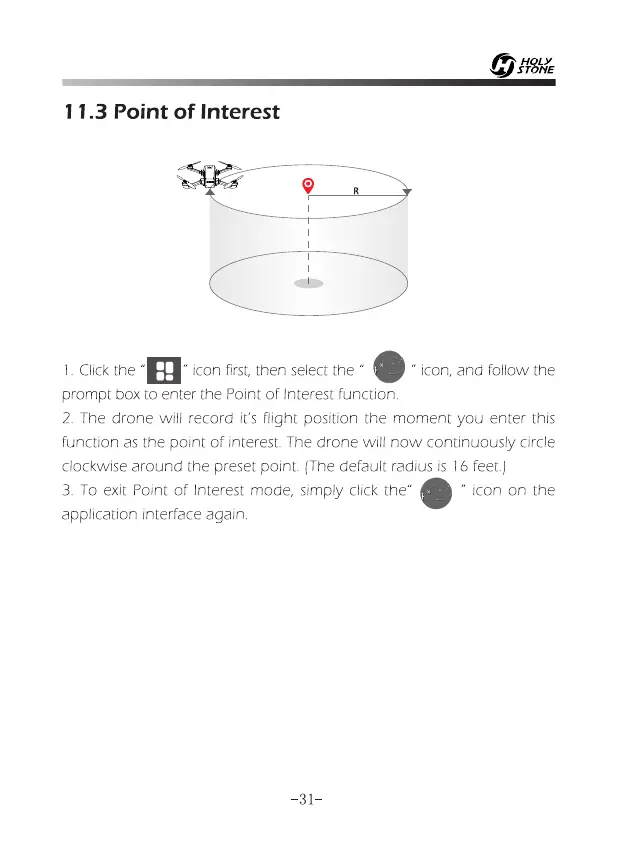
The drone will record it's flight position the moment you enter this
function as the point of interest. The drone will now continuously circle
clockwise around the preset point. (The default radius is 16feet.)
3.
To exit Point of Interest mode, simply click the"
" icon on the
application interface again.
-31-














 To Next Page