>>
11010k.
,
ft,
.11
11.
40"
velSIIMM=IMIIK110
All of the operations shown in this manual are demonstrated using
MODE 2.
9.3 Pairing
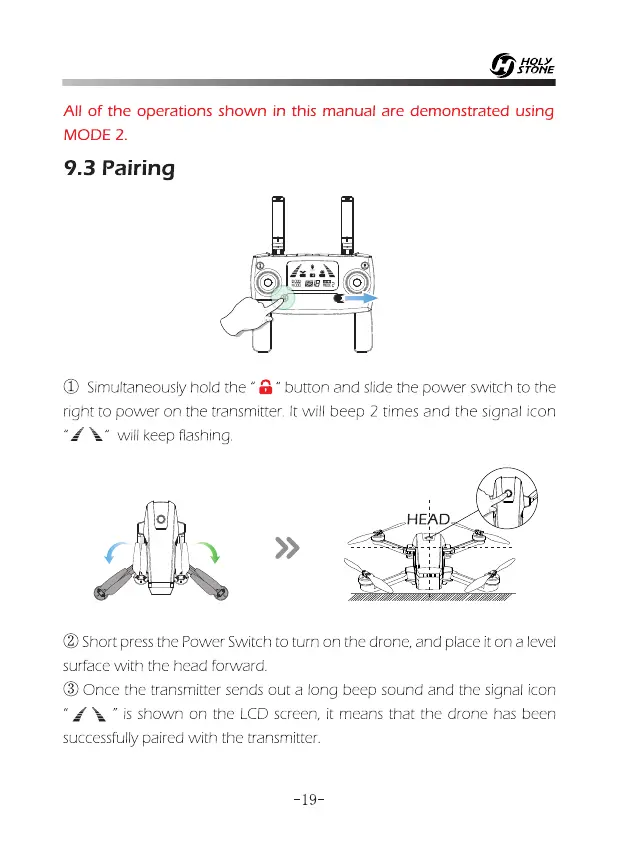
0 Simultaneously hold the "
a"
button and slide the power switch to the
right to power on the transmitter. It will beep 2 times and the signal icon
‘" will keep flashing.
0 Short press the Power Switch to turn on the drone, and place it on a level
surface with the head forward.
0 Once the transmitter sends out a long beep sound and the signal icon
" I " is shown on the LCD screen, it means that the drone has been
successfully paired with the transmitter.
—19—














 To Next Page