Homeguard DVR Instruction Manual
12
2.2 Formatting the hard drive
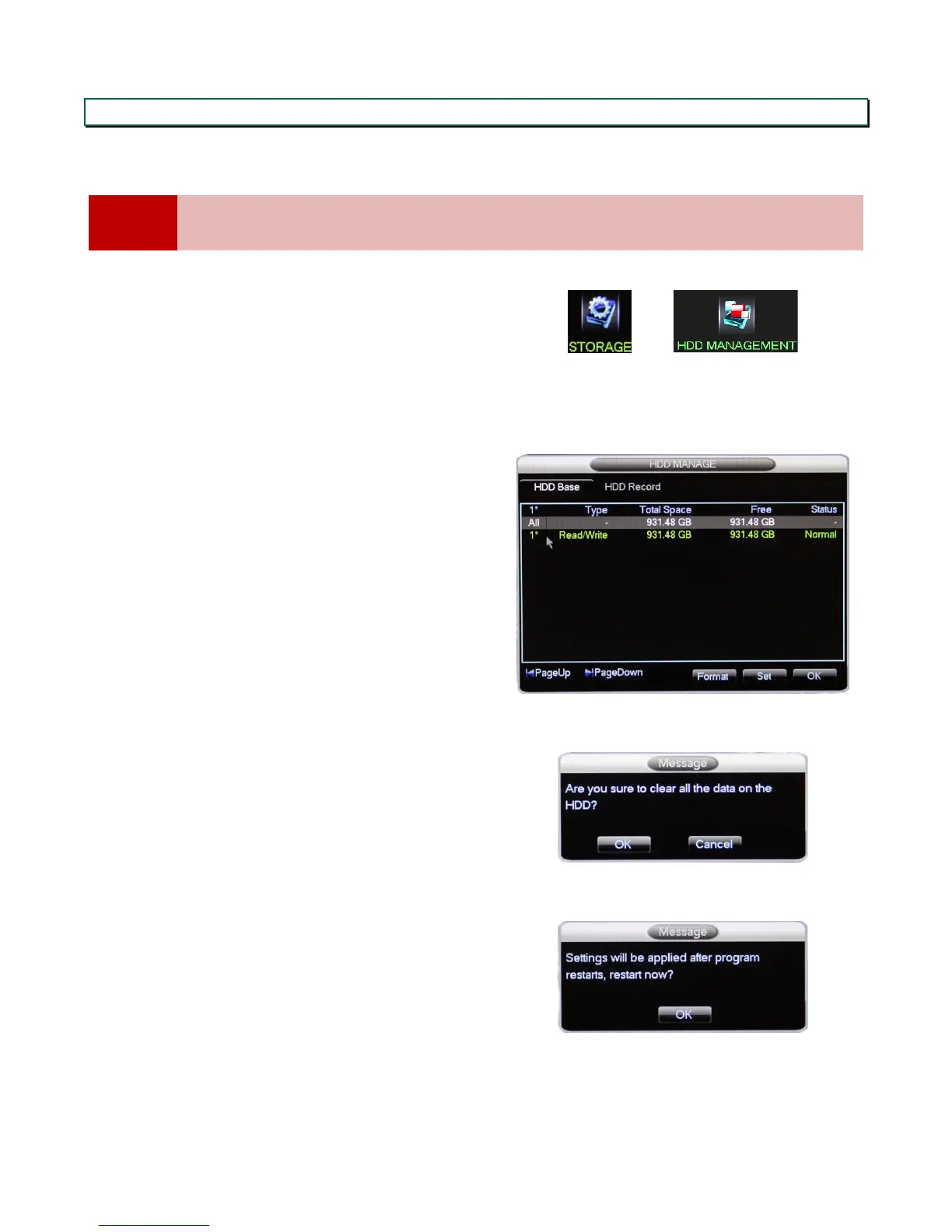
It is important to format the hard drive before first use, to ensure it is clear of any data and ready to work with the
DVR. If the hard drive used is set to the wrong format, the DVR may not be able to record.
Formatting the HDD will erase all data saved on it, if you are not using a brand new HDD, please ensure
you have backed up any data you may want to keep.
In the main menu, select STORAGE, then HDD
MANAGEMENT
The HDD management screen shows all connected
hard drives.
Select the one to format (most likely the only one
there at this stage), and click Format
Click OK to confirm.
Once the format is completed, you will be prompted
to restart the DVR.


 To Next Page