Homeguard DVR Instruction Manual
14
2.5 Setting a password
As stated, the default password for the “admin” account is blank, meaning there is no password. We advise you to
set a password on your DVR to protect your privacy, however this decision is up to you.
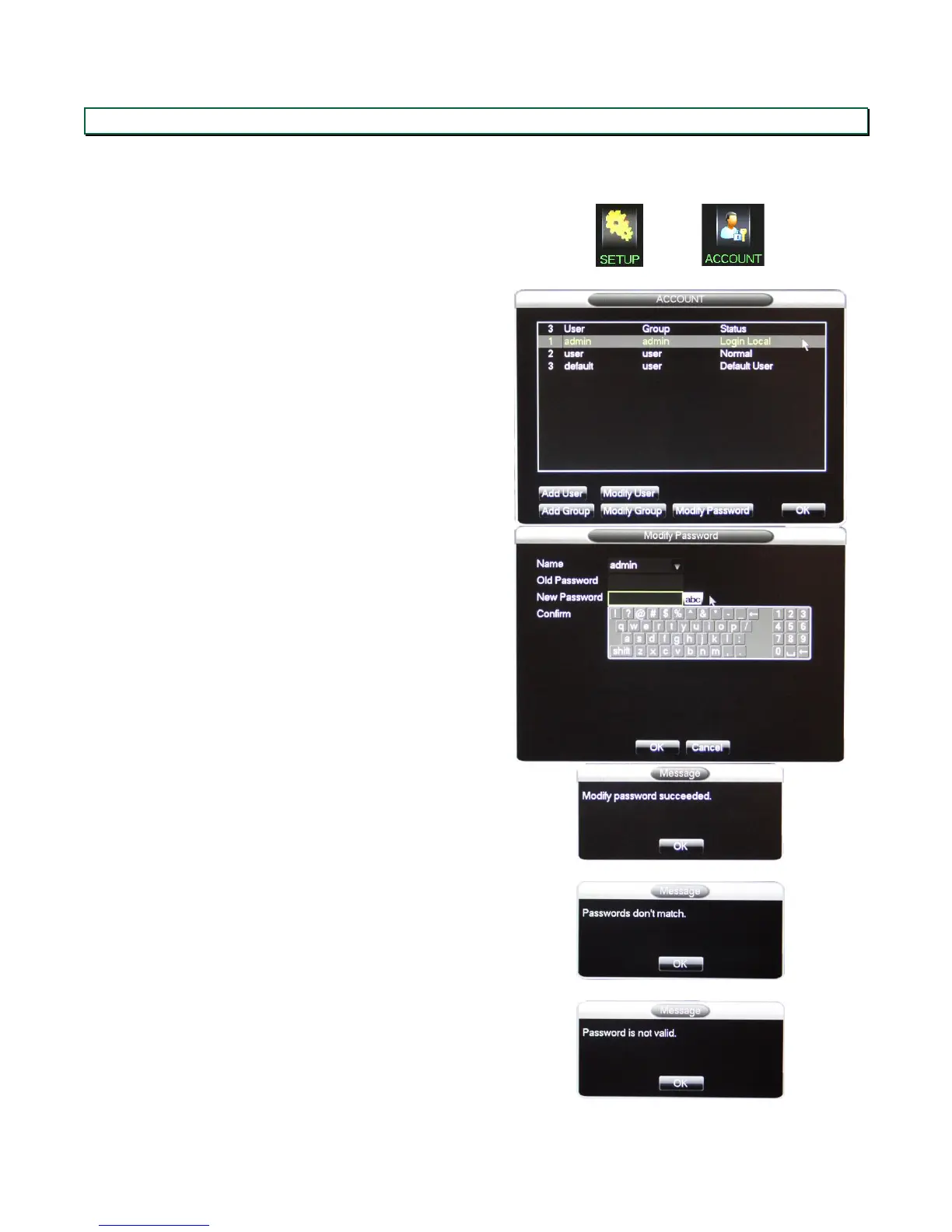
In the main menu, select SETUP, then ACCOUNT.
In the Account screen, select the account you want to
modify (in this case, the Admin account), then click
Modify Password.
Fill in the old password (in this case leave blank) and
new password fields, and confirm the new password.
Confirmation is required to prevent typing errors.
Once done, click OK.
Click OK when the confirmation message pops up.
If an error message pops up, either the confirmation
doesn’t match the new password, or the old password
is incorrect. This is most likely to a typing error, and
you need to re-enter the passwords.


 To Next Page