storageoptions.com/support 19
3.2.2 Schedule
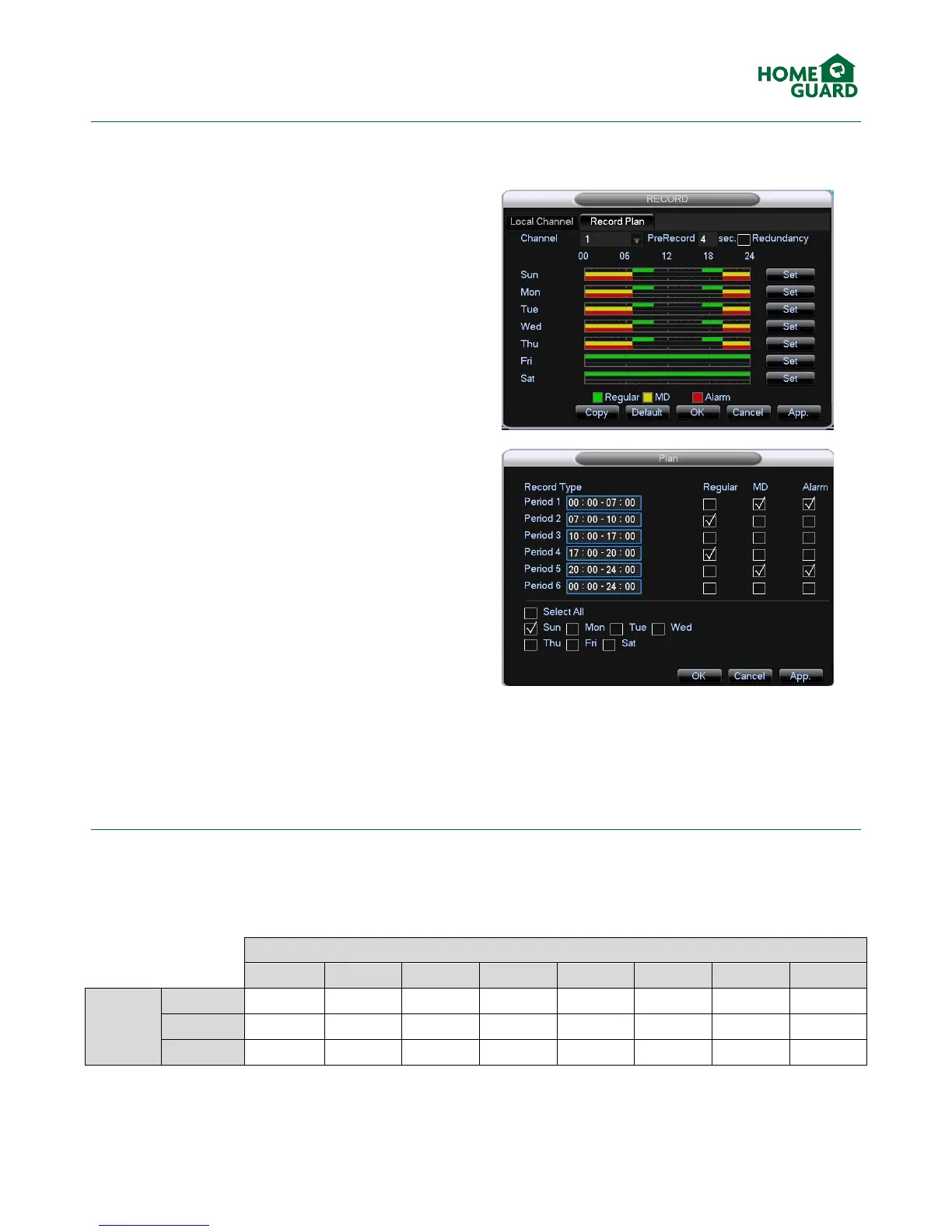
In the Record Plan tab, you can define a recording schedule for each channel. For example, you may choose to
record only during office hours.
Choose which channel you wish to schedule and how
long to prerecord (for event triggers only).
To plan the recordings for each day, click Set next to
the chosen day.
Define up to 6 time periods by entering the start and
finish times for each one, and select the type of
recording applicable for this period (see chapters 3.2.3
and 3.2.4 for details on these recording types).
Select any days these recording periods must apply to.
When done, click OK.
Repeat this process for any days where the recording
periods are different.
3.2.3 Recording capacity
As mentioned in chapter 3.2.1, recording settings affect the amount of time which can be recorded on a given hard
drive. Please refer to the table below for the available recording time, in days, based on normal settings:


 To Next Page