Homeguard DVR Instruction Manual
20
3.3 Alarm Modes
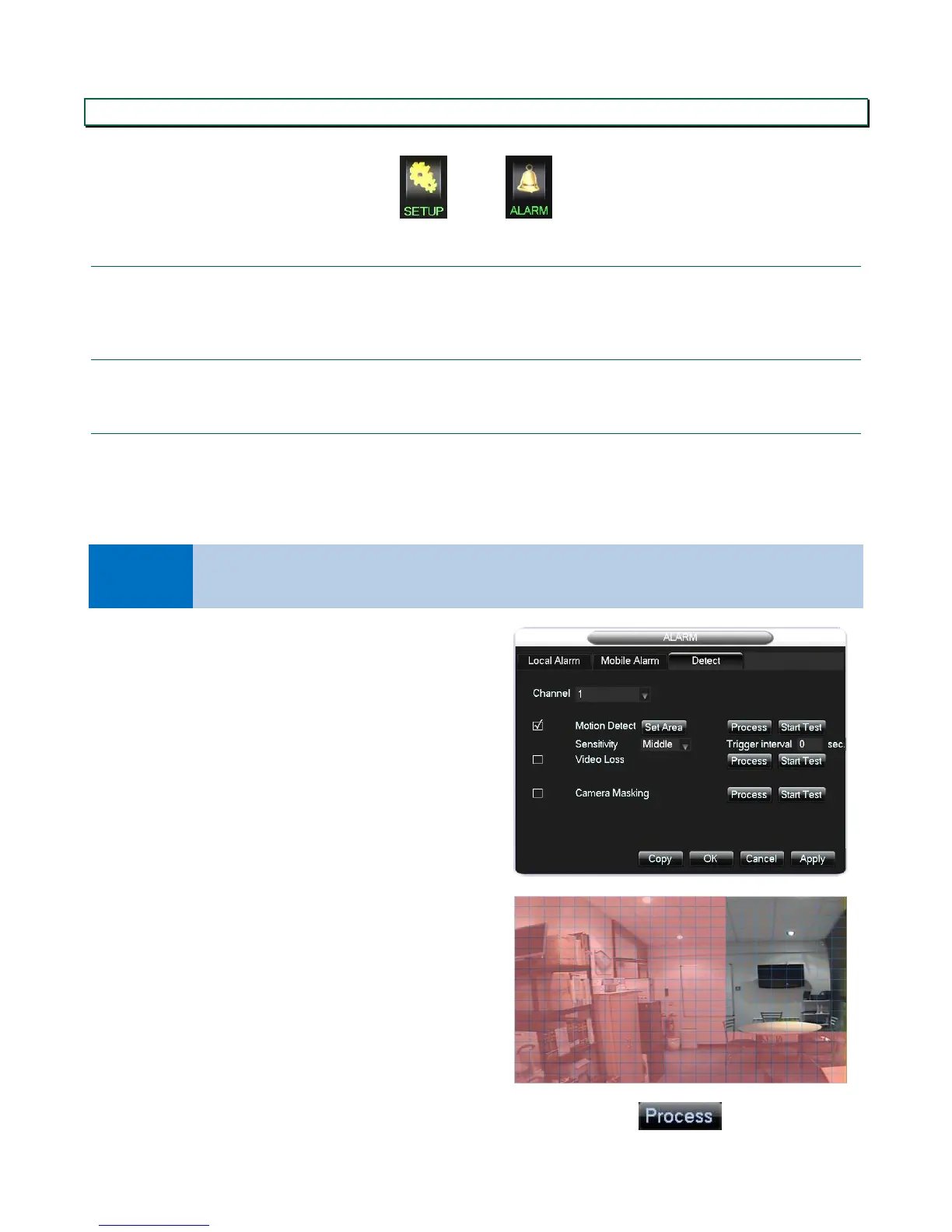
In the main menu, select SETUP, then ALARM.
3.3.1 Local Alarm
You can enable the DVR to be triggered by an external alarm, or vice versa. Please confirm the required settings with
your alarm supplier.
3.3.2 Mobile Alarm
Enables any DVR alarm to be relayed to your mobile phone, via the DVR’s app. This is enabled by default.
3.3.3 Motion Detection
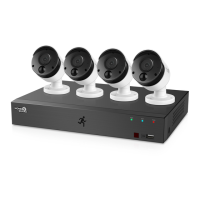
The Detect tab covers 3 types of alarm, available on each channel:
Motion detection to trigger an action when the DVR sees movement on any chosen channel
Video loss to trigger a warning when the DVR loses the video feed from a camera
Camera masking to trigger a warning when a camera is covered.
Tick to enable Motion Detection
Select the sensitivity. Choose a low sensitivity if the
image recorded is likely to move a little, for example if
there are trees in the background.
Select the time to apply between triggers, to ensure
the same event does not trigger several alarms.
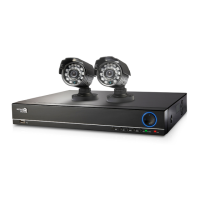
Click Set Area to select the area of the picture where
the motion detection will be active
Select the area (red=active, clear=inactive), right click
once done
Click Process to set the active period, actions and
warnings the alarm will trigger.


 To Next Page