storageoptions.com/support 29
3.4.3 Access the DVR on your mobile
To view your DVR on your tablet or smartphone, please install the IMSEye app (available to download from your
mobile device’s app store, also available on the software CD included for direct installation). With this you can view
the live feed, review recorded footage, and record videos and snapshots directly to your mobile device.
This chapter explains how to setup your system, and offers an overview of the app’s functions.
3.4.3.1 Add the DVR to the app
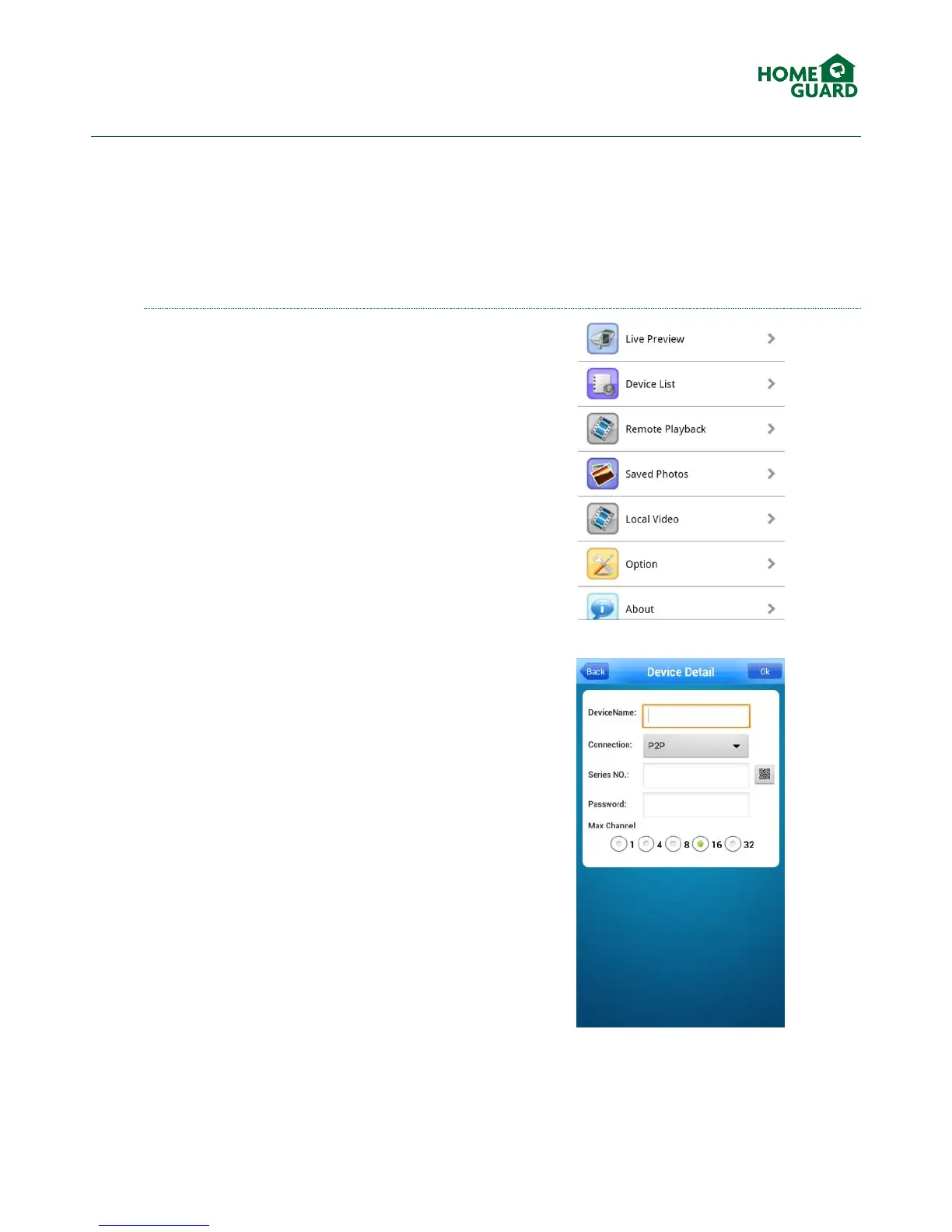
Select Device List, then + to add a new device.
Choose a name for your CCTV system (this name will
be displayed when selecting which device to view).
Set the Connection type to P2P
Tap the QR Code icon, then scan the code found in
the DVR menu (see chapter 3.4.1.3). This will fill in all
the required fields with your DVR’s ID and password.
Click OK to validate.


 To Next Page