Homeguard DVR Instruction Manual
38
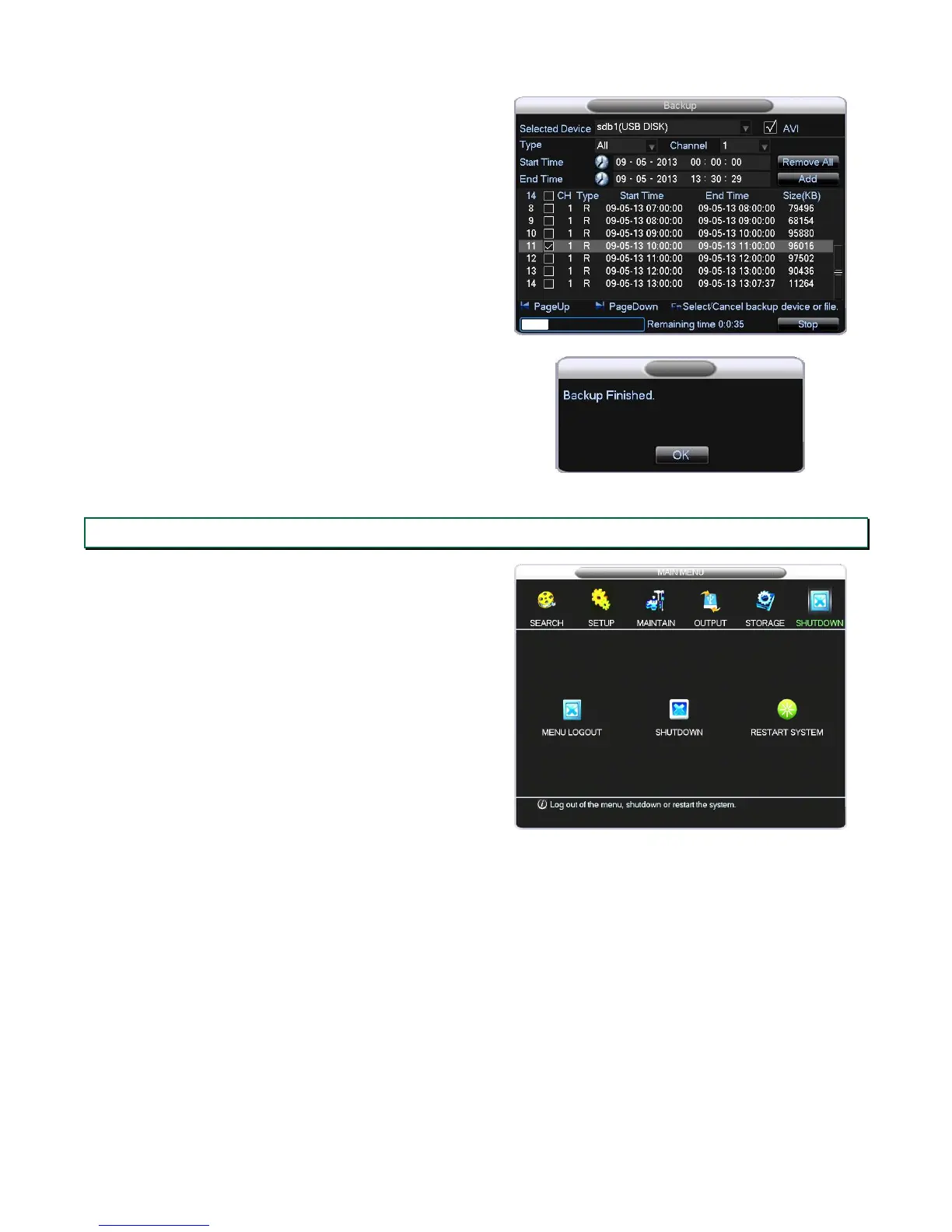
Please do not disconnect the USB drive while the
backup is in progress.
A message will pop up when the backup is completed,
you can now exit the menu and remove the USB drive.
Remember to Stop any activity before disconnecting.
4.5 Shutdown
The SHUTDOWN menu allows you to log out of the
menu system, and restart or shut down the DVR. If
you are shutting down, please wait for the shut down
message to disappear off the screen before
unplugging the power supply. This is to ensure the
HDD is properly stopped and no data is corrupted.


 To Next Page