Homeguard DVR Instruction Manual
30
3.4.3.2 Live viewing
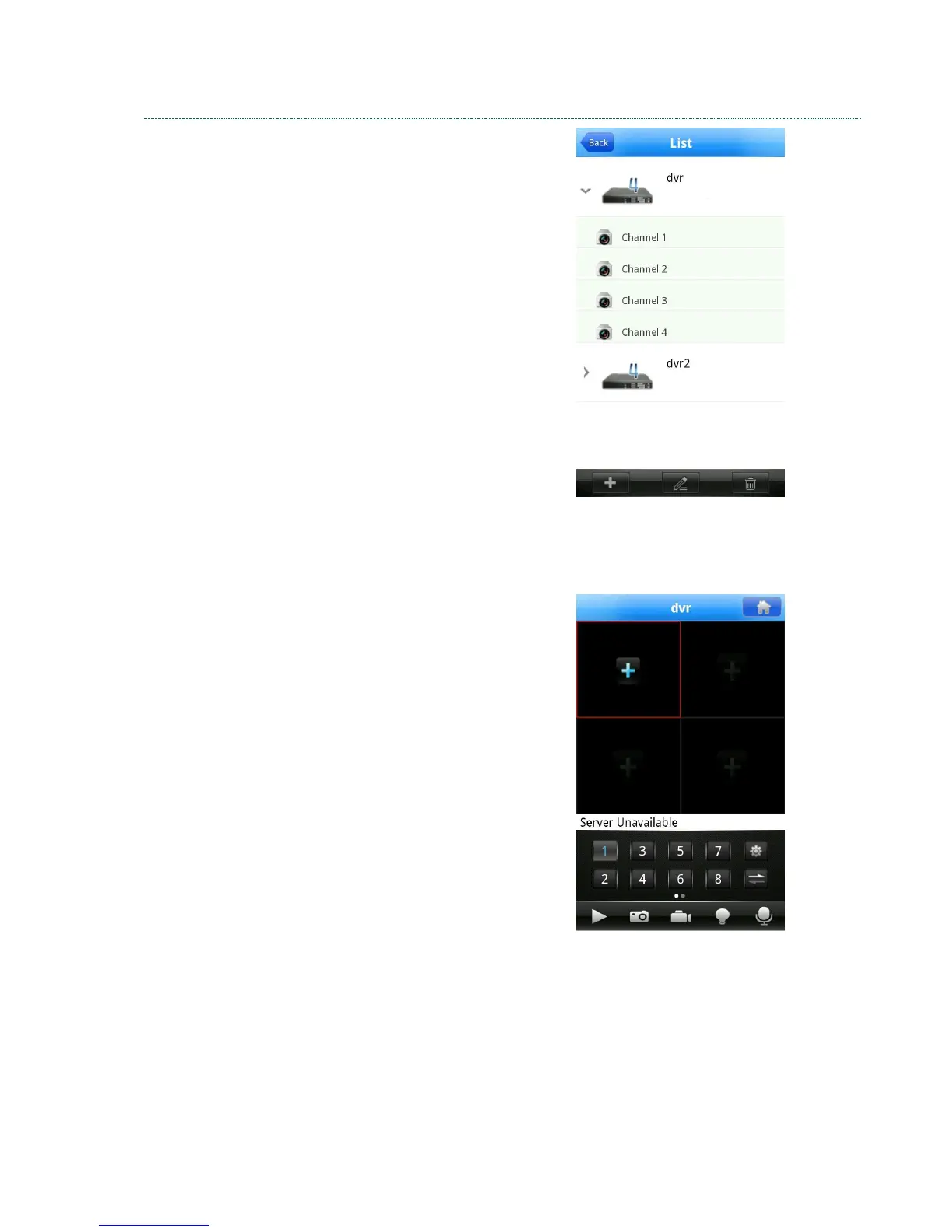
From the Device List, select your DVR, then the
channel you wish to display.
The app will now connect to your DVR, via the cloud.
The connection may take a moment, please be
patient.
Once connected, double tap the desired viewing
screen to display the channel in full screen. You can
display up to 4 channels simultaneously.
You will notice a slight delay in the video, this is
dependent on the quality of the network you are
connected to.
Please adjust the Minor Stream settings (chapter
3.2.1) to alter the video quality.


 To Next Page