Homeguard DVR Instruction Manual
26
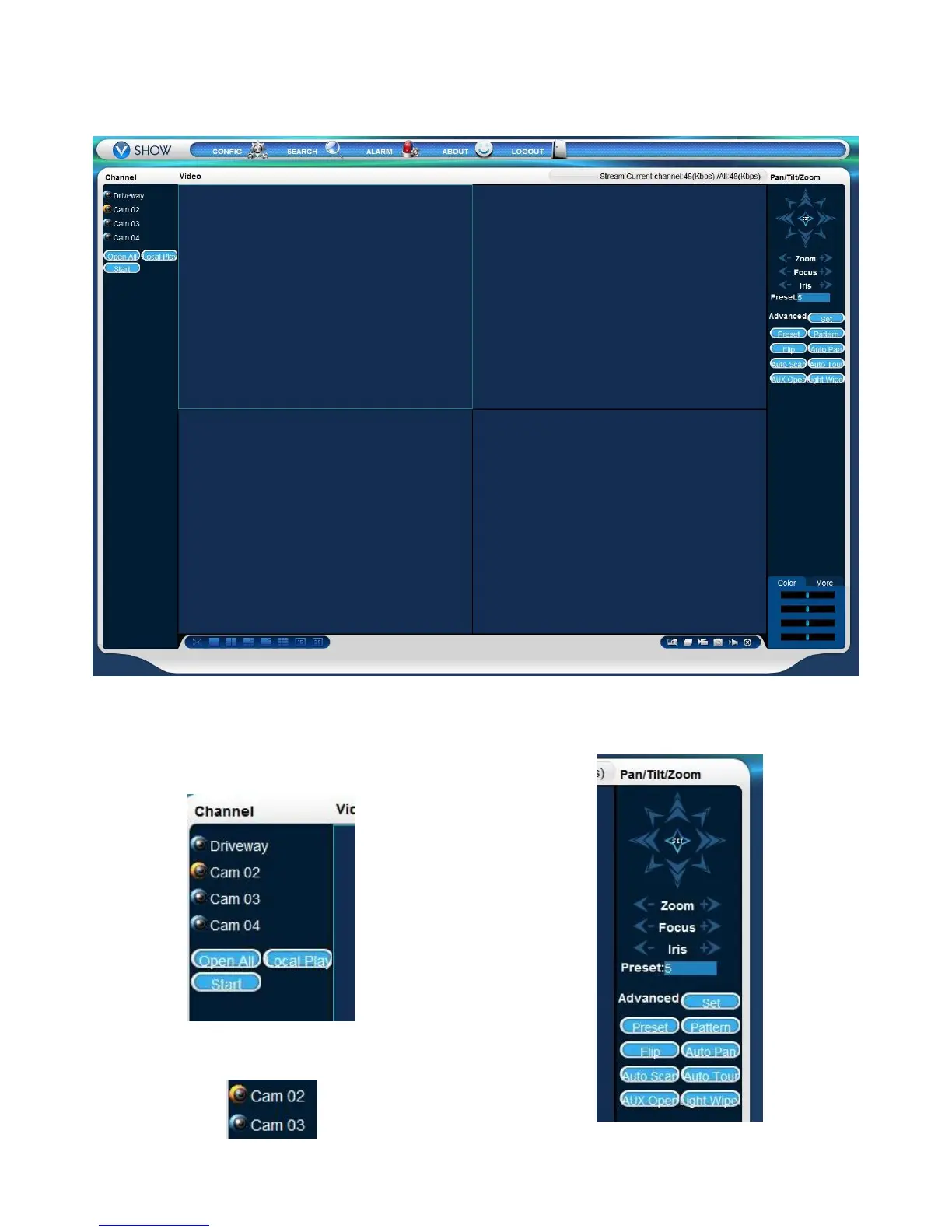
The main viewing window can display up to 36 channels simultaneously.
The Channel menu, on the left, shows what channels
are available. Click on the selected channel name to
display it in the highlighted window, or click Open All
to display all available channels at once.
The channel is marked as active when the icon next to
the name is yellow:
The PTZ menu, on the right, allows you to control any
Pan/Tilt/Zoom camera connected to the DVR.


 To Next Page