storageoptions.com/support 43
Quick mobile access guide
Once the DVR has been installed, you can view the video feeds remotely on your mobile by performing the steps
below:
6.1 On the DVR
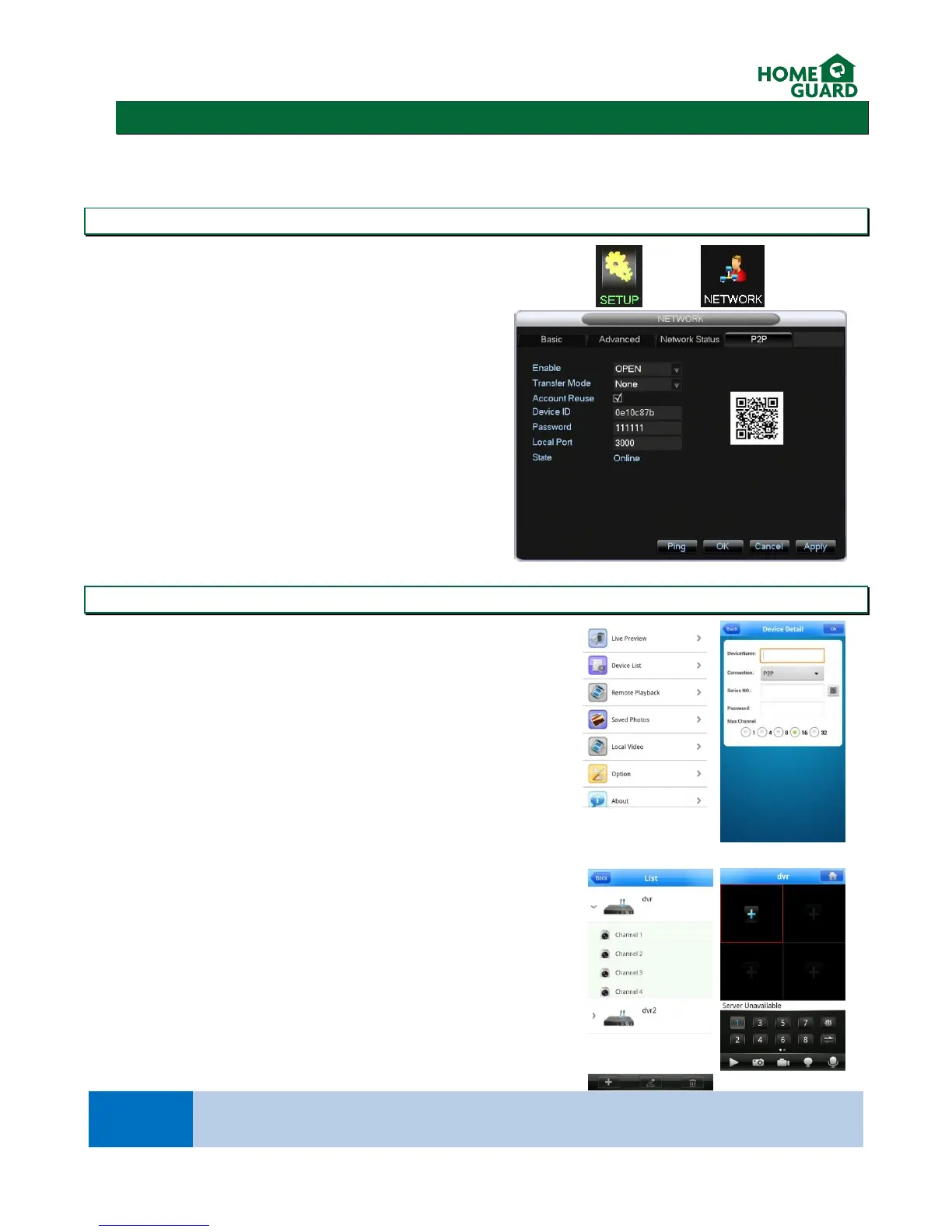
From the main menu, select SETUP then NETWORK,
then open the P2P Tab.
6.2 On your mobile
Download the IMSeye app
In Device List, select Add Device
Select P2P as the connection type, then tap the QR Code icon and scan
the code found on the DVR’s menu. This will fill in the required fields
automatically.
Select the Number of channels you DVR supports.
Select OK
From the device list, you can now select your DVR and which channel to
view.
This method is based on the general default settings which apply to the majority of routers on the
market today. If this method is unsuccessful, please refer chapter 3.4.1.3 for more information.


 To Next Page