2
Pixel Size
Press
key. [MENU 1] is shown.
Select “PIXEL SIZE” with
of cross key.
Select size of pixel with
key.
S : Fine image is shown.
L : Image is shown with emphasis.
1
It changes size of one pixel (dot) which is shown.
PIXEL SIZE : S, L
AUTO GAIN
2
Press
key. [MENU 1] is shown.
Select “AUTO GAIN” with
of cross
key.
Select with
key.
L: Sensitivity decreases. When you judgestatus
of bottom, it helps you to confirm second o
third reflection
M: Sensitivity medium. It helps you to watch the
display as general fish finder.
H: Sensitivity increased. It helps you find the
small fish.
1
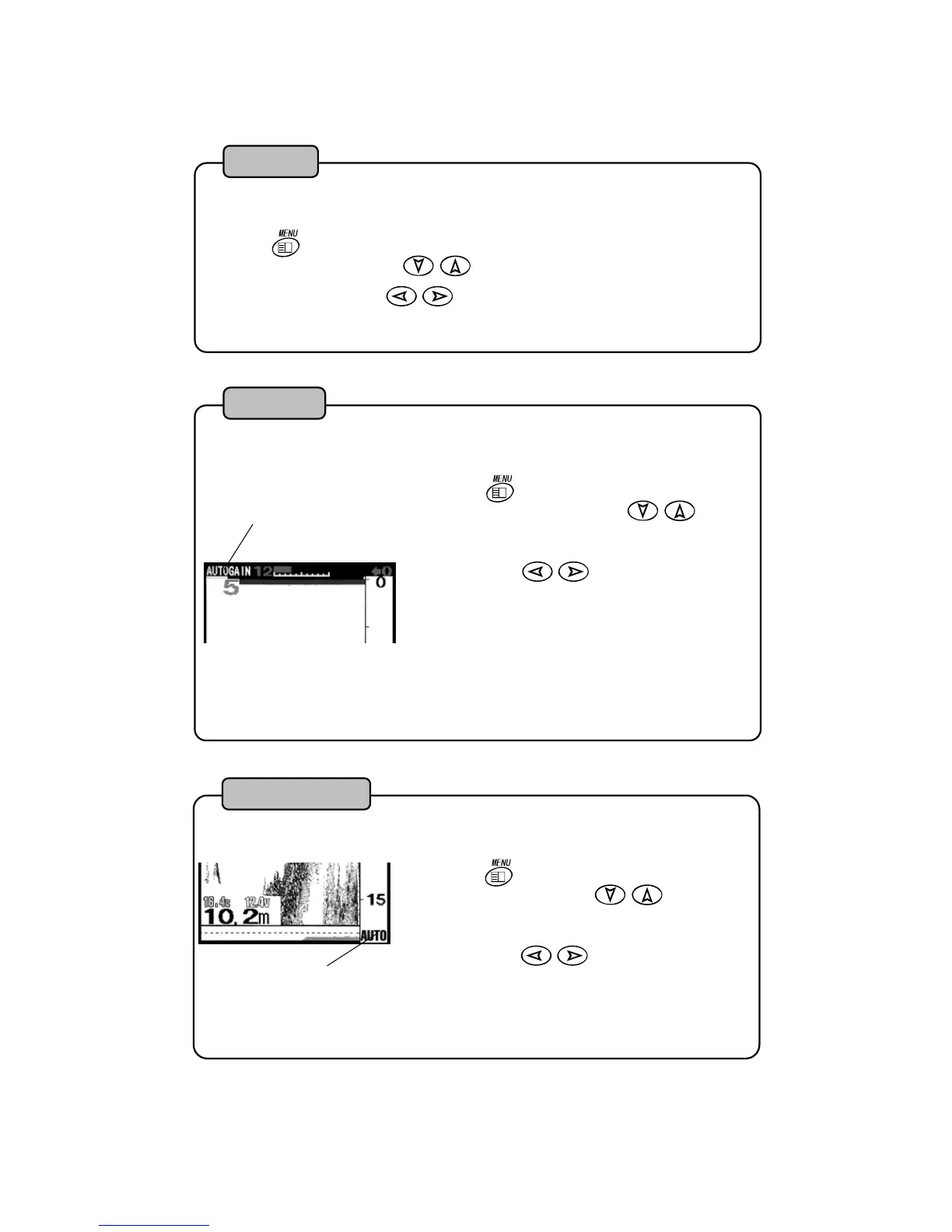
Sensitivity is automatically adjusted so that response from sea bottom is even.
AUTO GAIN: OFF, L, M, H
Auto Gain
AUTO RANGE
2
Depth range (displayed range) is automatically changed so that sea bottom (the first
reflection) is always shown. [AUTO] mark is shown on right lower of screen.
Press
key. “MENU 1” is shown. Select
“AUTO RANGE” with
of cross key.
Select with
key.
1
It sets ON/OFF of Auto Range (Automatic displayed range change).
AUTO RANGE:OFF ON
AUTO RANGE
19


 To Next Page