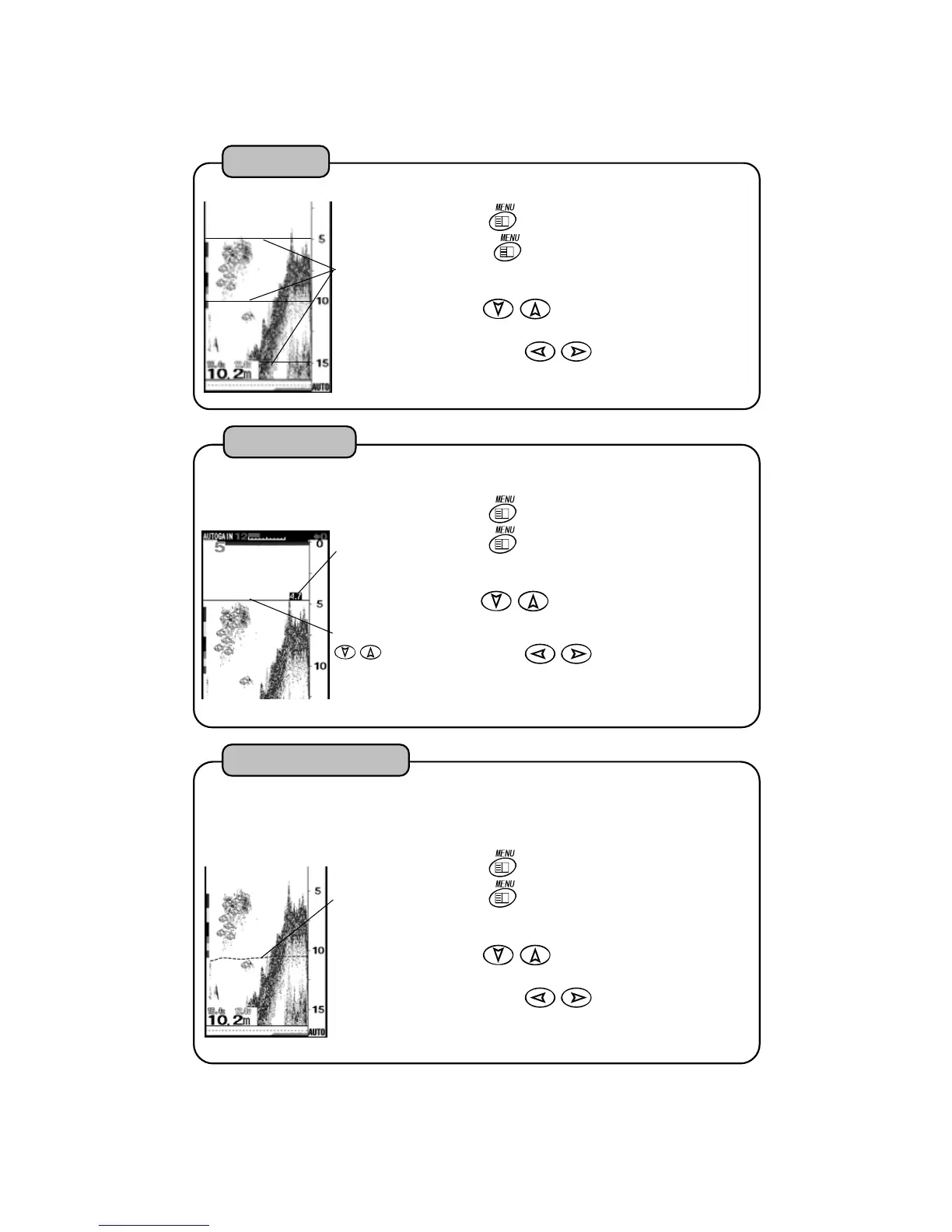
Scale Line
Water temp.
graph in light
blue dot line
2
It can indicate water temp. graph on the screen. You can know the variation of wate
temp. by graph. Then, as you can also know the turning of tide, it is effective for finding
fishing points. TEMP GRAPH : OFF ON
1
Press
key. “MENU 1” is shown.
Press
key for more than 2 seconds.
“MENU 2” is shown. Select “TEMP GRAPH”
with of cross key.
Select with
key.
OFF:
It does not indicate water temp. graph.
ON:
It indicates water temp. graph..
Water Temp. Graph
Press
key. “MENU 1” is shown.
Press
key for more than 2 seconds.
“MENU 2” is shown. Select “DEPTH MARKER
with of cross key.
Select with
key.
OFF:
It does not indicate DEPTH MARKER.
ON:
It indicates DEPTH MARKER.
1
2
Depth Marker:
It moves with
key.
Depth at the
marker position
It selects indication or non-indication of depth marker.
DEPTH MARKER : OFF ON
De
th Marker
2
Scale Line
Press
key. “MENU 1” is shown.
Press
key for more than 2 seconds.
“MENU 2” is shown. Select “SCALE LINE”
with of cross key.
Select with
1
Horizontal lines are shown at the position of depth scale on the screen.
SCALE LINE : OFF ON
key.
OFF:
It does not indicate SCALE LINE.
ON:It indicates SCALE LINE.
23


 To Next Page