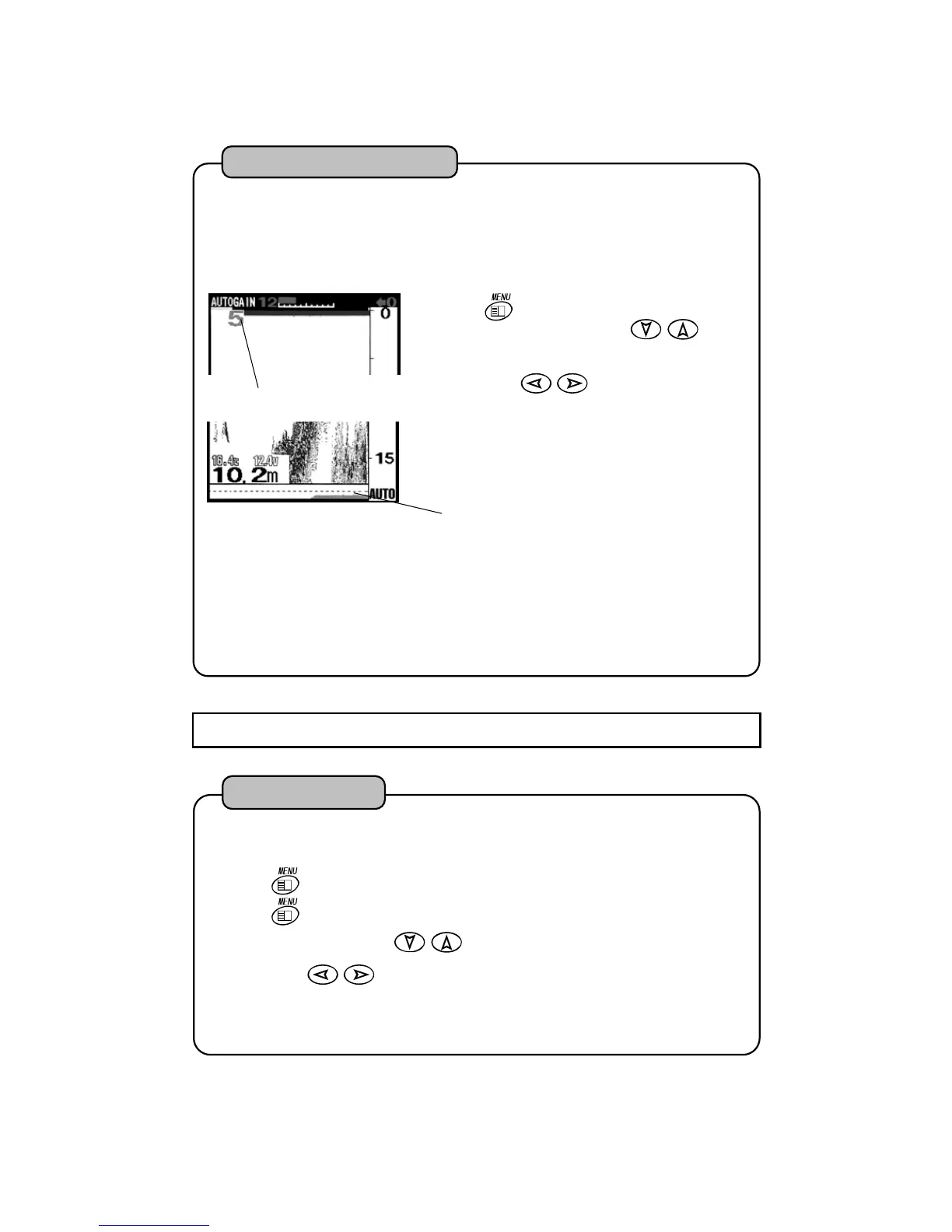
Bottom Nature Level
Bottom Nature Graph.
It links with image of fish finder and
continues from right to left.
ote 1) At the same place, the higher the sensitivity setting the bigger digit.
ote 2) At the places where there is sharp undulation or tetra pod is sunk, depth may be indicate
in error. In such place, this function is not operated normally.
n case sensitivity is set to Low or second reflection is not received at deep water, secon
reflection level is indicated as “0”.
ote 4) It does not activate when Sweep Speed is set to “S”.
2
Bottom Nature Distinction
Press
key. “MENU 1” is shown. Select
“HARD BTM LEVEL” with
of cross
key.
Select with
key
OFF :It does not indicate bottom nature graph and
bottom nature level.
ON :It indicates bottom nature graph and botto
nature level.
1
Besides strength of second reflection is indicated in digits 0 – 20, it’s graph is shown on the lowe
of fish finder image. Bigger it’s value the stronger strength of second reflection. It is considere
as Hard Bottom. You can also recognize the variation of bottom status roughly by graph indication.
This function activates if second reflection is not shown on the image.
HARD BTM LEVEL : OFF ON
7-2-3 MENU 2
2
Press
key. “MENU 1” is shown.
Press
key for more than 2 seconds. “MENU 2” is shown.
Select “EXP RATE” with of cross key.
Select with
key.
×2:
It indicates two times expanded display.
×4:It indicates four times expanded display.
×8:
It indicates eight times expanded display.
1
It sets expansion rate on expanded display.
EXP RATE : x2, x4, x8
Ex


 To Next Page