2
Press
key. “MENU 1” is shown. Select
“FISH ALARM” with
of cross key.
Select with
key.
OFF:
It cancels FISH ALARM.
ON :It sets FISH ALARM.
ote) It may catch the response from other objects than fish, for example, floating matter,
stain, plankton or etc.
1
It catches the response from fish school (fish) and comes out alarm.
FISH ALARM:OFF ON
FISH ALARM
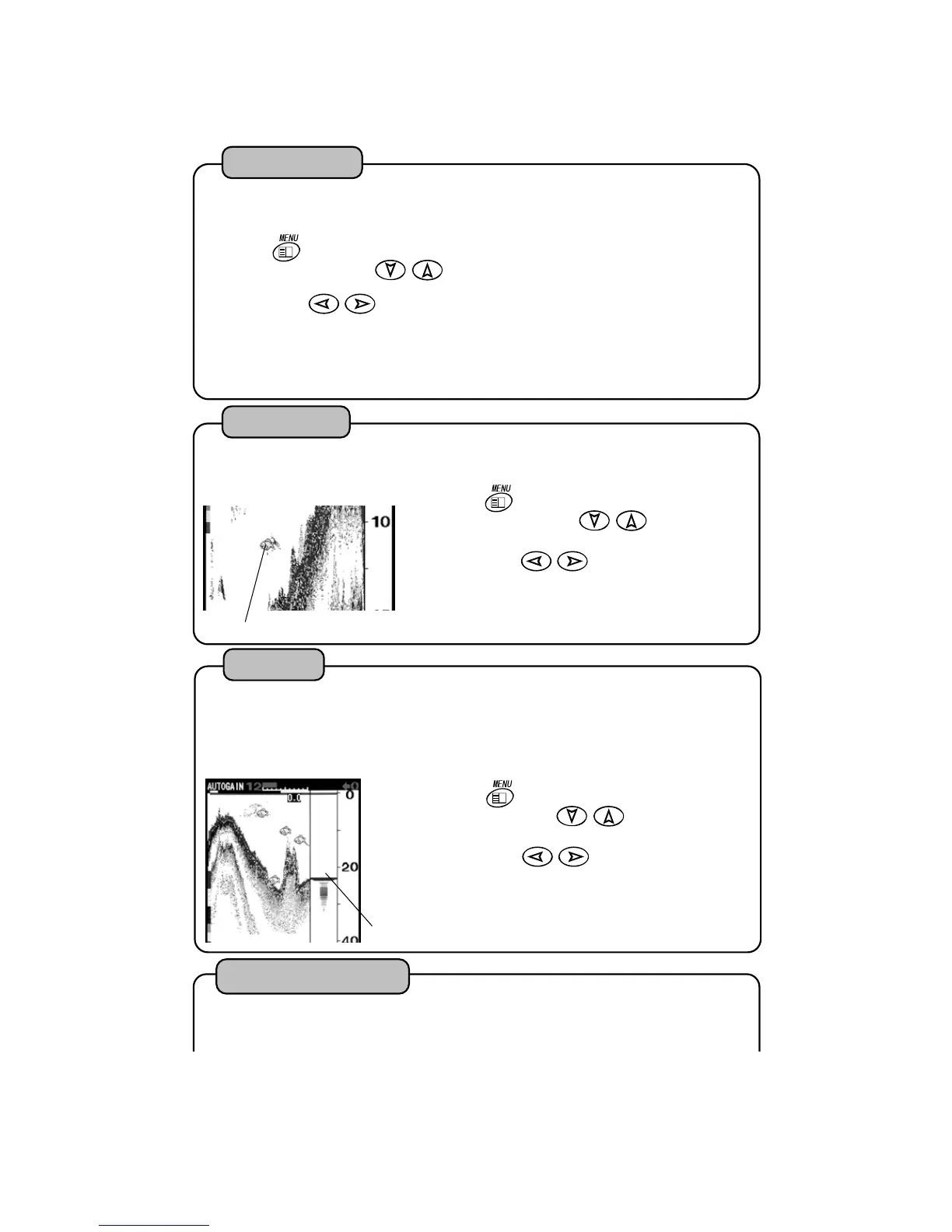
Fish Mark
2
Press
key. “MENU 1” is shown. Select
“FISH MARK” with
of cross key.
Select with
key.
OFF:
It does not indicate Fish Mark.
ON :It indicates Fish Mark.
1
It selects indication or non-indication of fish mark.
FISH MAR
A-Mode
2
Press
key. “MENU 1” is shown. Select
“A MODE” with
of cross key.
Select with
key.
OFF:
It does not indicate A-Mode.
ON :It indicates A-Mode.
1
It is displayed on the right side of screen and it’s width changes according to strength i
reflected signal. Strong signal is indicated widely and weak signal is indicated narrowly.
As you can know the strength of signal at a glance, it is easy to recognize the fish school o
bottom. A MODE: OFF ON
A-MODE
Reflected signal of sound wave is converted into 11 ranks of digital signal according to th
strength of response. Color configuration is 10 ranks of color except back ground color ar
set.
Color Configuration
20



 To Next Page