EasyManua.ls Logo

Honeywell FF-SB12 Series - User Manual

Honeywell FF-SB12 Series
70 pages
Print Icon
To Next Page IconTo Next Page
Loading...
107062-12 EN FR26 GLO 501 Printed in France
Safety
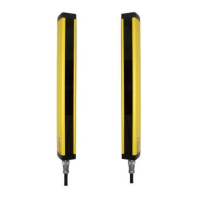
Light Curtain
Installation Manual
FF-SB12, FF-SB14, FF-SB15 Series
Safety Light Curtains
© 1993-2001 Honeywell International Inc. All rights reserved.

Questions and Answers

  • G
    Gerald WilliamsAug 17, 2025
    What to do if all light emitting diode (LED) indicators are NOT illuminated on Honeywell FF-SB12 Security Sensors?
    • A
      Andrea KingAug 17, 2025
      If all LED indicators are not illuminated on your Honeywell Security Sensors, the issue is likely due to a lack of power. First, check that the fuse is not blown. Then, verify that the supply voltage is correct as specified. Finally, ensure that all electrical power connections are secure and correct.
  • L
    Laurie JenkinsAug 20, 2025
    What to do if LED E1 and R2 are illuminated, R4 and E2 are NOT illuminated on Honeywell FF-SB12 Security Sensors?
    • M
      Matthew MillerAug 20, 2025
      If LED E1 and R2 are illuminated, but R4 and E2 are not on your Honeywell Security Sensors, the sensing field might be obstructed. Try removing any obstacles that could be interrupting the sensing field. Clean the emitter lens, receiver lens, and mirrors. If the problem persists, align the emitters, receiver, and mirrors, or consider replacing the emitter or receiver unit.
  • U
    uwilliamsAug 22, 2025
    What to do if LED E1, E2 and R2 are illuminated, R4 is flickering on Honeywell FF-SB12 Security Sensors?
    • C
      Cindy MccartyAug 22, 2025
      If LEDs E1, E2, and R2 are illuminated and R4 is flickering on your Honeywell Security Sensors, the light curtain might be in cycle start mode. To address this, ensure the monitoring loop connections between pins C3 and C5 are secure. You may also need to press the cycle-start push-button.
  • J
    Jonathan ThomasAug 25, 2025
    What to do if LED E1, E2 and R3 are illuminated, R1 is flickering on Honeywell FF-SB12 Security Sensors?
    • F
      fmccormickAug 26, 2025
      If LEDs E1, E2, and R3 are illuminated and R1 is flickering on your Honeywell Security Sensors, the emitter or receiver units may be contaminated. Clean the emitter lens, receiver lens, and mirrors. Additionally, ensure that the emitters, receiver, and mirrors are properly aligned.
  • J
    Jonathan BrownAug 27, 2025
    What does it mean when E1: ON / E2: ON R1: ON / R2: ON R3: ON / R4: flickers on Honeywell FF-SB12 Security Sensors?
    • K
      Kenneth Atkinson IIAug 27, 2025
      When E1, E2, R1, R2, and R3 are on, and R4 flickers on your Honeywell Security Sensors, it indicates that a relay contact is stuck in the closed condition. Immediately exchange the relay board.
  • E
    Erica BrownAug 30, 2025
    What to do if LEDs E1, E2 and R3 are NOT illuminated, or other LEDs are illuminated on Honeywell Security Sensors?
    • S
      shannon01Aug 30, 2025
      If LEDs E1, E2, and R3 are not illuminated, or other LEDs are illuminated on your Honeywell Security Sensors, external relays may not be working properly. Refer to the system wiring diagram and ensure the external relays connected to or linked with the safety light curtain are operating correctly.
  • S
    Shelley RojasSep 1, 2025
    What to do if Honeywell Safety Equipment is in start/restart mode?
    • J
      Jared DickersonSep 1, 2025
      If the Honeywell Safety Equipment barrier has E1 and E2 LEDs lit, R4 flickering, and R2 lit, it indicates that the barrier is in start/restart mode. Check the connections on the monitoring loop C3-C5, press the start and restart push-button. If the failure remains, change the relay board.
  • A
    Andrew CalhounSep 4, 2025
    How to fix weak signal on Honeywell Safety Equipment?
    • C
      collinsmirandaSep 4, 2025
      If the Honeywell Safety Equipment barrier has E1 and E2 LEDs lit, R3 lit, and R1 flickering, it indicates that the barrier is in function, but the reception signal margin is weak, possibly due to a dirty or misaligned barrier. You should check the cleanliness of the light paths, the mechanical alignment, and the scanning range.
  • R
    Robert CarterSep 6, 2025
    How to fix Honeywell Safety Equipment with relay contact stuck?
    • J
      jeffreybutlerSep 7, 2025
      If E1 and E2 LEDs are on, R1 and R2 LEDs are on, R3 is off, and R4 flickers on your Honeywell Safety Equipment, it indicates that a relay contact is stuck in the closed condition. Immediately exchange the relay board.
  • B
    Brenda MorenoSep 9, 2025
    Why no indicator lights on Honeywell Safety Equipment?
    • K
      kristenmorrisSep 9, 2025
      If no indicator lights up on your Honeywell Safety Equipment, it means the barrier is not powered up. Check the supply voltage specified on the plate, the mains supply, the wiring of the supply plugs, and the fuses.

Honeywell FF-SB12 Series Specifications

General IconGeneral
BrandHoneywell
ModelFF-SB12 Series
CategorySecurity Sensors
LanguageEnglish

Related product manuals