FEATURES OF YOUR OVEN
‘w
??7
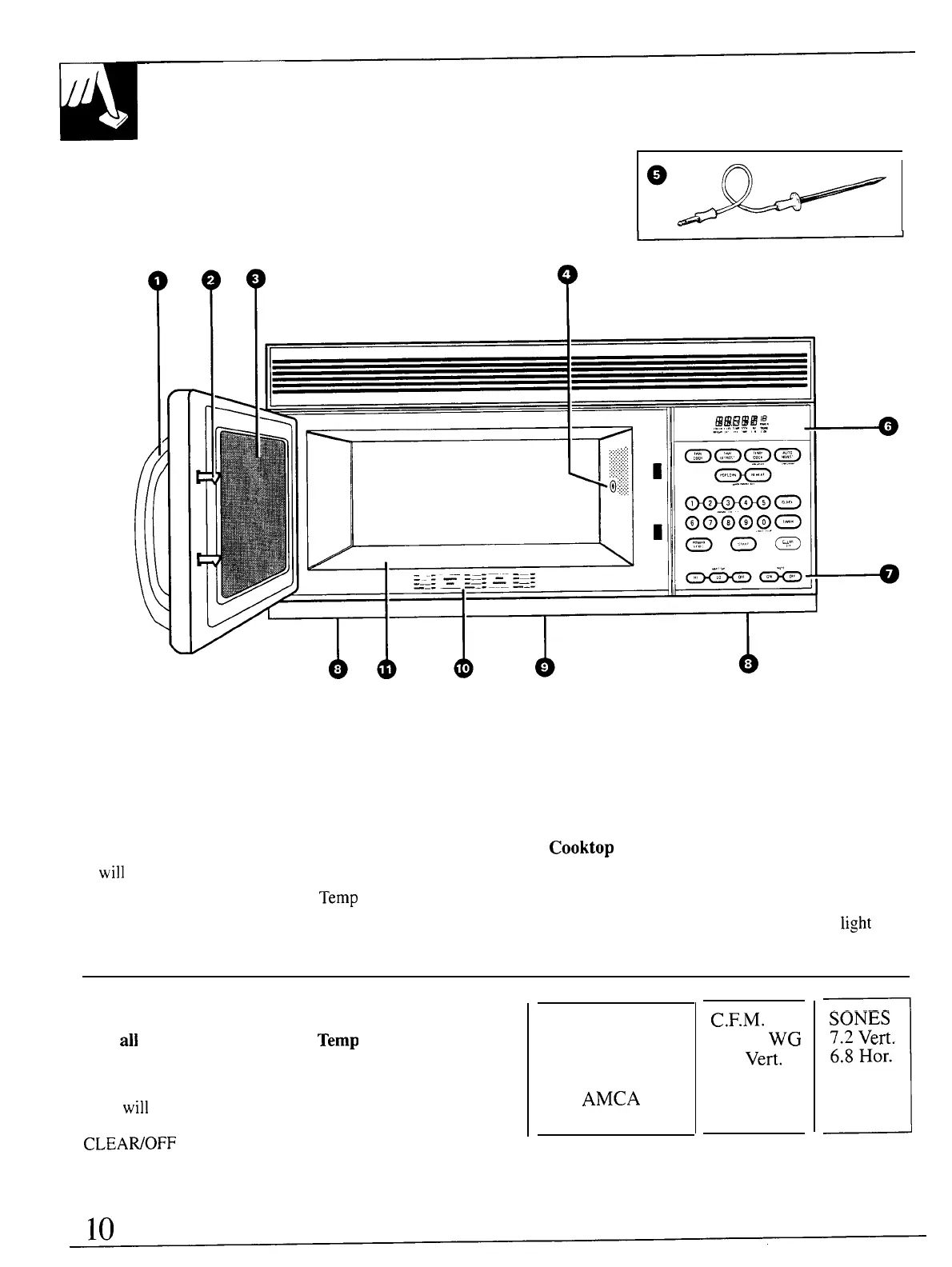
1.
Door Handle. Pull to open door. Door must be
securely latched for oven to operate.
2. Door Latches.
3. Window with Metal Shield.
Screen allows
cooking to be viewed while keeping microwaves
confined in oven.
4. Receptacle for Temperature Probe. Probe must
be securely inserted into receptacle before oven
will
start any temperature or Auto Roast cooking.
5. Temperature Probe. Use with
Temp
Cook and
Auto Roast functions only.
6. Touch Control Panel and Digital Display.
For detailed information on each feature, see
Your Touch Control Panel section.
7. Hood Controls.
Vent Fan.
Press HI, LO or OFF.
Surface Light. Press ON or OFF.
8. Grease Filters.
9.
Cooktop
Light.
10. Automatic Cooking Guide.
11. Oven Floor.
NOTE:
Rating plate, oven vent(s) and oven
light
are
located on the inside walls of the microwave oven.
Cooking Complete Reminder
(For
all
cooking features except
Temp
Cook and
Auto Roast code 4)
To remind you that you have food in the oven, the
oven
will
display “End” and beep once a minute
until you either open the oven door or touch the
1
SONES
7.2
Vert.
6.8 Her.
CLEAWOFF
pad.
This is to certify
that this unit has
been tested in
conformance
with
AMCA
Bulletin No. 21O.
C.F.M.
at 0.10 WG
300
Vert.
300 Her.




 To Next Page