COOmG
BY
_
Thne
Cook
Time Cook allows you to microwave for a preset
amount of time.
Power Level 10 (High) is recommended for most
cooking, but you may change this for more flexibility.
See the Cooking Guide.
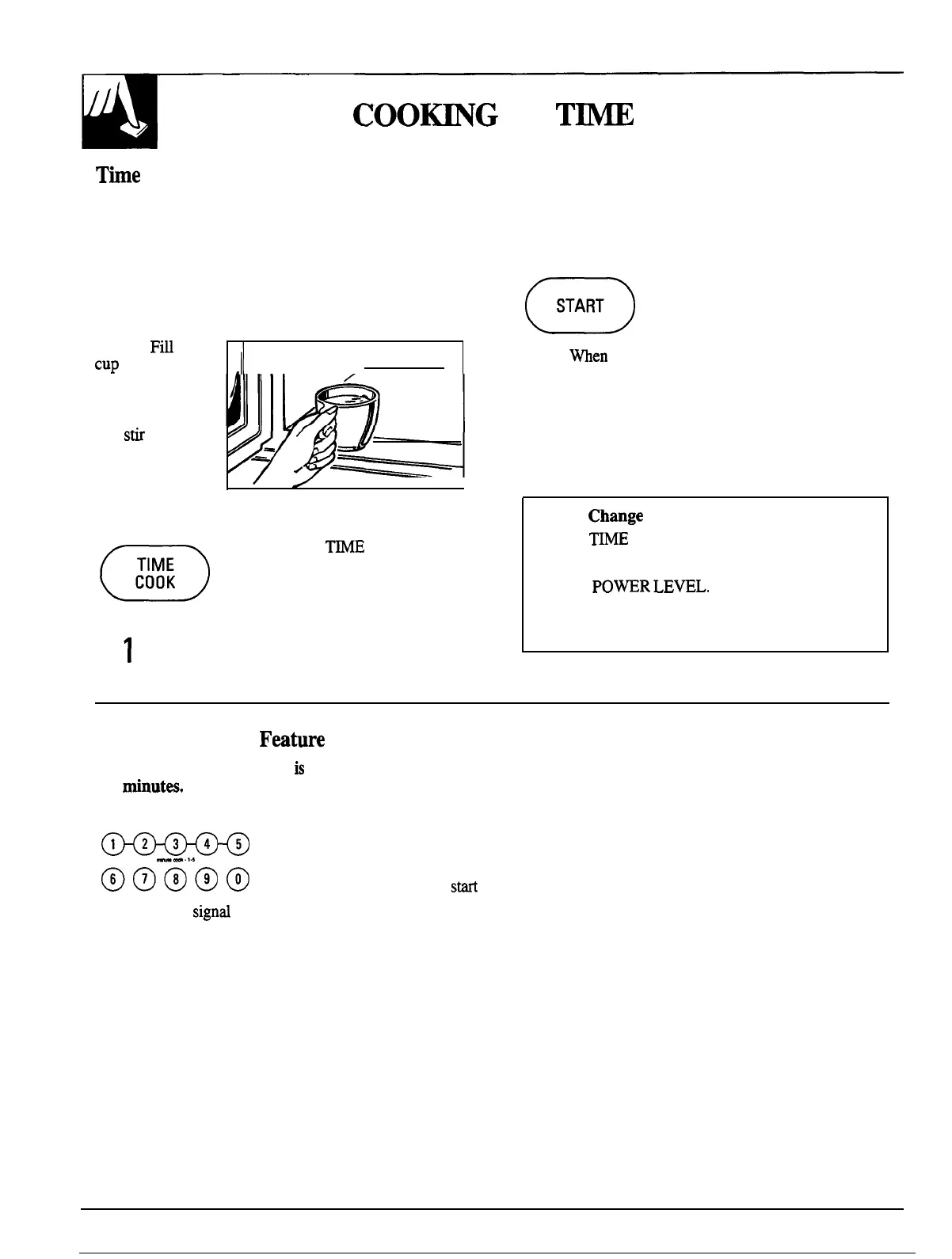
To become better acquainted with time cooking, make
a cup of coffee by following the steps below.
Step 1:
Fi~
a
CUp
2/3 full of
.11
III I
water, add
1 teaspoon of
instant coffee
and Sti to
dissolve. Use a
-“
cup that has no
v,
—
I
metal decoration
‘Because automatic Power Level 10 is recommended
for this cup of coffee, there is no need to change the
power level. (If Power Level 10 is not appropriate,
see “How to Change Power Level” below.)
a
Step
4: Touch the START pad.
START
Step
5:
men
time is up, the oven signals and flashes
“End.” The oven, light and fan shut off.
Step 6:
Open the door.
If you interrupt Time Cook to check the food, simply
close the door and press START to resume cooking.
If there is not time remaining on the timer you must
reset the timer to resume cooking.
and is microwave-safe (refer to the Microwaving Tips
section). Place cup in oven and close door.
n
Step 2:
Touch
WE
COOK pad.
TIME
COOK
o
Step 3:
Select your time. Touch pads 1,0
1
and O for 1 minute.
How to
Chmge
Power Level
1. Press
~ME
COOK.
2. Select cooking time.
3. Press
PO~R
LEWL.
4. Select power.
5. Press START.
The Minute Cook
Fmture
The Minute Cook feature
is
a short-cut method
to set time for
1-5
minut=.
To Minute Cook your food or beverage:
Touch a number pad (from 1 to 5) for 1 to 5 minutes
5
of cooking at Power Level 10. For example, touch
m
the 2 pad for 2 minutes of cooking time. No need to
touch START, the oven will
SM
immediately.
The oven will
signrd
and turn off automatically when finished.
12




 To Next Page