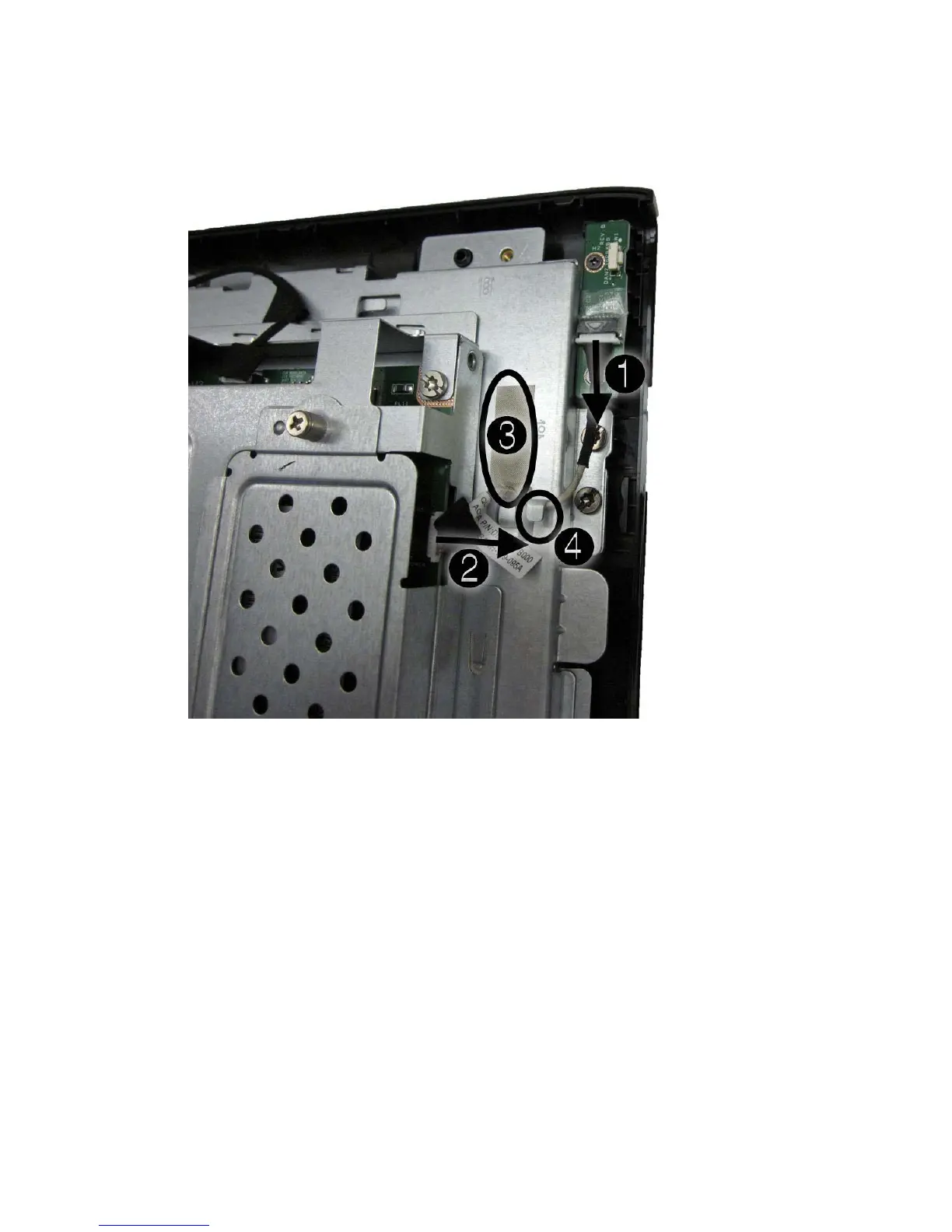
4. Remove the tape (3) that secures the cable to the computer, and then remove the cable from the
clip built into the computer (4).
Figure 6-46 Removing the power button board cable
5. Remove the cable from the computer.
To install the power button board cable, reverse the removal procedures.
62 Chapter 6 Removal and Replacement Procedures All-in One (AIO) Chassis









 To Next Page