HP Array Configuration Utility 26
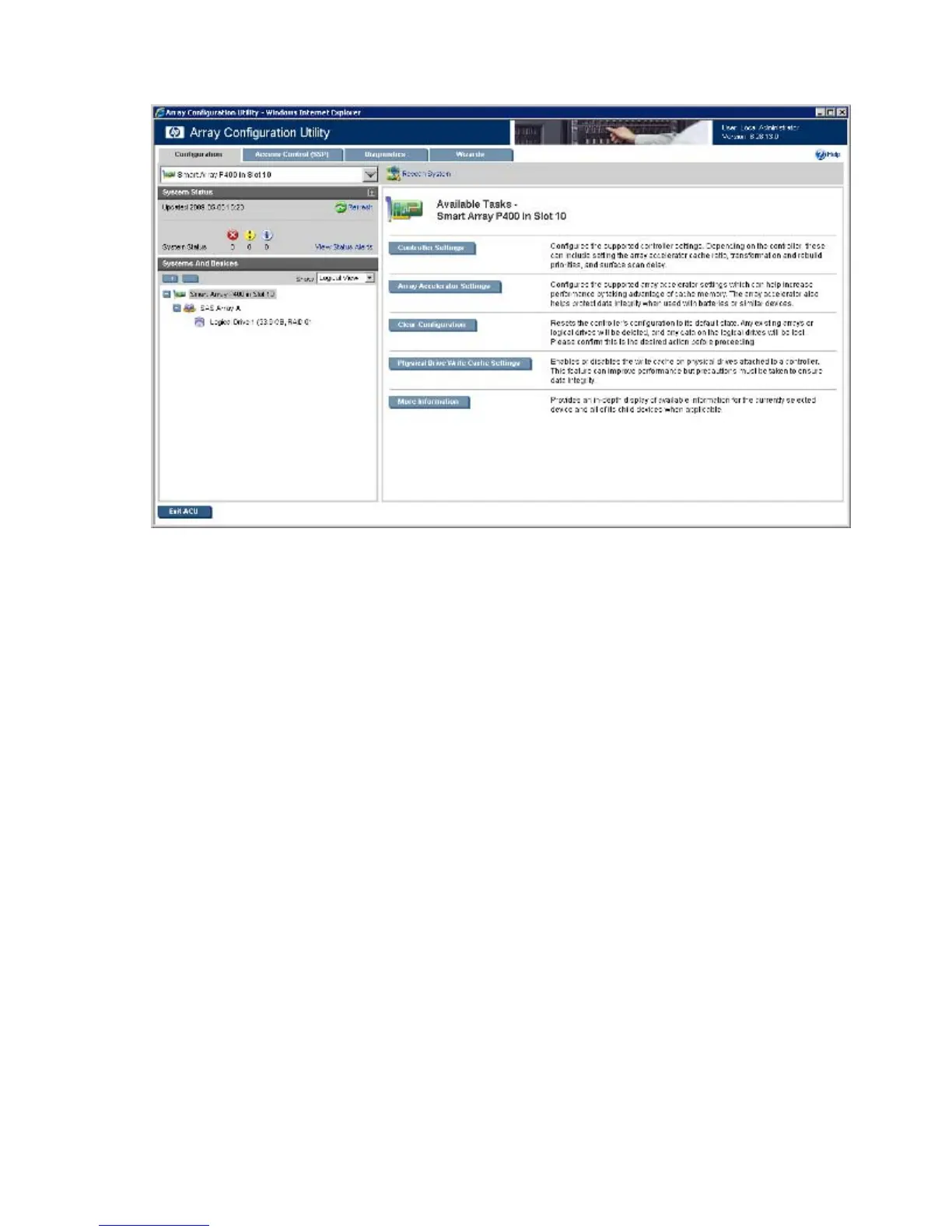
The Configuration screen appears.
10. Configure the controller:
o To configure manually, see "Performing a Configuration task (on page 42)."
o To configure with a wizard, see "Using Wizards (on page 51)" or "Using Express Configuration
(on page 52)."
11. When prompted, save the configuration.
12. Do one of the following:
o To configure an additional controller, repeat steps 9 through 11.
o Click Exit ACU.
13. To operate ACU on the remote server in Local Application Mode, do the following:
a. Click Start, and then select Programs>HP System Tools>HP Array Configuration Utility>Setup HP
Array Configuration Utility.
b. When the Execution Mode screen appears, select Local Application Mode.
c. Reboot the server.
14. (Optional) To make newly created logical drives available for data storage, use the operating system
disk management tools to create partitions and format the drives.
Configuring a server using ACU located on the SmartStart CD
1. Close all applications.
2. Insert the SmartStart CD into the CD-ROM drive.
3. Restart the server.
The server boots from the CD, and then loads the SmartStart executable and drivers.
4. When prompted, select the language and agree to the license restrictions.



 To Next Page