Table 5-1 Bottom cover and rubber feet descriptions and part numbers (continued)
Description Spare part number
Bottom cover, opulent aubergine M59350-001
Bottom cover, underwater teal M59351-001
Rubber feet, jet black M50428-001
Rubber feet, evening blue M50429-001
Rubber feet, natural silver M50430-001
Rubber feet, ash silver M50431-001
Rubber feet, pale gold M50432-001
Rubber feet, pale rose gold M50433-001
Before removing the bottom cover and rubber feet, prepare the computer for disassembly (see Preparation
for disassembly on page 32).
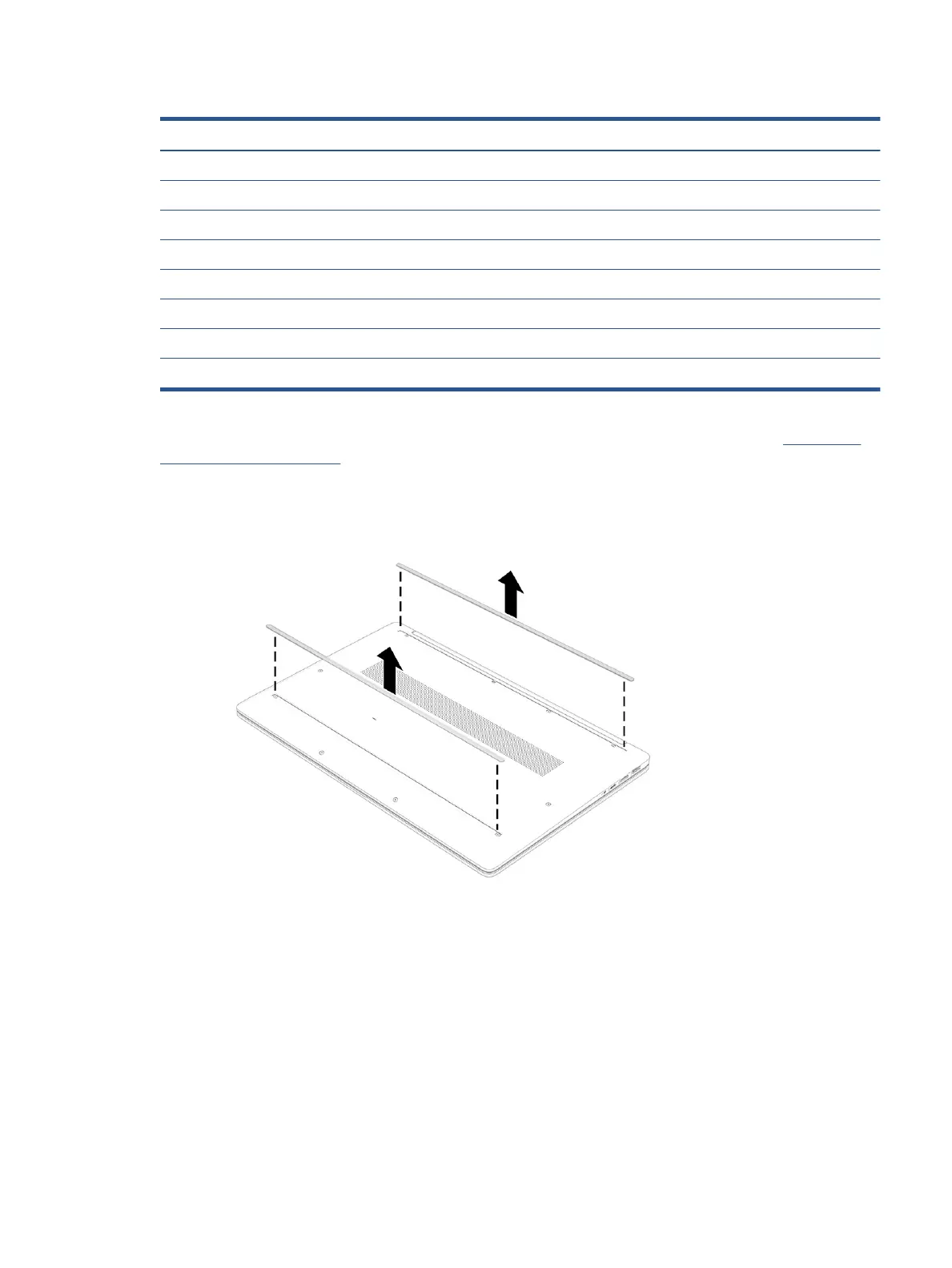
Remove the rubber feet and bottom cover:
1. Peel the feet o the bottom of the computer.
Component replacement procedures 33


 To Next Page
 Loading...